Microsoft 365 Copilot is transforming how enterprises work. With AI embedded directly into Word, Excel, PowerPoint, Outlook, and Teams, organizations are seeing document drafting times drop by 50–60% and financial modeling accelerate by 30–40%.
But here’s the reality that most vendors won’t tell you: deploying Copilot is not as simple as assigning licenses. Research shows that the three biggest barriers to successful Copilot adoption are data governance concerns, insufficient change management investment, and the absence of internal champions who can demonstrate real workflows to colleagues.
Organizations that treat Copilot deployment as a technology rollout rather than an organizational transformation consistently underperform. Meanwhile, companies that follow a structured implementation roadmap are seeing 200–400% ROI in their first year.
This guide provides the complete, phase-by-phase roadmap that we use with our clients at Penthara to ensure successful Copilot implementations - from initial readiness assessment through full-scale deployment and ongoing optimization.
The 5-Phase Copilot Implementation Roadmap
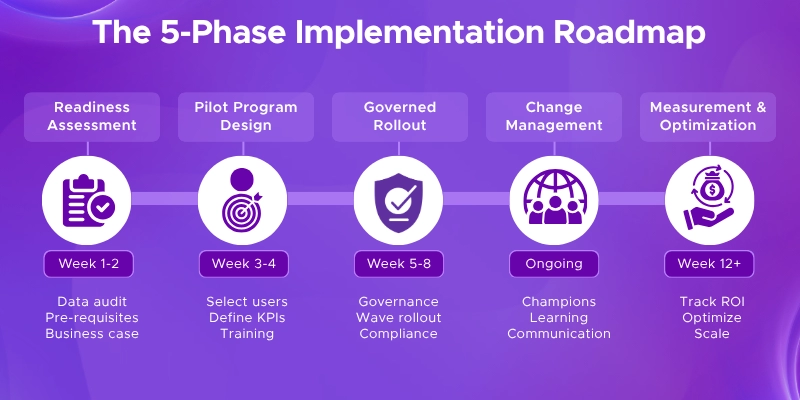
Based on Microsoft’s own internal deployment experience and our work with enterprise clients, we recommend a five-phase approach that typically spans 12–16 weeks from assessment to scaled deployment.
Phase 1: Readiness Assessment (Weeks 1–2)
Every successful Copilot deployment starts with an honest assessment of where you stand today. This phase answers a fundamental question: is your organization actually ready for AI?
Data Governance Audit
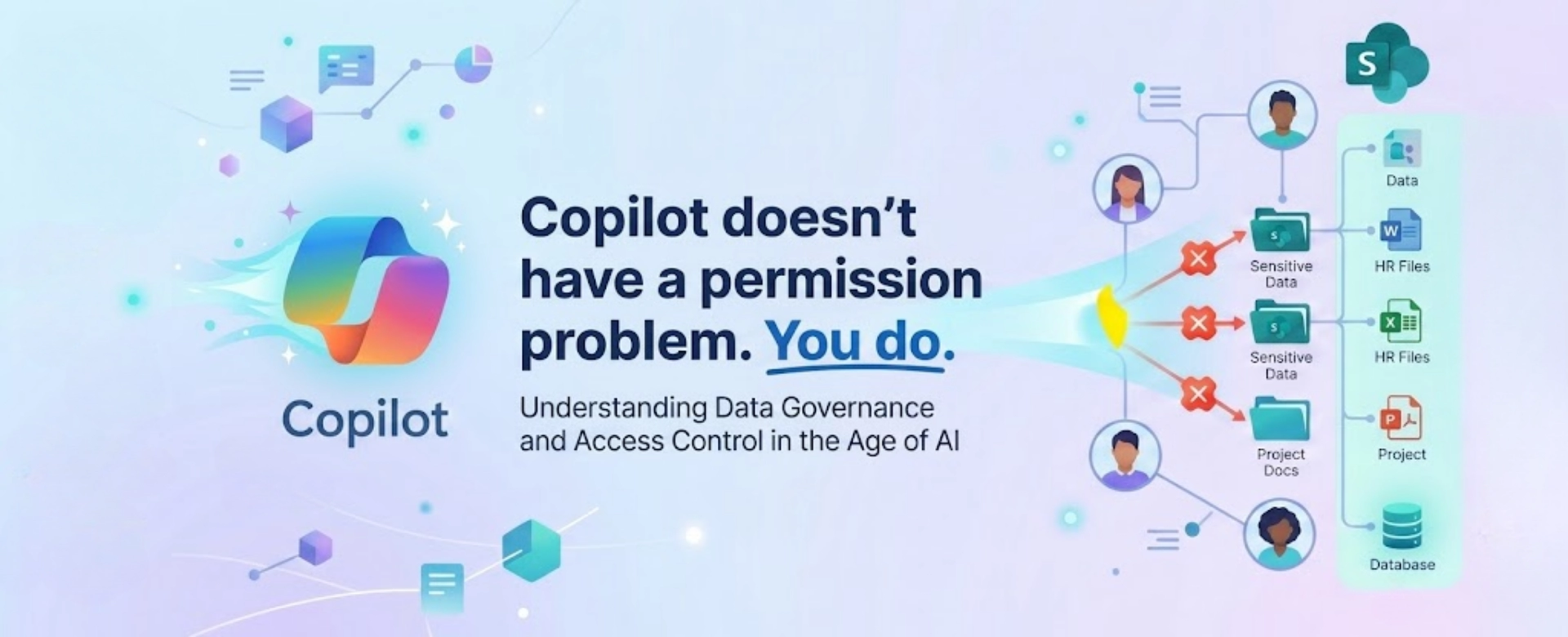
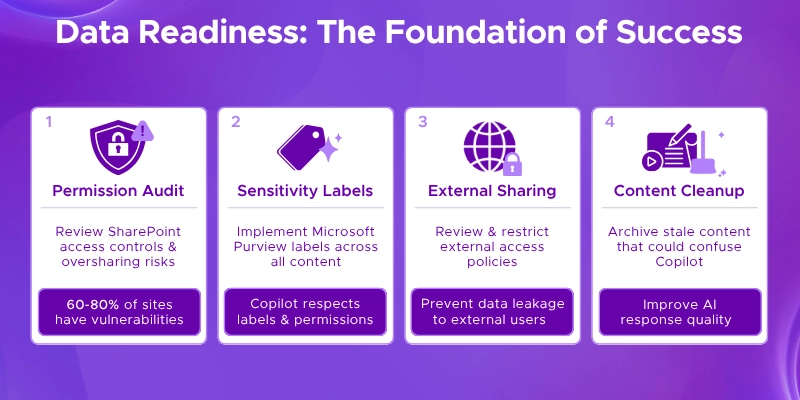
Copilot surfaces information that users already have access to. If your data governance isn’t in order, Copilot will amplify every permission misconfiguration in your environment. Assessments consistently find that a majority of SharePoint sites in a typical enterprise have at least one oversharing vulnerability that Copilot would expose.
Your audit should cover:
- SharePoint permission review - identify sites, libraries, and files with overly broad access
- Sensitivity label assessment - evaluate Microsoft Purview label coverage across your content
- External sharing policies - review what’s shared outside your organization
- Stale content cleanup - archive or remove outdated content that could confuse Copilot responses
Common Mistake: Deploying Copilot without a SharePoint permission audit is the single most common and most damaging mistake. Copilot amplifies every permission misconfiguration in your environment. Fix your data governance before you activate a single license.
Technical Prerequisites
Verify that your environment meets Microsoft’s requirements:
- Microsoft 365 E3 or E5 licensing (required foundation)
- Microsoft 365 Copilot add-on licenses for target users
- Azure Active Directory (Entra ID) properly configured
- Microsoft 365 Apps updated to the Current Channel
- Network connectivity meeting Microsoft’s endpoint requirements
Business Case Development
Identify 3–5 high-value use cases where Copilot can deliver measurable impact. Focus on roles where writing, analysis, and summarization are core activities - these are the areas where Copilot consistently delivers the fastest productivity gains.
Penthara Readiness Assessment
We offer a structured AI Readiness Assessment that evaluates your data governance maturity, technical prerequisites, organizational preparedness, and identifies the highest-ROI use cases for your specific environment. Contact us to schedule your assessment.
Phase 2: Pilot Program Design (Weeks 3–4)
With your readiness assessment complete, the next step is designing a controlled pilot that will validate your approach before scaling.
Selecting Your Pilot Group
Start with 5–10% of your organization. Choose participants strategically:
- High-impact roles: Employees who spend significant time on document creation, email communication, data analysis, and meeting management.
- Diverse departments: Include representatives from at least 3–4 business units to test Copilot across different workflows.
- Mix of tech comfort: Don’t only select power users. Include typical employees to get realistic adoption feedback.
- Executive sponsors: At least one senior leader who will champion the initiative and report results upward.
Establishing Success Metrics
Define what success looks like before the pilot begins. Microsoft’s measurement framework recommends tracking across three tiers:
| Tier |
What to Measure |
Example KPIs |
| Foundational |
Are people using it? |
License utilization rate, active users, DAU/MAU ratio |
| Productive |
Is it saving time? |
Hours saved per user/month, prompts per employee, successful session rate |
| Strategic |
Is it delivering ROI? |
Revenue impact, quality gains, customer satisfaction, time-to-market |
Pro Tip: Track prompts per employee per month as an early engagement indicator. Microsoft benchmarks suggest beginner users average 15–30 prompts/month, intermediate users 50–100, and advanced users 150+. If your pilot group stays below 30, you have a training problem, not a technology problem.
Training Your Pilot Group
Effective training goes beyond showing features. Focus on workflow-specific scenarios:
- Teach prompt engineering for each user’s specific role and common tasks
- Provide prompt libraries with pre-built examples for common workflows
- Run role-playing and shadowing sessions so users build practical confidence
- Create a dedicated Teams channel where pilot users can share tips and troubleshoot
Phase 3: Governed Rollout (Weeks 5–8)
Based on pilot results, refine your approach and begin scaling to a broader audience with proper governance in place.
Governance Framework
Research shows that only 7% of organizations have reached advanced maturity with real-time AI policy enforcement. Building governance into your rollout from the start puts you ahead of the vast majority of enterprises.
Your governance framework should define:
- Usage policies: Where Copilot can and cannot be used, and for what types of content.
- Data access controls: How Copilot access is managed through Microsoft Purview sensitivity labels and Restricted SharePoint Search.
- Approval workflows: Who approves new Copilot use cases and integrations.
- Compliance alignment: How Copilot usage maps to your industry’s regulatory requirements (HIPAA, SOC 2, GDPR, etc.).
- Low-code governance: Controls for Copilot Studio agent development, including who can build and publish custom agents.
Phased License Deployment
Expand from your pilot group in controlled waves:
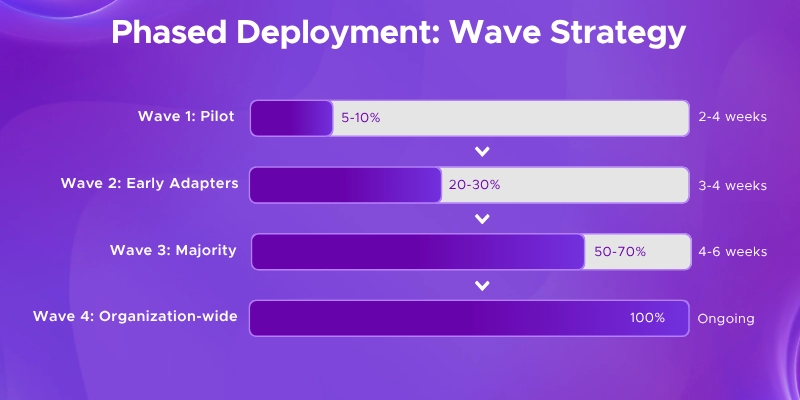
Common Mistake: Assigning licenses to all users on day one leads to low engagement, wasted licenses, and difficulty measuring ROI. A phased rollout lets you prove value incrementally and build organizational momentum.
Phase 4: Change Management & Adoption (Ongoing)
Change management is not a phase that ends - it’s an ongoing program that determines whether your Copilot investment delivers returns or becomes shelfware. Microsoft’s own deployment experience confirms that employee excitement about Copilot alone isn’t enough; you need strategic, coordinated change management.
The Copilot Champions Program
Organizations that designate internal Copilot Champions consistently see faster uptake and higher user confidence. Your Champions program should include:
- Identification: Find enthusiastic, capable employees across departments who naturally help colleagues with technology.
- Training: Give Champions advanced training and early access to new Copilot features.
- Empowerment: Provide Champions with time allocation, talking points, and leadership visibility.
- Community: Create a Champions community where they share best practices, prompt libraries, and workflow innovations.
Continuous Learning
Copilot’s capabilities evolve rapidly. Your training program should be iterative:
- Monthly “Lunch and Learn” sessions showcasing new features and real employee success stories
- Department-specific prompt libraries that are updated quarterly
- Self-service learning resources through Microsoft Viva Learning
- Regular communication from leadership reinforcing the strategic importance of AI adoption
Pro Tip: Customize Copilot prompts for your organization’s key workflows. Generic prompting drives generic results. When employees see Copilot solving their specific daily challenges, adoption accelerates dramatically.
Phase 5: Measurement & Optimization (Weeks 12+)
Without measurement, you’re investing on faith. Microsoft’s 2026 platform updates have made ROI tracking significantly more accessible, and your implementation roadmap should include a clear measurement strategy from day one.
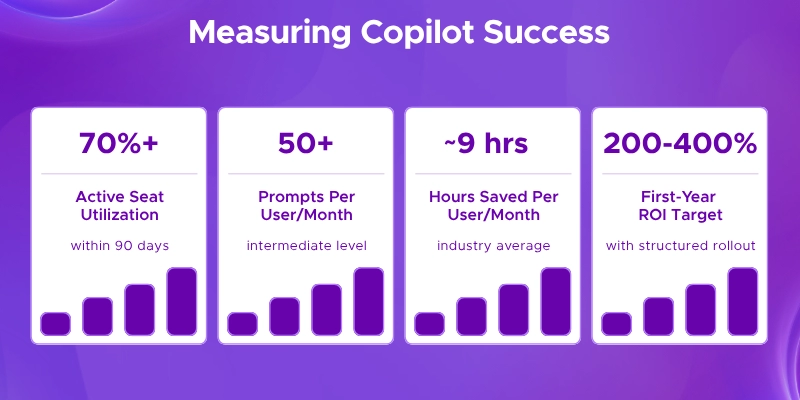
| Category |
Metric |
Target |
| Activation |
Active seat percentage |
>70% within 90 days |
| Engagement |
Prompts per user per month |
>50 (intermediate level) |
| Productivity |
Hours saved per user monthly |
~9 hours (industry average) |
| Satisfaction |
User sentiment score |
>4.0/5.0 in surveys |
| Business Impact |
Revenue impact / efficiency gains |
200–400% year-one ROI |
Tools for Measurement
Take advantage of the measurement tools Microsoft has built into the platform:
- Copilot Dashboard in Microsoft Viva: Now requires only 1 license (down from 50) and tracks adoption trends, usage patterns, and group-level analytics.
- Copilot Business Impact Report: A customizable Power BI template that merges Copilot telemetry with your business performance data from sales, HR, service, or finance systems.
- Microsoft 365 Admin Center Readiness Report: Updated in January 2026, it organizes prerequisites into deployment essentials, user experience settings, and data security configurations.
Continuous Optimization
Implementation doesn’t end at deployment. The highest-performing organizations treat Copilot as a living system:
- Review usage data monthly and address departments or roles with low adoption
- Collect qualitative feedback through regular surveys and focus groups
- Update prompt libraries and training materials as Copilot features evolve
- Expand use cases based on what’s working - look for workflows with the highest time savings
- Evaluate Copilot Studio for custom agent development as your organization matures
Next Steps: Getting Started
Implementing Microsoft 365 Copilot is a significant undertaking that goes well beyond technology deployment. It requires data governance, organizational change management, careful planning, and ongoing optimization. Organizations that invest in a structured roadmap consistently outperform those that take a “flip the switch” approach.
As a Microsoft Solutions Partner with deep expertise in AI and Microsoft 365 services, Penthara helps organizations navigate every phase of this journey. Whether you’re just beginning to evaluate Copilot or you’ve already purchased licenses and need help driving adoption, we can help.
Ready to Start Your Copilot Journey?
Penthara’s AI Readiness Assessment gives you a clear picture of where you stand today and a prioritized action plan for successful Copilot deployment. We evaluate your data governance, technical readiness, organizational preparedness, and identify the highest-impact use cases for your specific environment. Contact us at to schedule your assessment.