Penthara-Logo-Dark
For Organizations
Newsletter blog header

What's new in Microsoft Copilot | January 2026

Discover the latest Microsoft 365 Copilot updates for January 2026: Outlook emails in Copilot, Agent mode in Word, Excel & PowerPoint, AI-powered file creation, voice-enabled catch-up, natural language email triage, and new admin center insights.

#1 Microsoft Copilot

1. Microsoft 365 Copilot: Open Outlook emails within Copilot experiences

Microsoft 365 Copilot is introducing a capability that allows users to open Outlook emails directly within full-app Copilot experiences, including Copilot chat. This enhancement reduces context switching by enabling users to view referenced emails alongside their Copilot interactions.

When this will happen
General Availability (Worldwide): Rollout begins mid-February 2026 and is expected to complete by late February 2026.

How this affects your organization

Who is affected:
All users who access Microsoft 365 Copilot full-app experiences, including Copilot chat.

What will happen:

  • Users can open Outlook emails directly from references or sources shown in Copilot chat.
  • Emails will appear side-by-side within the Copilot experience.
  • The feature is enabled by default.
  • Existing Microsoft 365 permissions and data access models remain unchanged.
  • No changes are made to Outlook, Exchange Online, or Copilot admin controls.

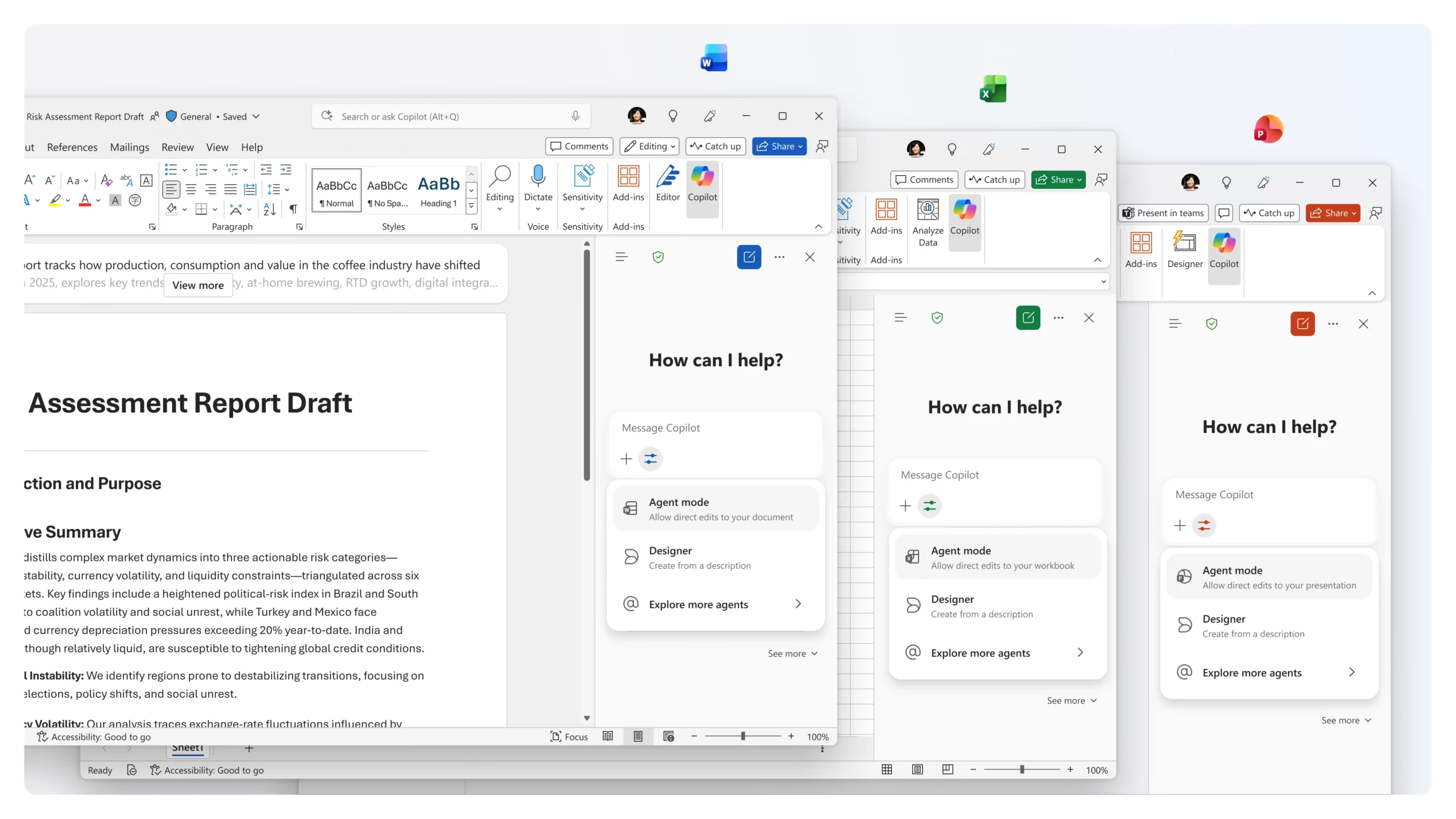
2. Microsoft 365 Copilot: Agent mode in Word, Excel, and PowerPoint

Agent mode enables Copilot to work alongside users to edit and refine documents, spreadsheets, and presentations. Copilot responds to prompts, actively makes changes to files while reasoning through them, and provides visibility into what is being done so users can review, adjust, or guide the outcome.

When this will happen

  • Users without a Microsoft 365 Copilot license: Agent mode in Word, Excel, and PowerPoint (web) is rolling out in February.
  • Users with a Microsoft 365 Copilot license:
    • Agent mode in Word rolled out in November.
    • Agent mode in Excel rolled out on the web in December and on Desktop and Mac in January.
    • Agent mode in PowerPoint is rolling out on the web in February.

How this affects your organization

Who is affected:
Copilot Chat users and users with a Microsoft 365 Copilot license.

What will happen:

  • Copilot can actively edit files while explaining its reasoning.
  • Users retain transparency and control, with the ability to review or modify changes at any time.
  • Copilot Chat users receive standard access with web grounding.
  • Microsoft 365 Copilot-licensed users receive priority access with both web and work grounding.

Agent Mode in Word Excel PowerPoint

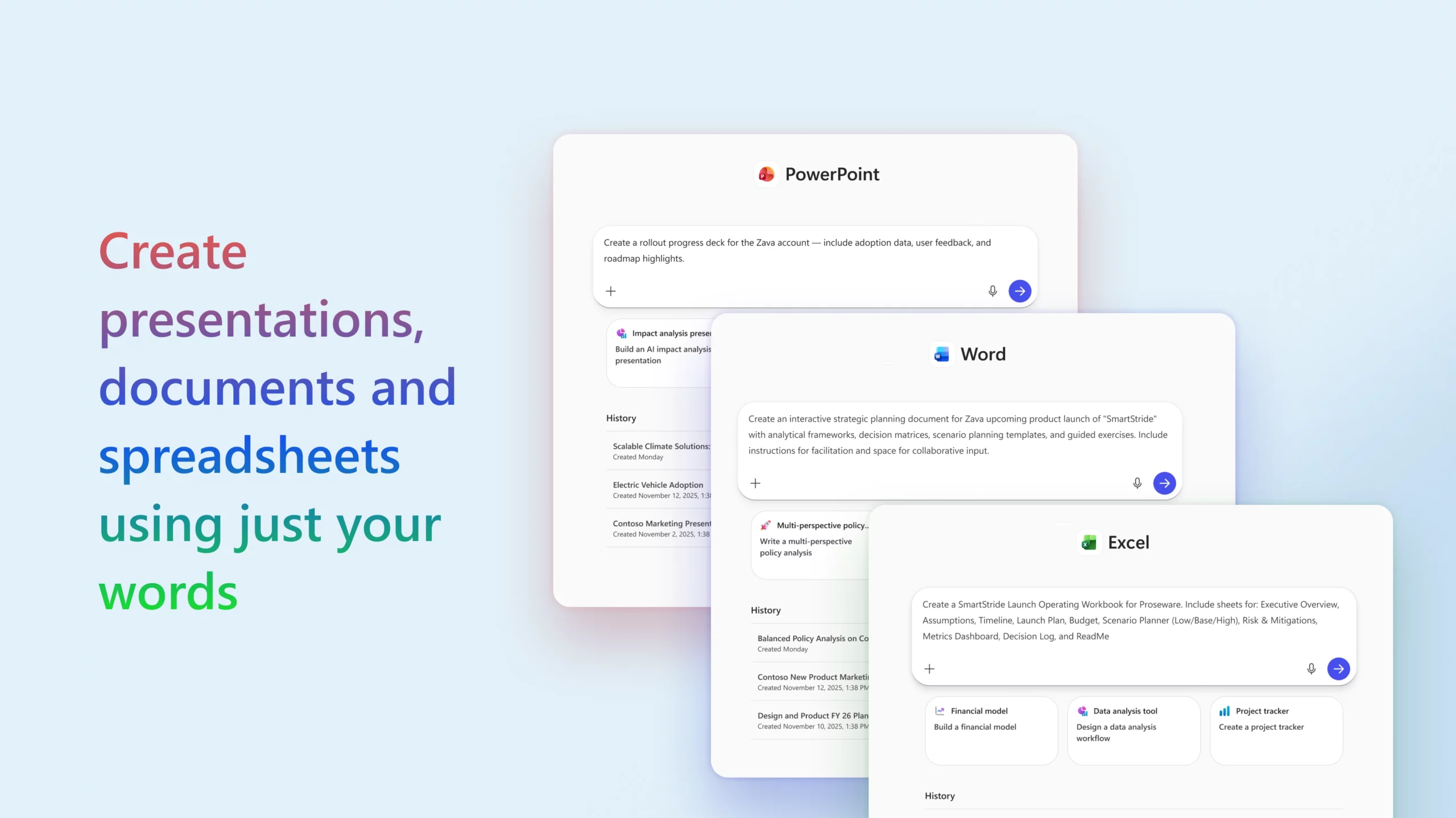
3. Microsoft 365 Copilot: Word, Excel, and PowerPoint agents for file creation

Word, Excel, and PowerPoint agents enable users to create new files from a single prompt in Copilot Chat. These agents generate structured drafts with built-in formatting and detail, allowing users to quickly produce documents, analyses, and presentations that are ready for review and iteration.

When this will happen
Rolling out in February for users with a Microsoft 365 Copilot license and for Copilot Chat users without a Microsoft 365 Copilot license.

How this affects your organization

Who is affected:
Copilot Chat users and users with a Microsoft 365 Copilot license.

What will happen:

  • Users can generate complete drafts for documents, spreadsheets, and presentations directly from Copilot Chat.
  • Drafts include rich structure, formatting, and content to reduce time spent starting from a blank page.
  • Copilot Chat users receive standard access with web grounding.
  • Microsoft 365 Copilot-licensed users receive priority access with both web and work grounding.
Microsoft 365 Copilot: Word, Excel, and PowerPoint agents for file creation

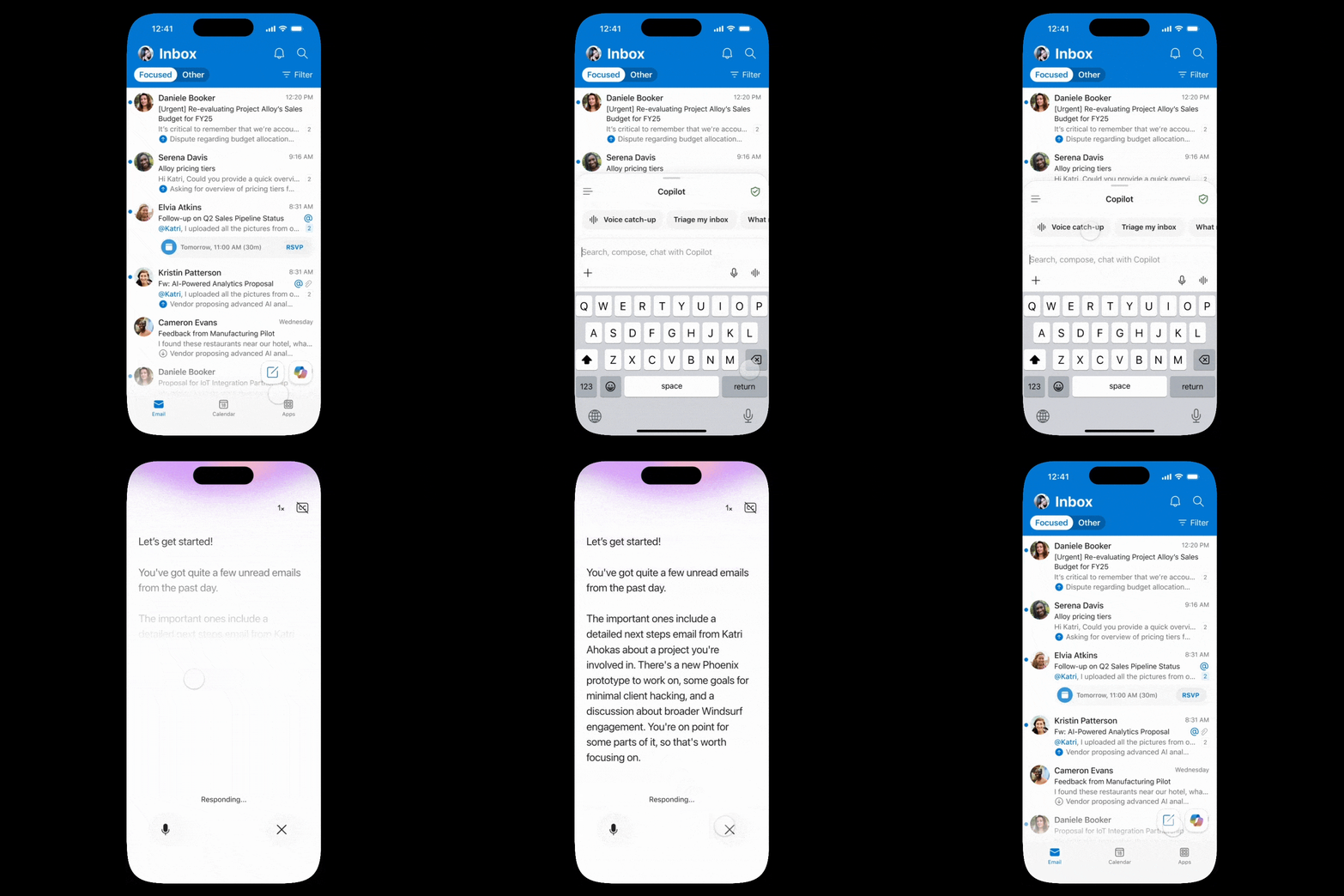
4. Outlook Mobile: Voice-enabled Copilot catch-up

Copilot in Outlook mobile now includes an interactive voice experience that summarizes unread emails and guides users through actions such as drafting replies, deleting, archiving, pinning, and flagging messages hands-free.

When this will happen

  • iOS: Rollout began in January.
  • Android: Rolling out in February.

How this affects your organization

Who is affected:
Users of Copilot in Outlook mobile on iOS and Android.

What will happen:

  • Users can open Copilot from the Outlook mobile home screen and select voice catch-up to begin.
  • Copilot will summarize unread emails and support hands-free email management actions.
  • This capability enables faster triage and interaction with email while on the go.
Voice in Outlook mobile

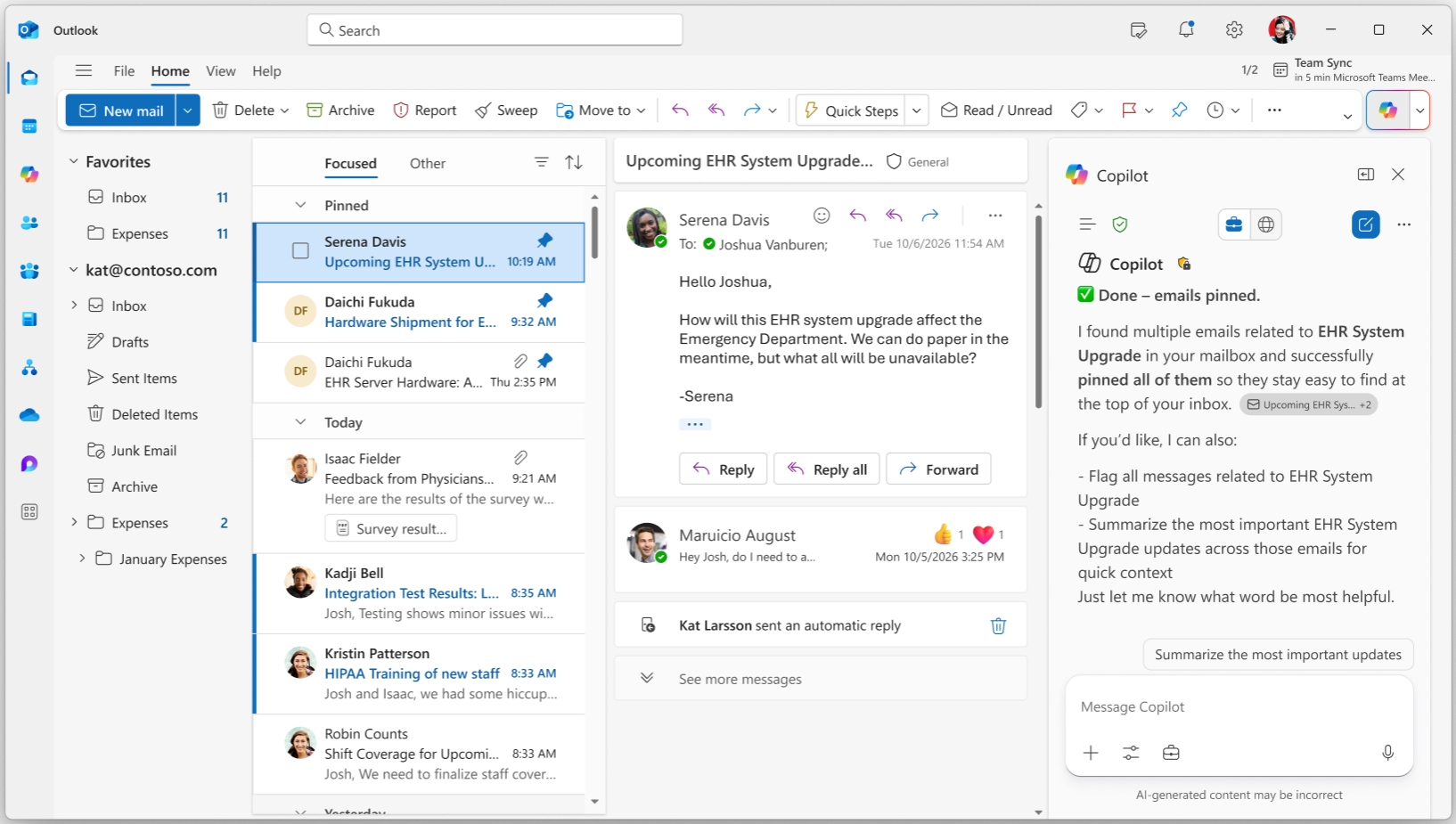
5. Microsoft 365 Copilot: Natural language email triage

Users can now perform common email triage actions using natural language directly from Copilot Chat in Outlook and the Microsoft 365 Copilot app. This capability helps users manage inboxes more efficiently without navigating multiple controls.

When this will happen
Rollout began in December.

How this affects your organization

Who is affected:
Users of Copilot Chat in Outlook and the Microsoft 365 Copilot app.

What will happen:

  • Users can manage emails with prompts such as flagging unread messages, archiving project-related emails, or marking messages as read or unread.
  • Supported actions include pinning and unpinning, flagging and unflagging, archiving, and changing read status.
  • This capability streamlines inbox organization and supports faster email management.
Outlook mail triage actions

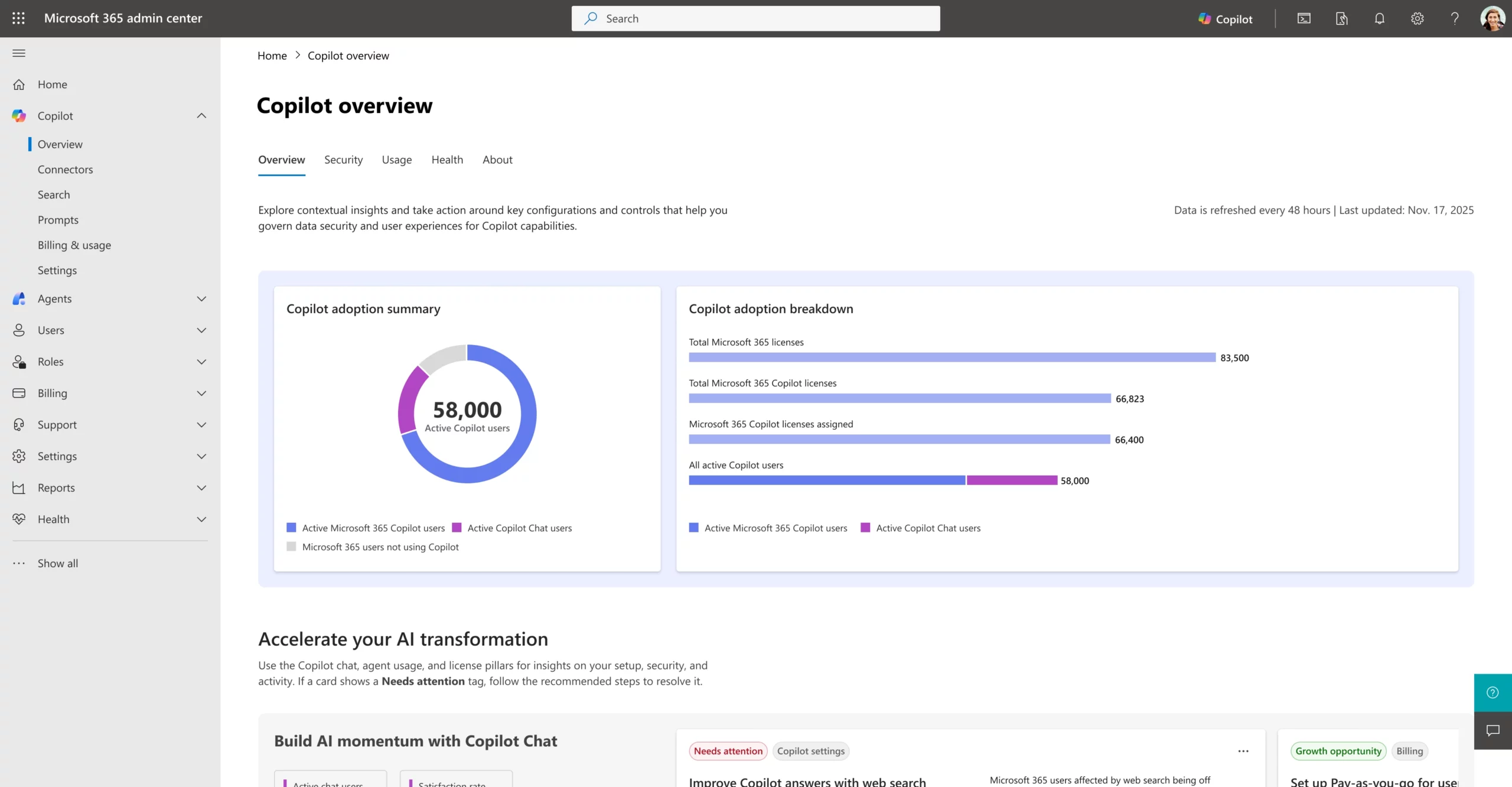
6. Microsoft 365 admin center: New Copilot overview and readiness report

The Microsoft 365 admin center now includes a redesigned Copilot overview page that provides a centralized and contextual view of Copilot across the tenant. This experience brings together insights on environment state, configurations, and prioritized recommended actions to support security, governance, and adoption.

When this will happen
Rolled out in January.

How this affects your organization

Who is affected:
Admins managing Microsoft 365 Copilot in the Microsoft 365 admin center.

What will happen:

  • A redesigned overview page will unify insights across Copilot Chat, agents, and Microsoft 365 Copilot.
  • Admins can view environment status, configurations, and recommended actions in one location.
  • The report supports readiness assessments, governance planning, management controls, and measurement.
  • IT teams can more quickly evaluate deployment readiness and support Copilot adoption at scale.
Microsoft 365 admin center: New Copilot overview and readiness report
Written & Reviewed by

Jasjit Chopra

Chief Executive Officer
Comment Now

Leave a Reply

Your email address will not be published. Required fields are marked *

More from this Category
Newsletter blog header - Penthara AI
Microsoft Copilot

What's new in Microsoft Copilot | February 2026

Explore the latest Microsoft 365 Copilot updates including AI meeting recaps, Word editing, PowerPoint agentic features, and enhanced grounding.

Microsoft Copilot

Copilot Doesn't have a Permission Problem. You DO!

Copilot doesn’t have a permission problem - your data does. Fix access, structure, and governance to unlock real AI productivity.

What's new in Microsoft Copilot | July 2025
Microsoft 365

What's new in Microsoft Copilot | July 2025

Explore July 2025 Copilot updates: smarter chat history, discreet Teams support, writing help in Edge, audio summaries in Word, and...

crossmenuchevron-down