For Organizations
Customize your Copilot
Build your own

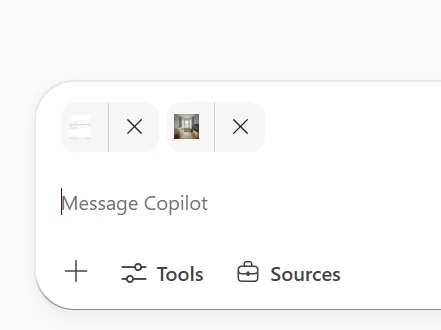
Copilot Chat is gaining enhanced creative flexibility with the ability to upload multiple reference images within a single conversation. This update streamlines image generation, reduces repetitive steps, and supports more dynamic visual creation.
When this will happen
How this affects your organization
Screenshot 1: Multiple images can be uploaded from a user's device
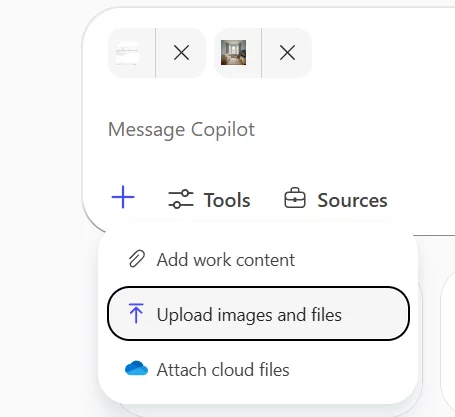
Screenshot 2: In Copilot Chat, Select the + (plus) sign and choose Upload images and files
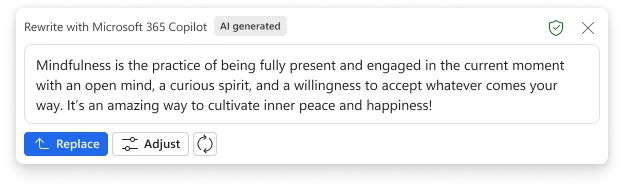
Microsoft Edge for Business will soon support Rewrite, a new feature powered by Microsoft 365 Copilot Chat. Rewrite helps users draft, rephrase, and refine editable text directly within Edge, improving both productivity and writing quality. Users can access Rewrite by highlighting editable text and selecting the option from the right-click context menu.
When this will happen
How this affects your organization
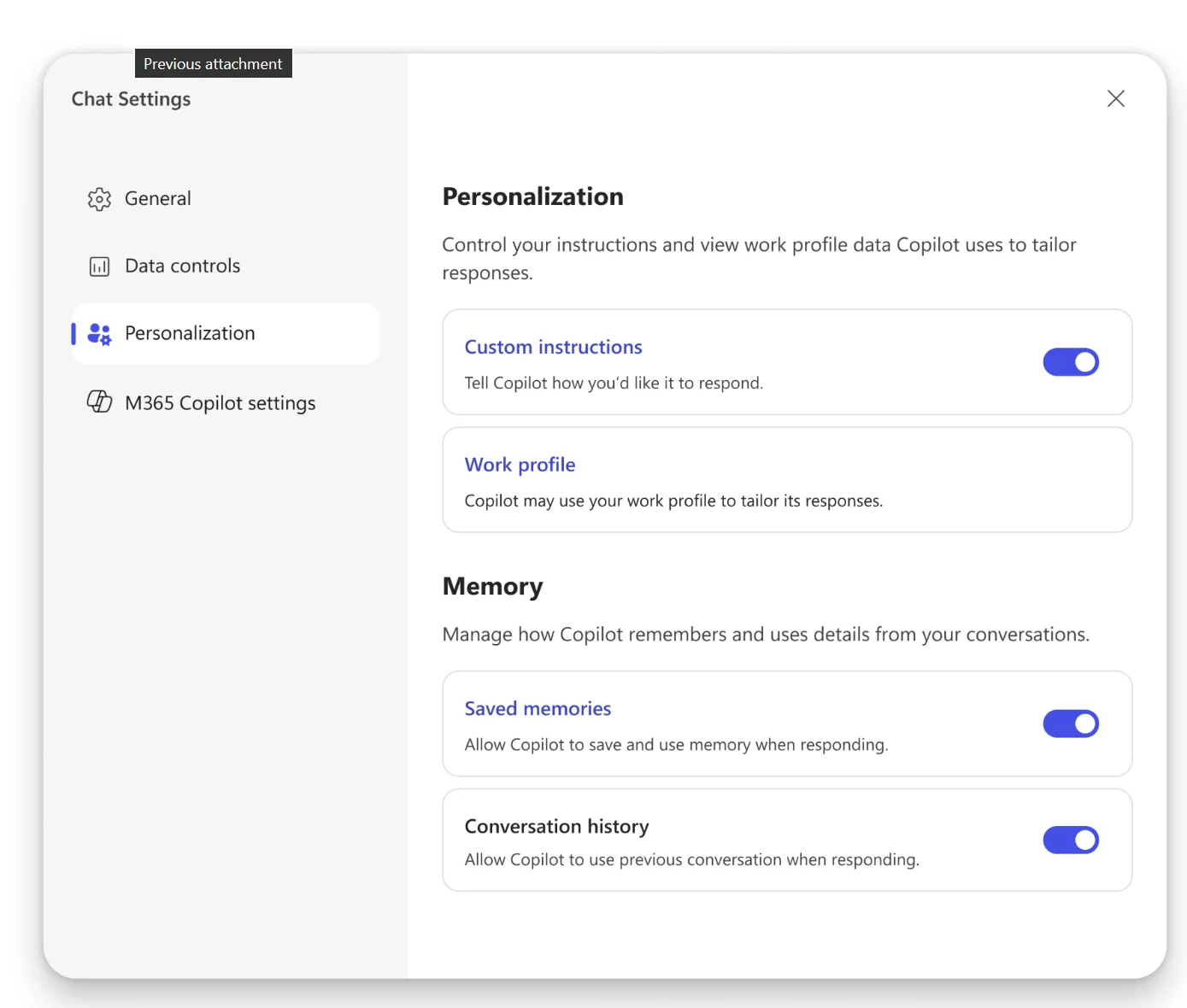
Memory in Microsoft 365 Copilot is being updated to deliver more personalized and contextual experiences. Copilot will begin using chat history to tailor responses, providing users with more relevant insights. In addition, refreshed user controls in Copilot settings will make it easier to view, manage, and adjust what Copilot remembers.
When this will happen
How this affects your organization:
All users of Microsoft 365 Copilot in tenants where Memory is enabled.
What will happen:
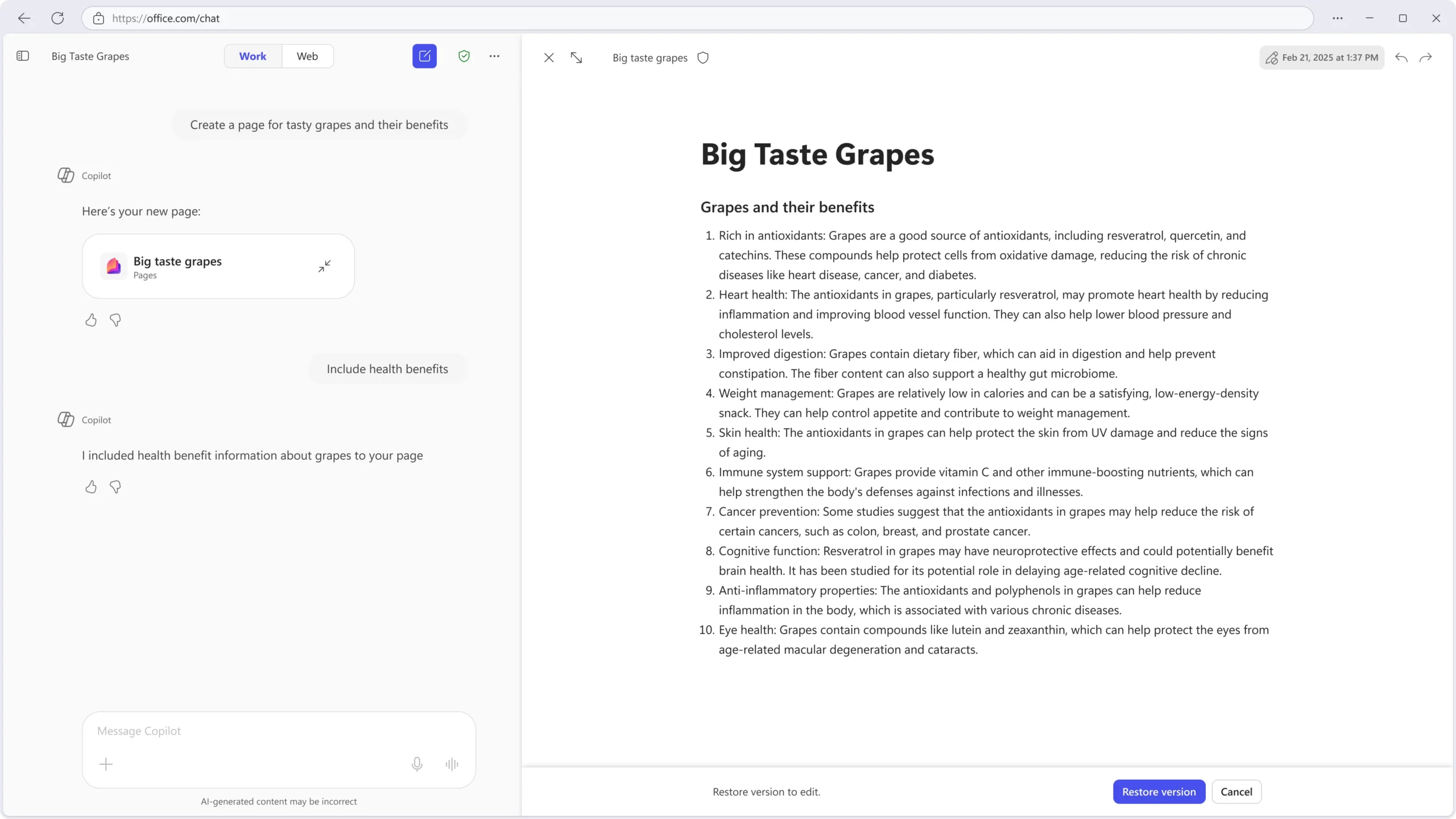
Version history is being added to Microsoft 365 Copilot Pages to help users refine their work with confidence. This capability allows users to view and restore previous versions of a page—whether edits were made manually, through Copilot, or collaboratively. The update enhances transparency and control in content creation and reflects customer feedback.
When this will happen
How this affects your organization
What will happen
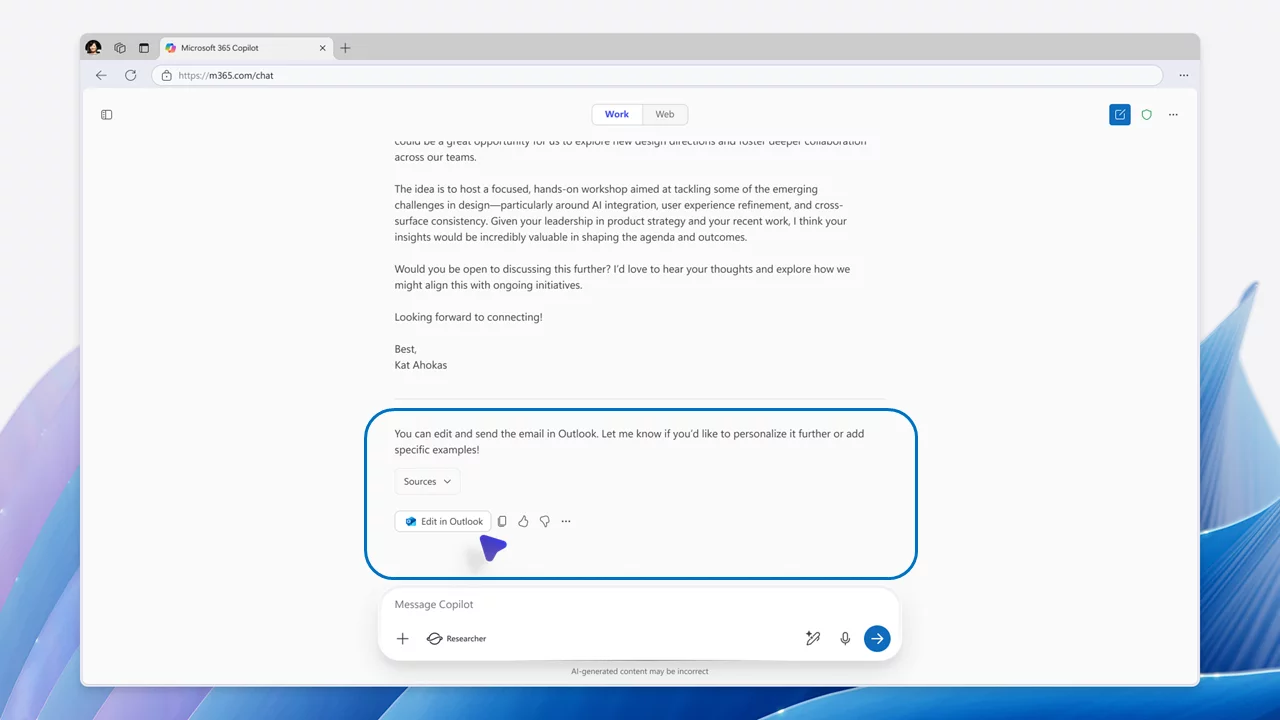
A new Edit in Outlook button in Microsoft 365 Copilot Chat provides a seamless bridge between conversation and email composition. When using the Work scope, Copilot Chat detects intent to draft an email and displays the Edit in Outlook button. Selecting this button launches a draft in Outlook, complete with a suggested subject line and body text.
This integration streamlines email workflows, reduces context switching, and helps users move from idea to action more efficiently.
When this will happen
How this affects your organization
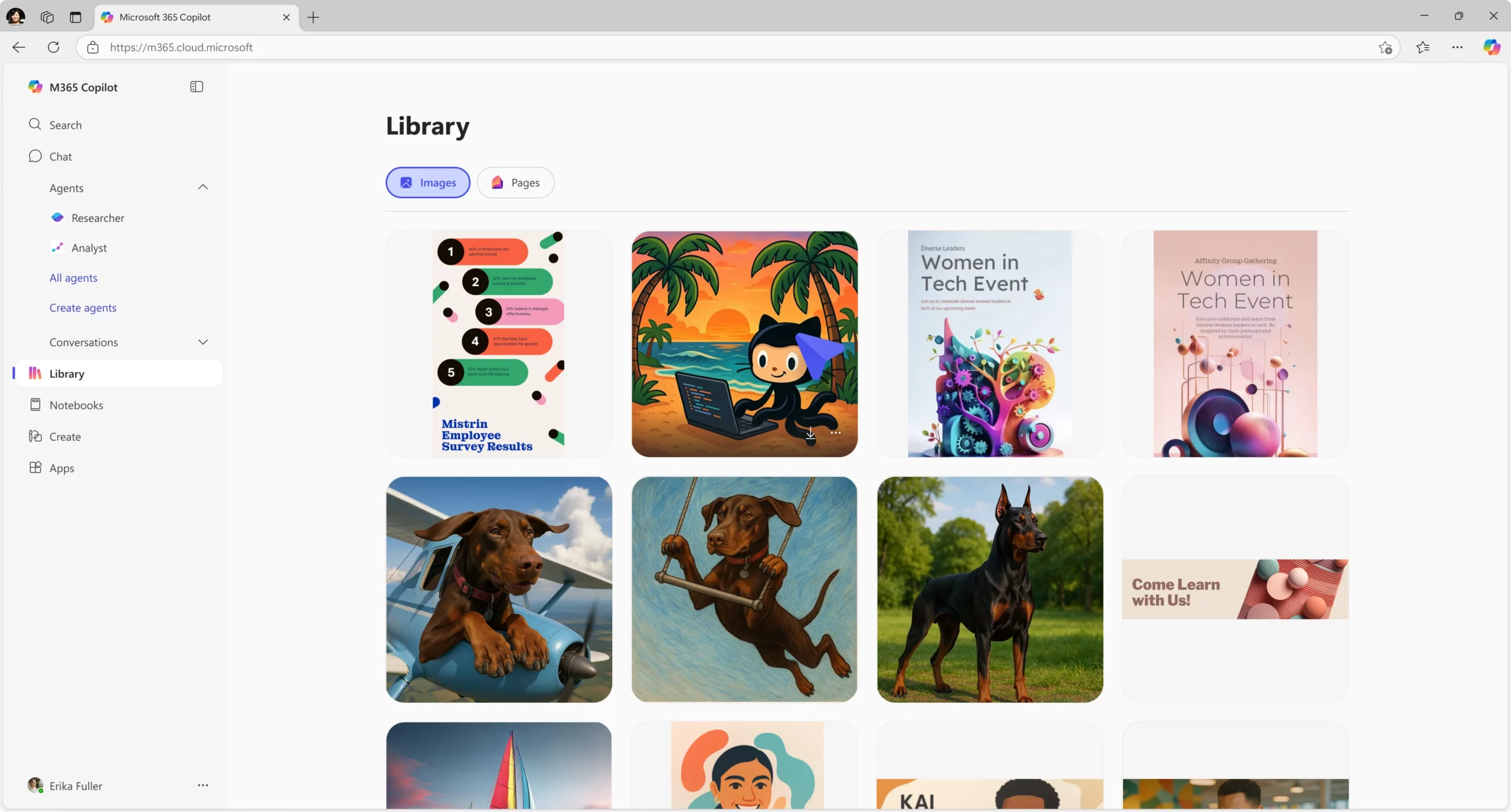
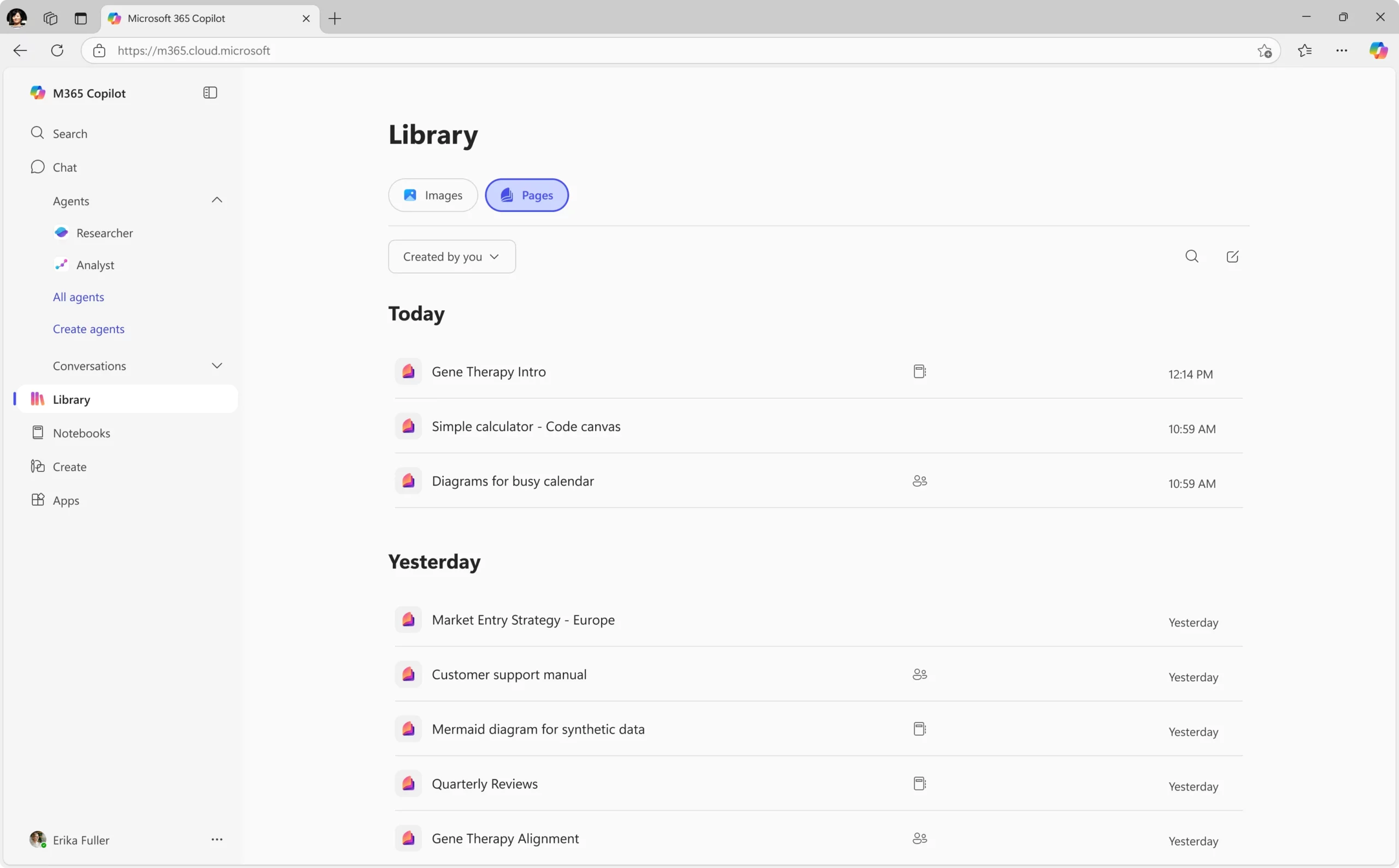
The Microsoft 365 Copilot Library serves as a centralized destination within the Copilot app for managing AI-generated content. Users can easily find, edit, and share content they created with Copilot or content shared with them.
Currently, the Library supports:
This centralized view allows users to track and iterate on their creations—whether it’s a banner for an event or a collaborative team document—making content management more efficient and organized.
When this will happen
How this affects your organization
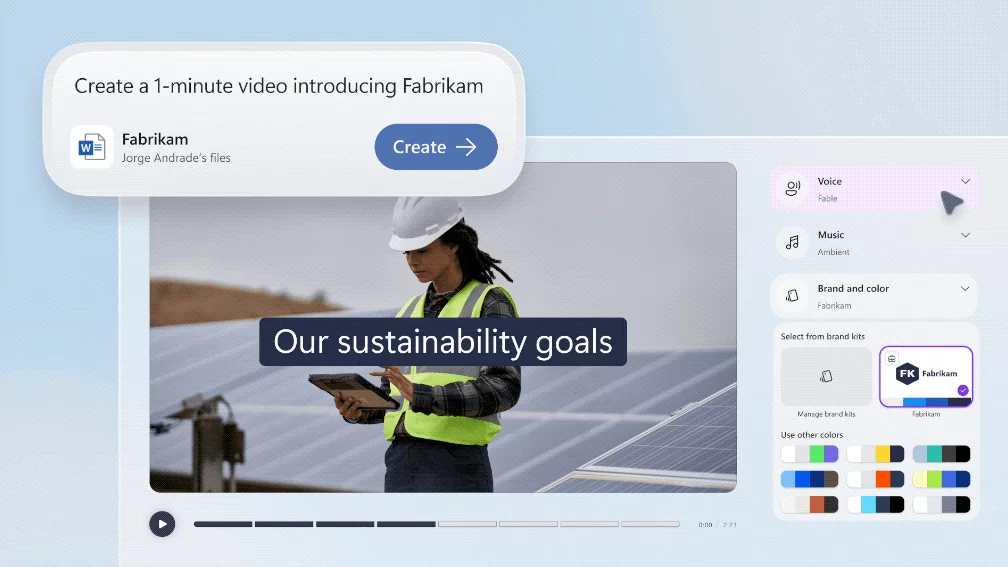
Users can now produce videos from text prompts and existing files such as PowerPoint, Word, and PDFs using the Create experience in the Microsoft 365 Copilot app. The enhanced video creation capabilities include:
These updates enable organizations to produce on-brand, accessible, and scalable video communication efficiently.
When this will happen
How this affects your organization
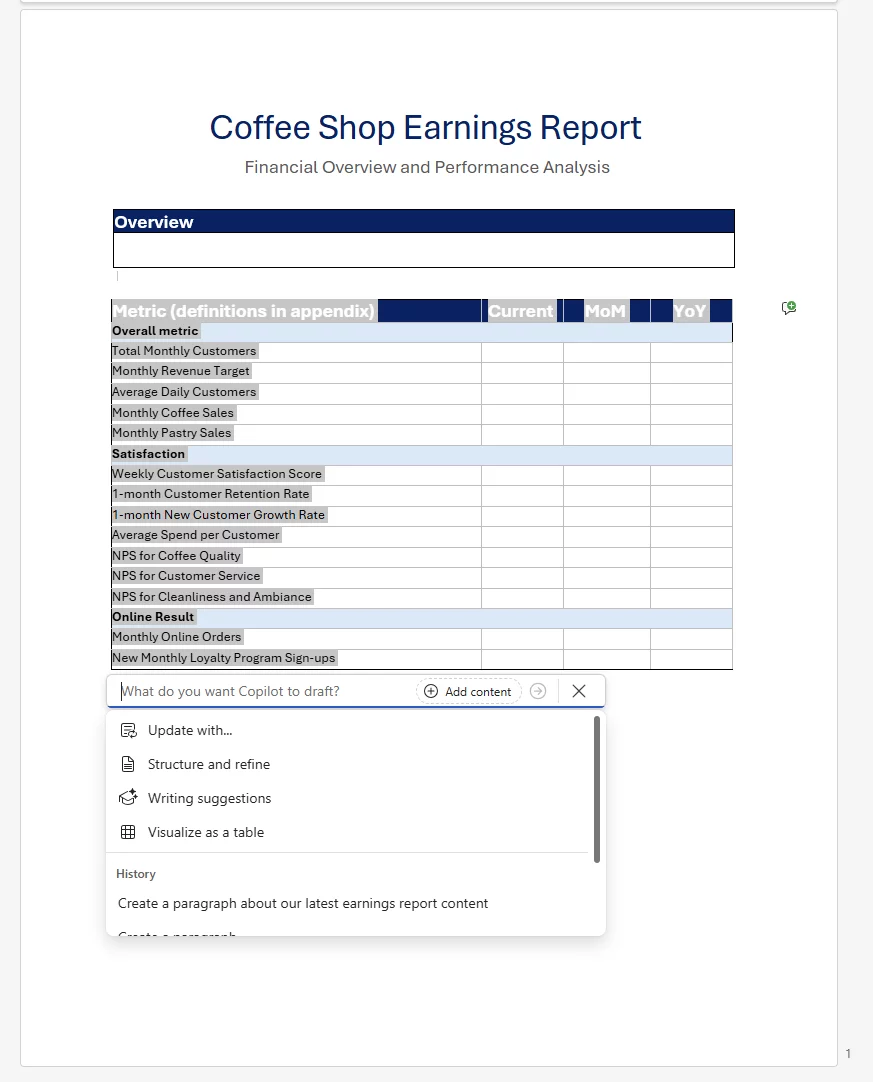
Copilot now enables users to reuse sections of existing Word documents or templates using content from files, emails, and meetings as references—while preserving the original formatting.
How it works:
When this will happen
How this affects your organization
Facilitator provides a comprehensive way to manage meetings in Microsoft Teams, helping users stay on track, capture decisions, and follow through on actions.
Key capabilities:
When this will happen
How this affects your organization
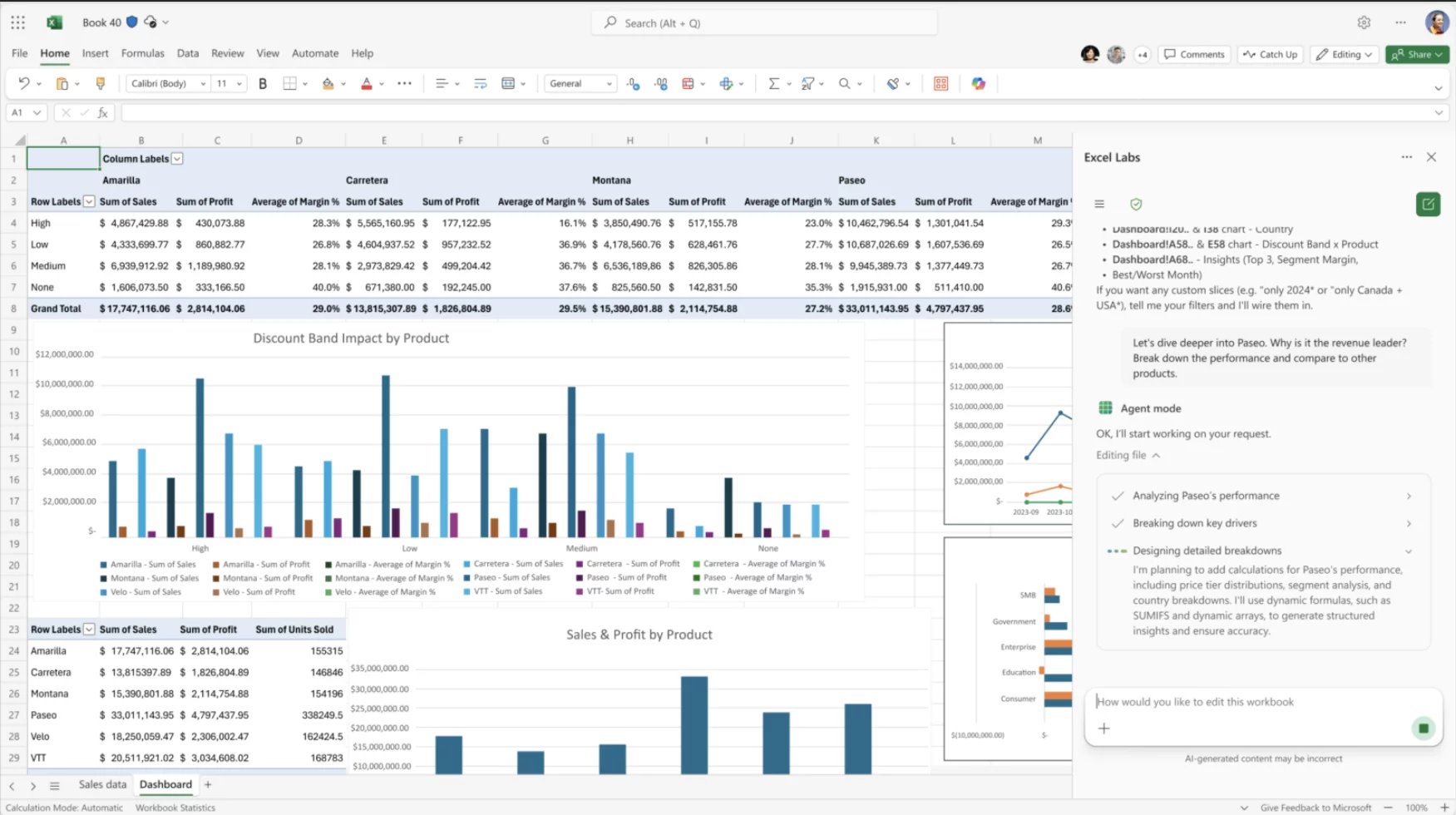
Agent Mode in Microsoft 365 Copilot for Excel introduces a natural language interface for building and editing workbooks. Users can work alongside Copilot while keeping content fully editable and synchronized with the latest changes. Early access is available through the Frontier preview in the Excel Labs add-in. Users retain full control over all modifications at any time.
Rollout Schedule
Impact on Your Organization