What's new in Microsoft | April 2026 Updates
Monthly updates, news & events from Microsoft to help you & your business grow & get best out the Microsoft...

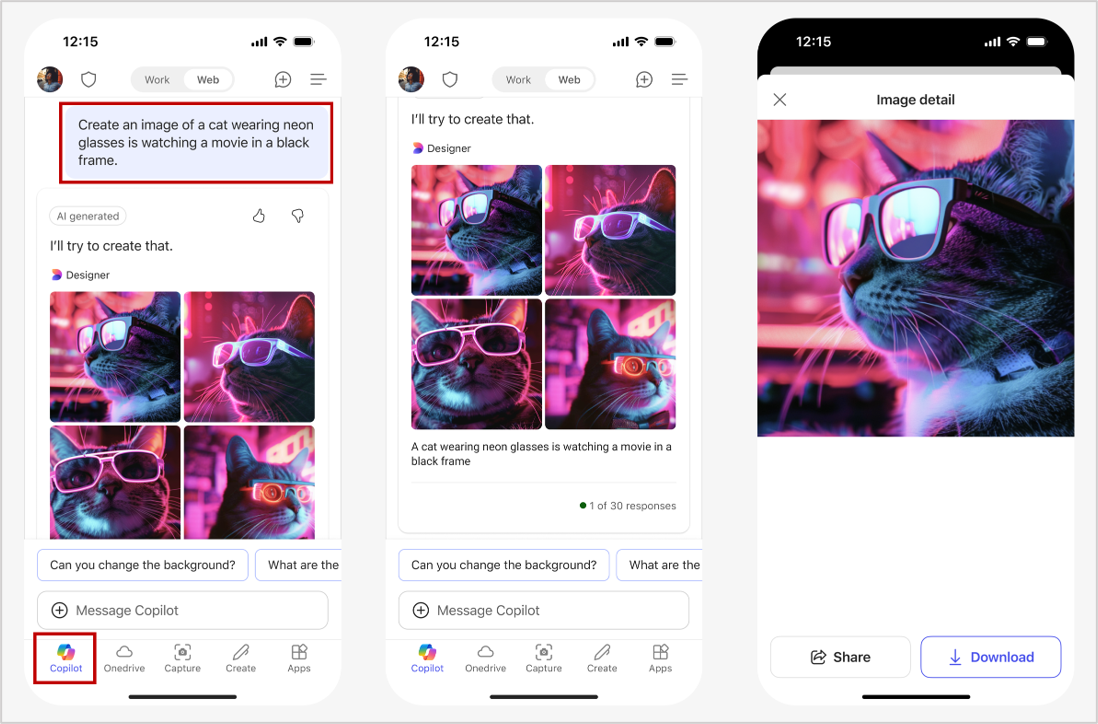
Coming soon: Users can create images using natural language to visualize concepts and ideas in the flow of work in iOS/Android mobile apps for Microsoft 365 Copilot, Microsoft Teams, and Microsoft Outlook.
A Microsoft 365 Copilot license or a Microsoft 365 license is required to use this feature.
When this will happen:
General Availability (Worldwide): Microsoft will begin rolling out on mid-April 2025 and expect to complete by late April 2025.
How this will affect your organization:
This new feature will be available by default.
In the Chat tab of the Microsoft 365 Copilot mobile app, users can enter natural language to ask Copilot to generate an image:

The Microsoft 365 Copilot app is users’ starting place for AI at work, with ease of access to Copilot Pages, productivity apps and files, and features such as enterprise search, secure AI chat, agents, and content creation. Now, the first time users open the Microsoft 365 Copilot app, they will be greeted with an experience that walks them through their favorite tools, apps, files, and more. The updated Microsoft 365 Copilot app is rolling out in May.
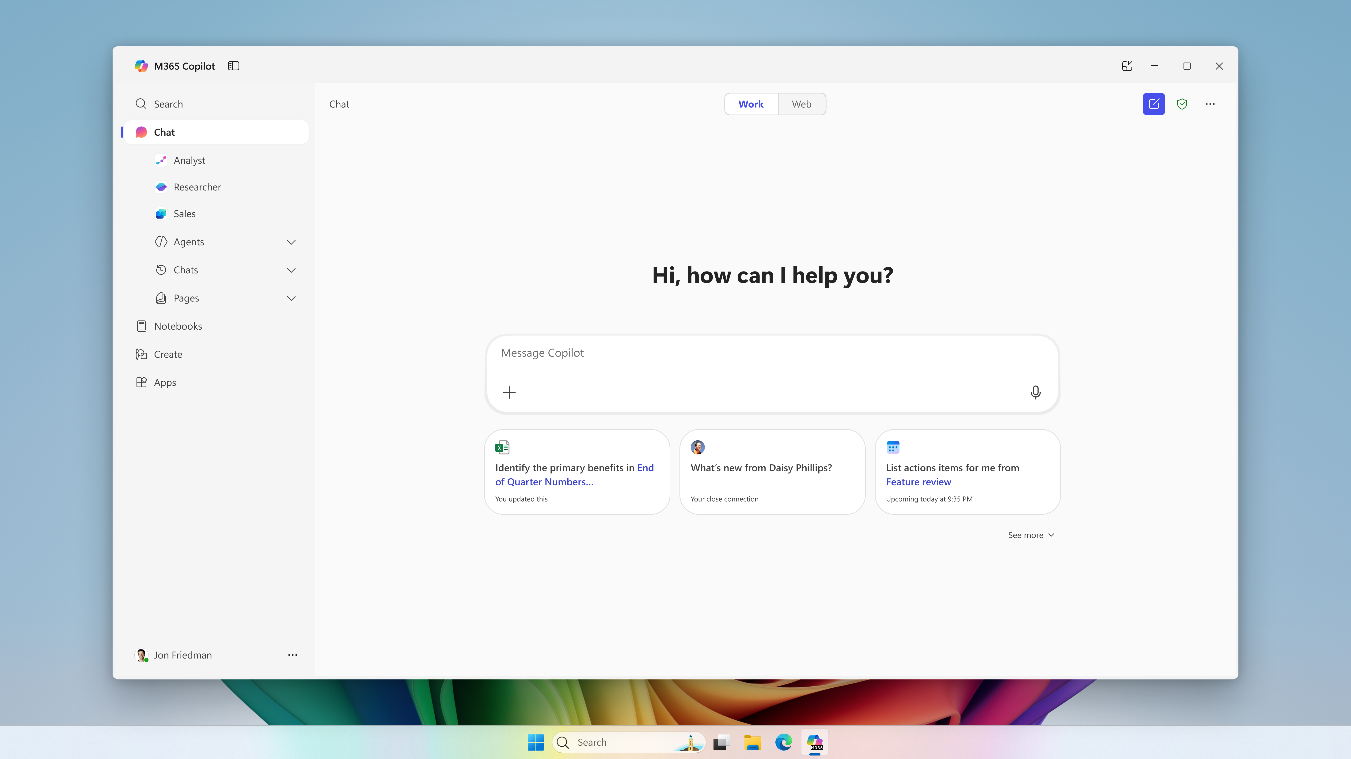
Users can now effortlessly interact with Microsoft 365 Copilot Chat by using the Copilot key or the new keyboard shortcut of Win + C on a Windows 11 device. This opens a prompt box, enabling users to quickly chat with Copilot, upload files and images, or call an agent. For more space, users can expand to the full Microsoft 365 Copilot app. This feature is rolling out in May.
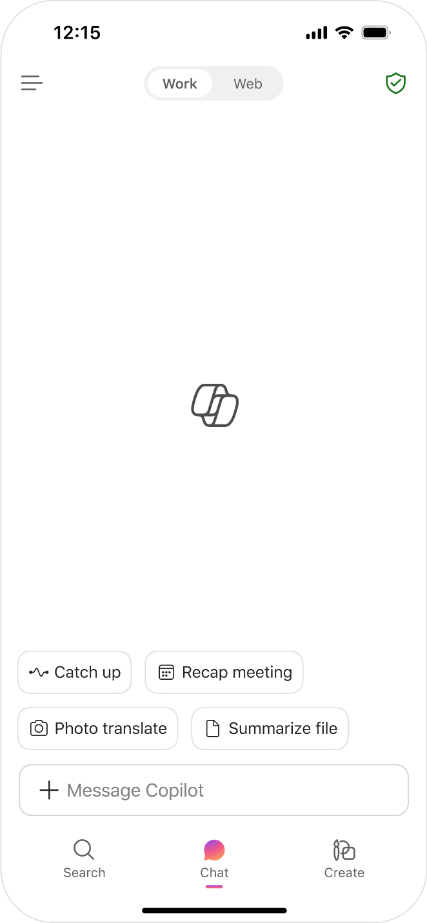
Users will soon find a simplified experience when using the Microsoft 365 Copilot mobile app. OneDrive is being renamed Search, and Copilot is being renamed Chat. We’ve also added a new module called Create. These three modules are pinned to the bottom navigation in the Microsoft 365 Copilot app, giving users easy access to secure AI chat, apps, and files on the go. These updates are rolling out in May.

Users will soon experience a more streamlined user interface for Copilot Chat. The first time users open Copilot Chat, they will be greeted with an intuitive experience that introduces Copilot Chat capabilities. The Chat module (previously the Copilot module) offers quick access to chat history, Copilot Pages, and agents through an updated left navigation pane. Users can also easily collapse the navigation pane while they collaborate seamlessly with Copilot. These features are rolling out in May.


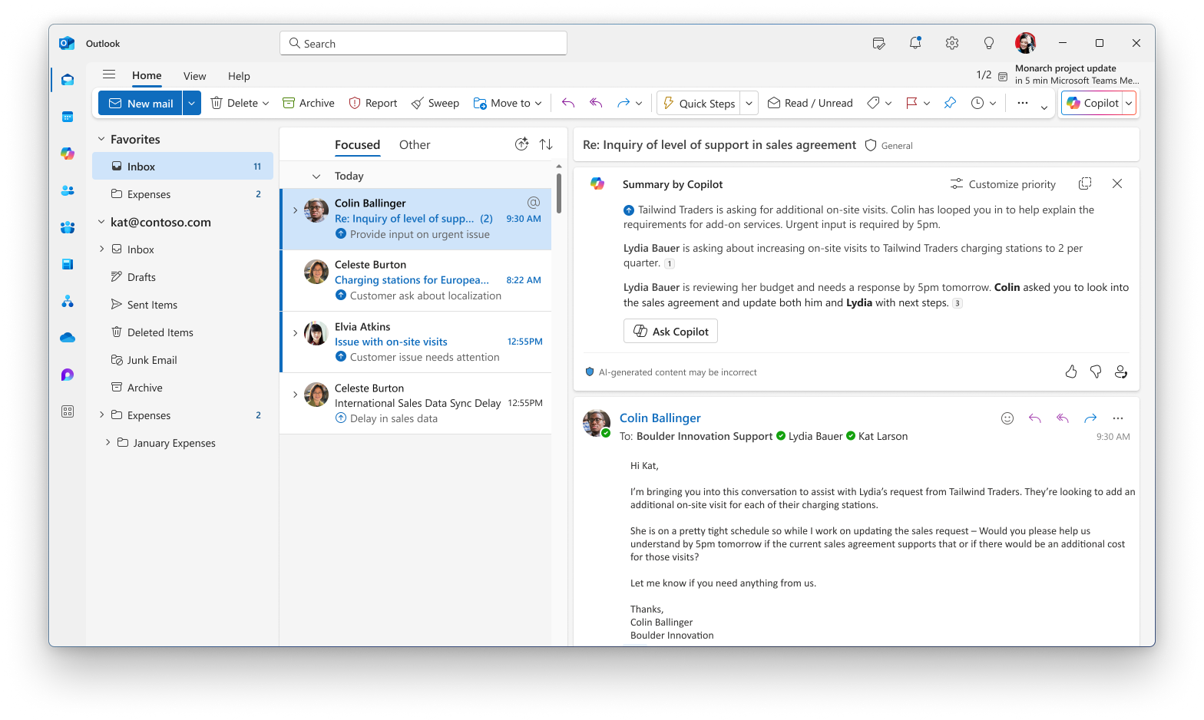
The Prioritize my inbox feature marks high priority mails in a user’s inbox and provides a short summary of the mail's importance in the message list and the reading pane. Email can be sorted and filtered by Copilot's priority. In Outlook for the Web and New Outlook for Windows, users can also choose to have Copilot mark low priority mails. This feature rolled out in April.

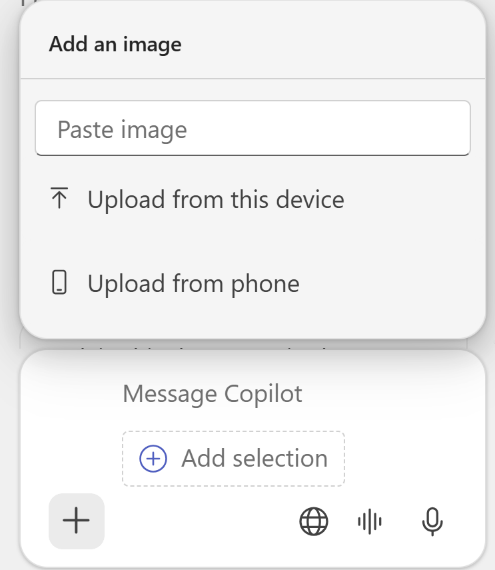
Microsoft 365 Copilot now makes it effortless for users to bring their phone’s photos directly into your Word, Excel, or PowerPoint workspace, so they can transform visual data into actionable insights without the hassle of emailing or downloading files. To do this, users simply open a document on desktop or web, click Copilot from the Home tab, tap the + button in the Copilot prompt box, select ‘Add an image’, and select ‘Upload from phone’. A QR code appears for the user to scan with their mobile device, enabling them to quickly snap a new picture or choose an existing image from their gallery. Once uploaded, the image (like photos of handwritten notes, whiteboard sketches, or receipts) appears in the Copilot chat where the user can ask it to extract and process text, summarize information, or answer any questions they have—all while keeping their workflow seamless and efficient.

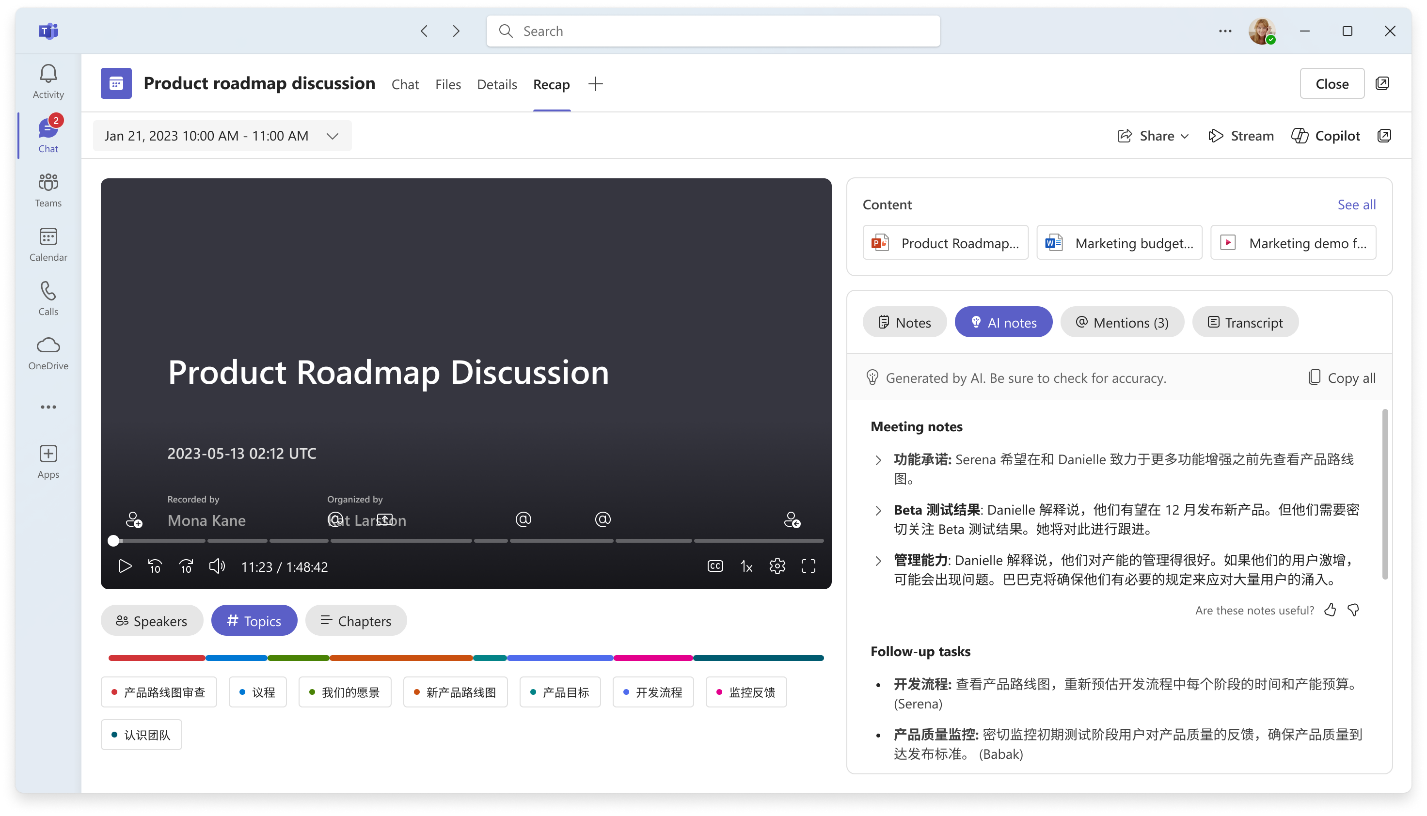
Microsoft is introducing a new control for meeting organizers that enables multilingual meetings. When enabled, each meeting participant can choose their own spoken language and translation language. Meeting organizers will see a new control in meeting options called “Enable multilingual speech recognition.” The meeting transcript and intelligent meeting recap will accurately reflect each participant’s spoken language of choice. This feature rolled out to public preview in April.
Intelligent meeting recap now supports multilingual meetings, ensuring users can easily catch up on key discussions even when multiple languages were spoken during the meeting. After the meeting, the recap is automatically generated in the translation language the user selected for live transcription and captions during the meeting. This feature rolled out to public preview in April.

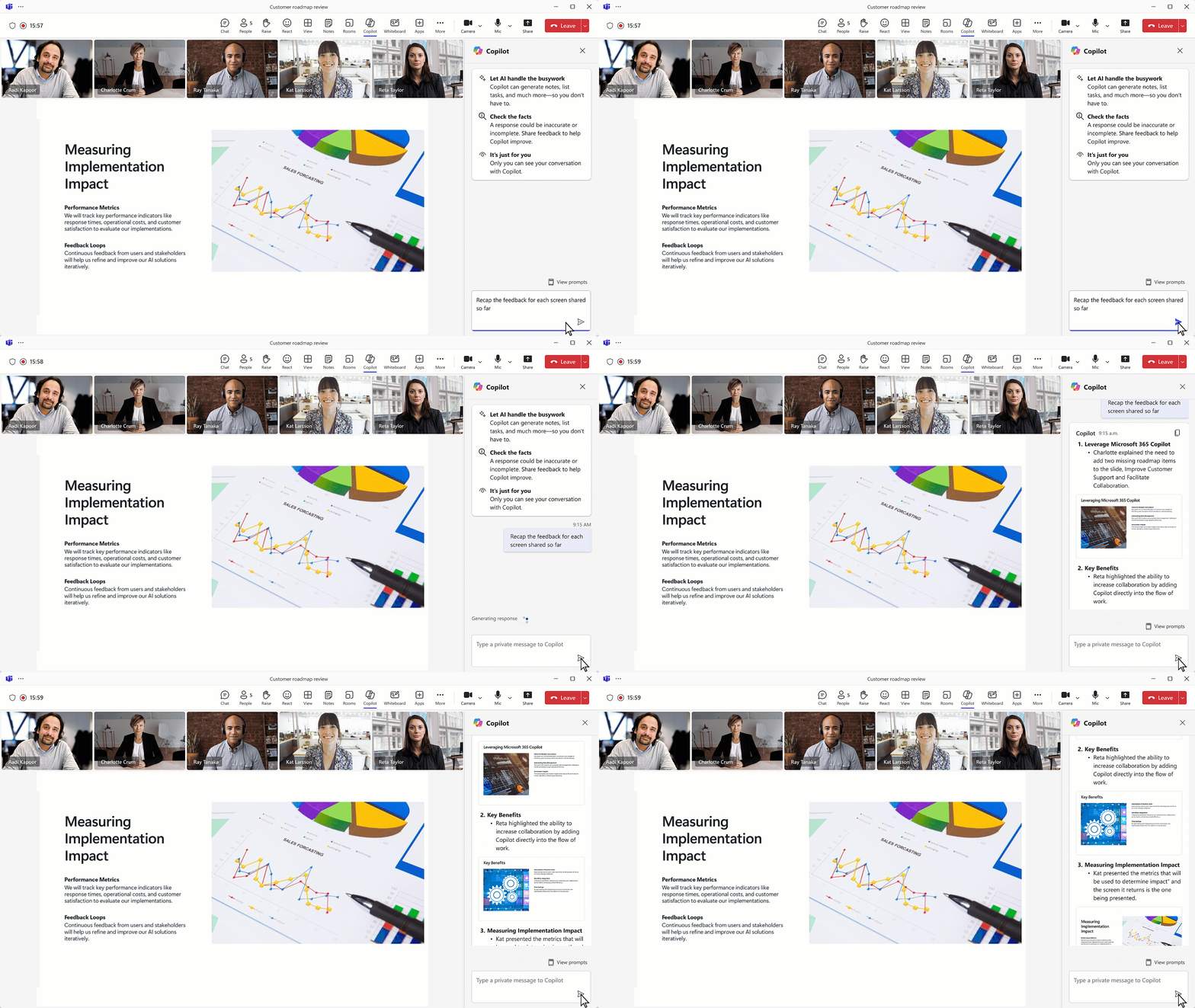
Copilot in Teams can now analyze content shared on screen, enabling deeper insights into the meeting and ensuring no meeting details are overlooked. Users can ask Copilot to summarize or find specific information from content shared on-screen simply by asking questions, such as “Which products had the highest sales?” This works for any content a user shares from their desktop screen, including documents, slides, spreadsheets, and websites, irrespective of platform or app. Copilot can also consolidate insights across both the conversation and whatever information is presented to answer questions such as “'What was the feedback per slide?” Additionally, users can ask Copilot to draft new content based on the entire meeting with a prompt such as “Rewrite the paragraph shared on the screen incorporating the feedback from the chat.”

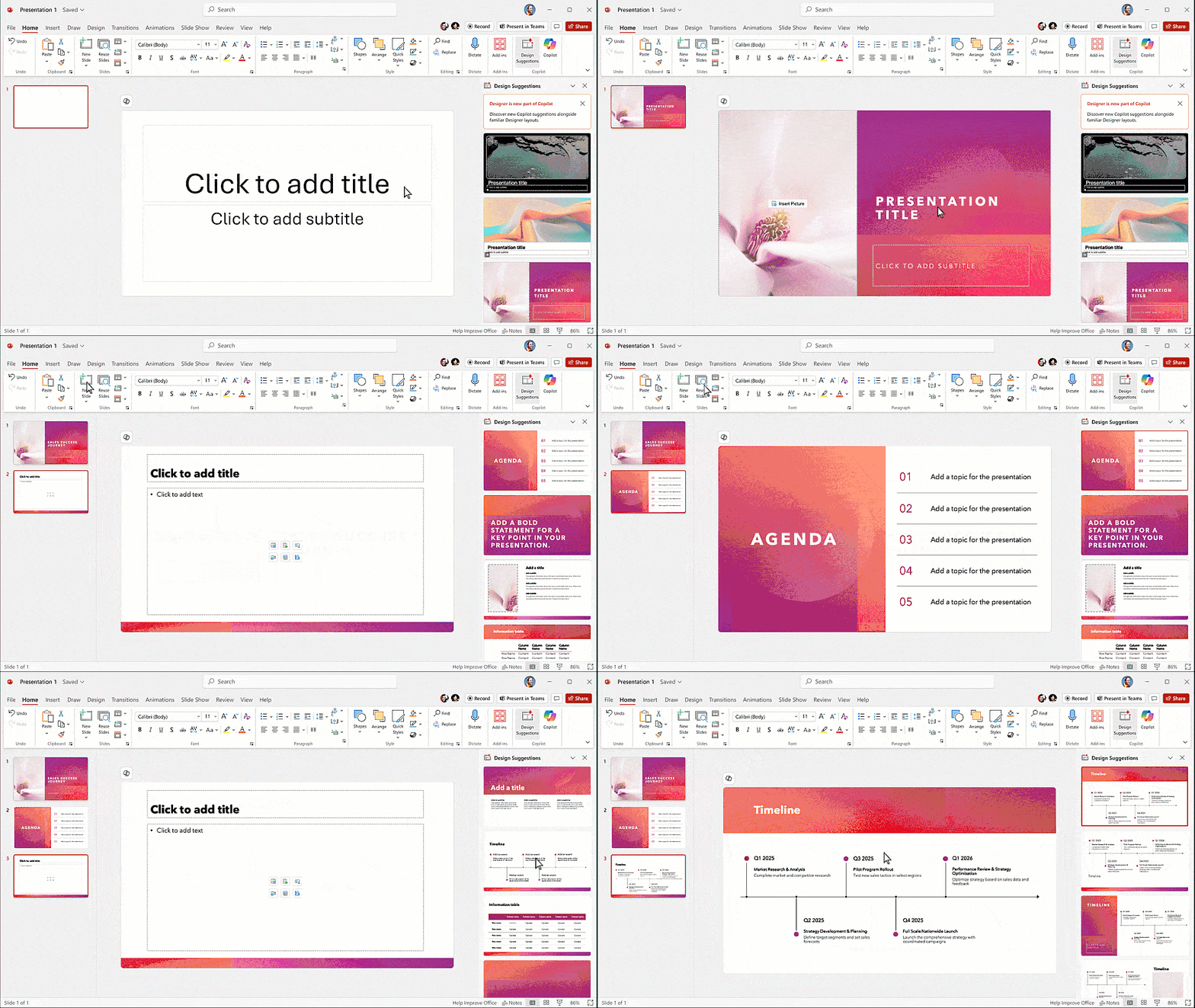
New improvements to Copilot in PowerPoint help users create, edit, and understand professional presentations with even more ease. These improvements will give users more control over the slides and content Copilot helps to create.
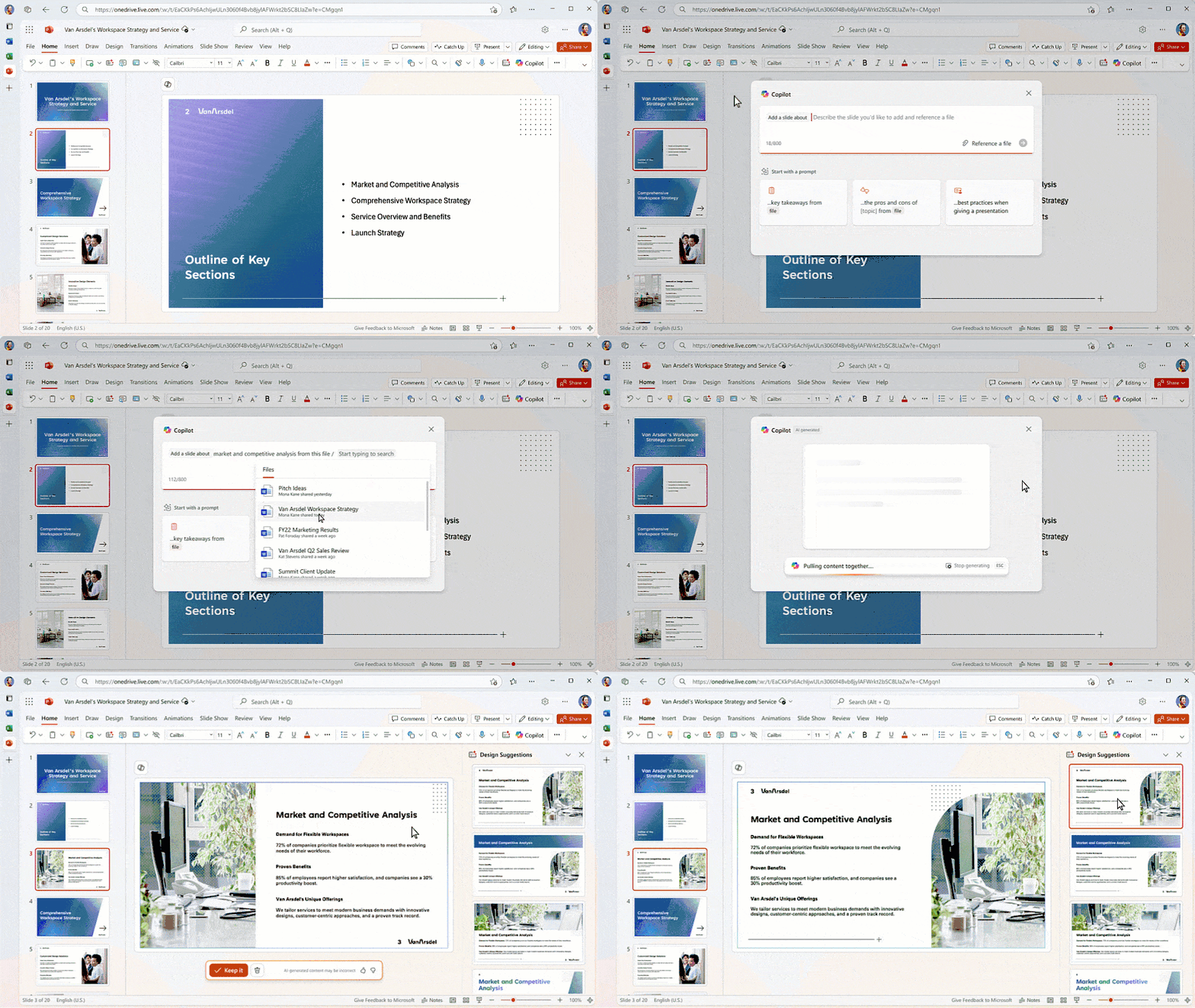
When users are building a presentation, they will soon be able to create a new slide based on a Word doc or a prompt directly on the canvas. This makes it easy to get a great draft slide based on existing content. This feature is rolling out in May.
Soon, users working with Copilot in PowerPoint will see a new design suggestions pane, sharing the same designer-like suggestions in a new way. These suggestions include new slide starter options, so users can quickly choose their favorite designs, which will be applied as they update their content. These features rolled out in April.

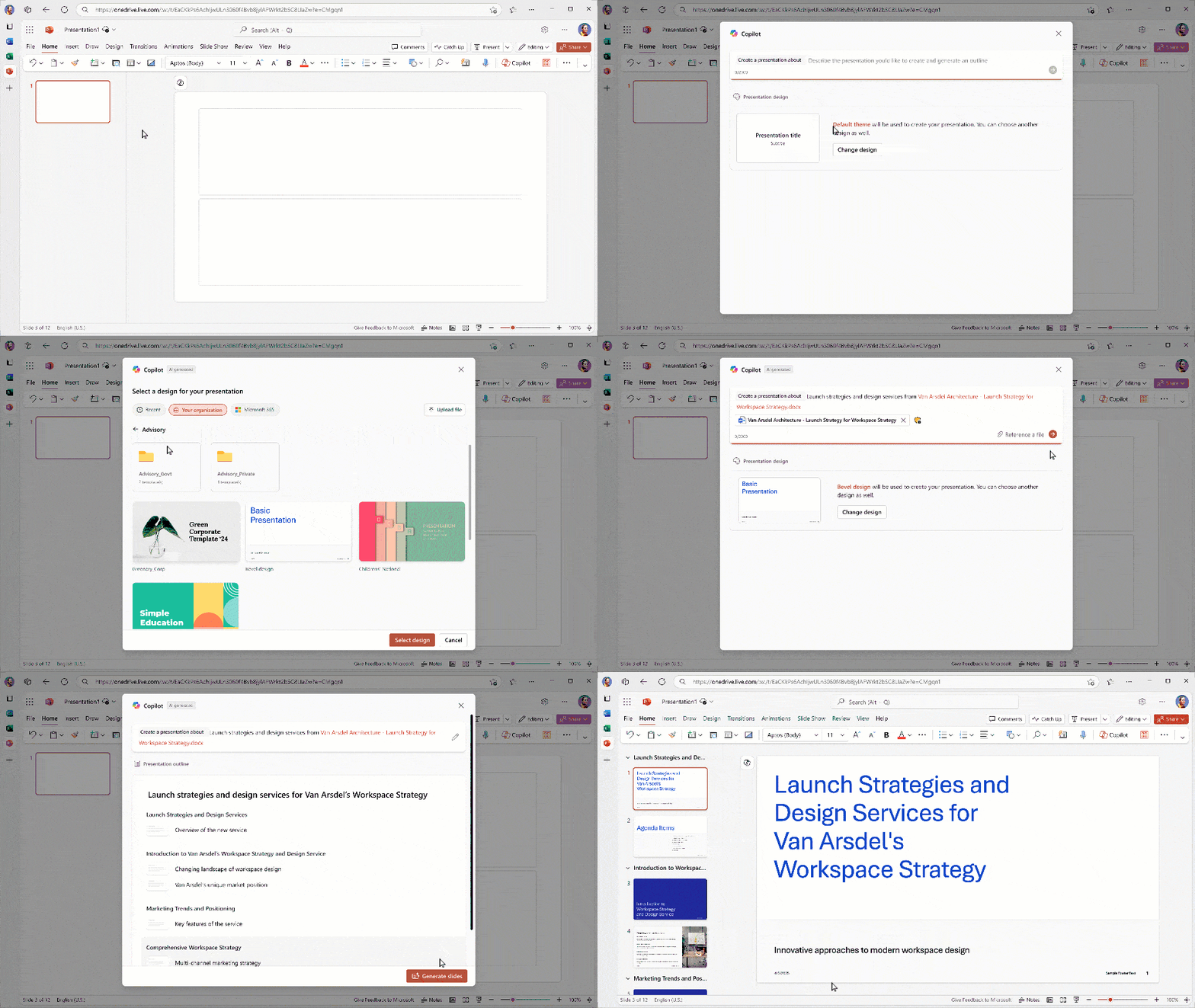
When creating a new presentation with Copilot in PowerPoint, users can choose a template from their organization's collection for on-brand presentations or select one from Microsoft's handpicked templates. This makes it easier to create a new presentation with the right branding in minutes. This feature is rolling out in May.

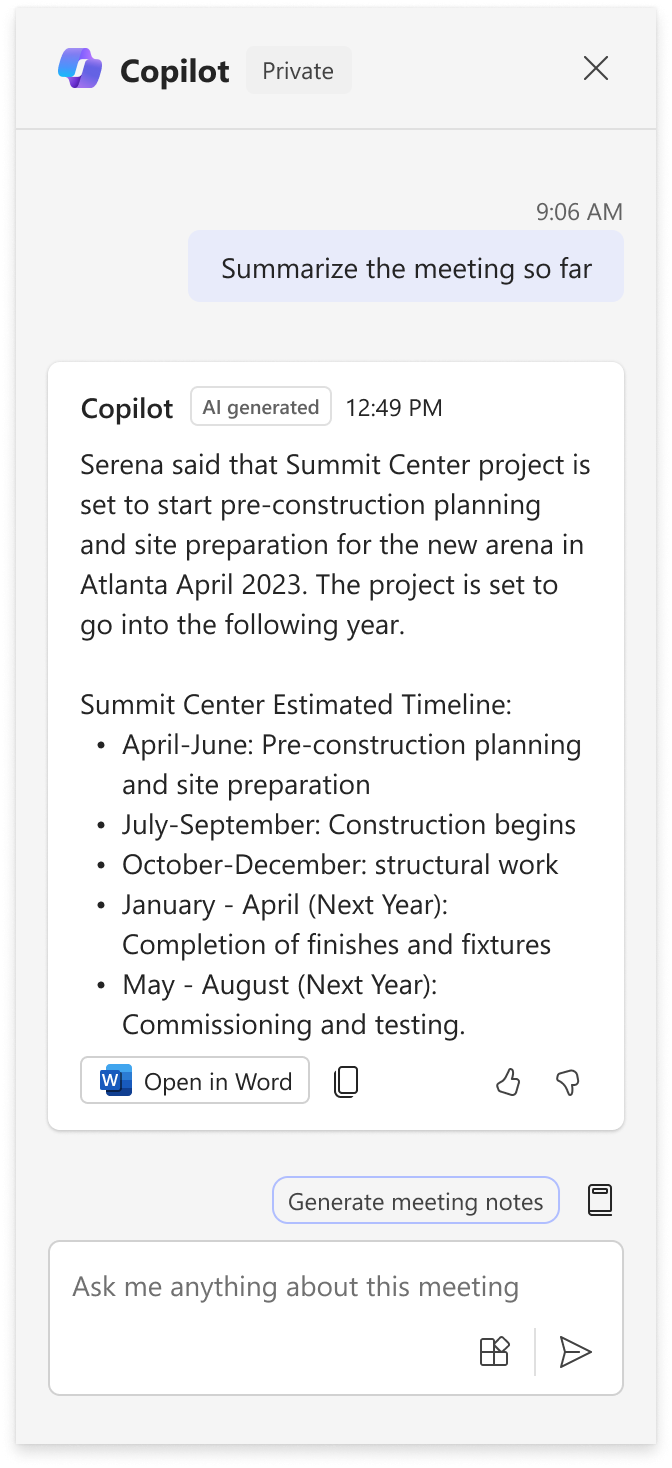
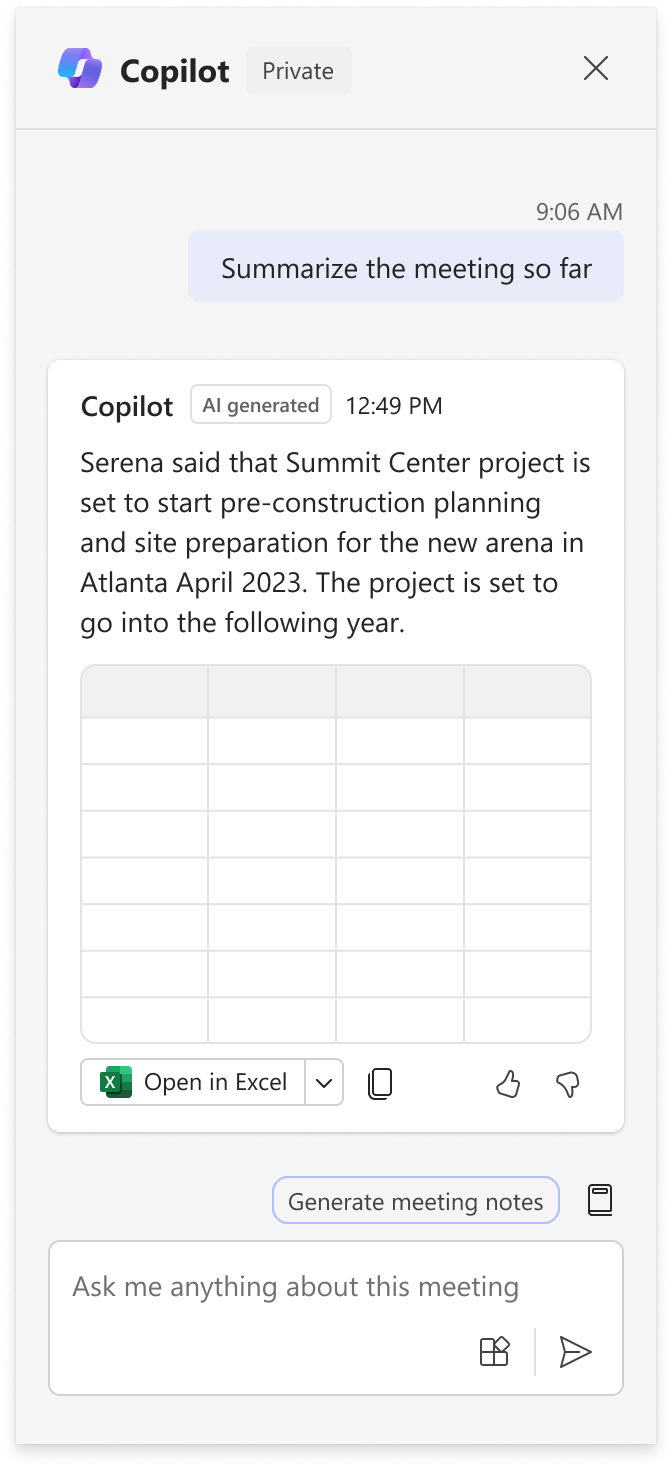
Microsoft 365 Copilot responses in Microsoft Teams meetings can be shared to external apps (Word or Excel). Responses generated by Copilot in Meetings will come with a button to Open in another app. Although this will start with Word and Excel, more apps will be added in the future.
The Open in button will show up when:
This message is associated with Microsoft 365 Roadmap ID 481352.
When this will happen:
Targeted release: Microsoft will begin rolling out early May 2025 and expect to complete by mid-May 2025.
General Availability (Worldwide): Microsoft will begin rolling out mid-May 2025 and expect to complete by late May 2025.
How this will affect your organization:
Users will see the ability to export content when hovering over the Copilot response card.
When hovering on the Copilot response card and only text is present:

When hovering on the Copilot response card and a table is present. Clicking on the dropdown will show Edit in Word as an option as well.

How this will affect your organization
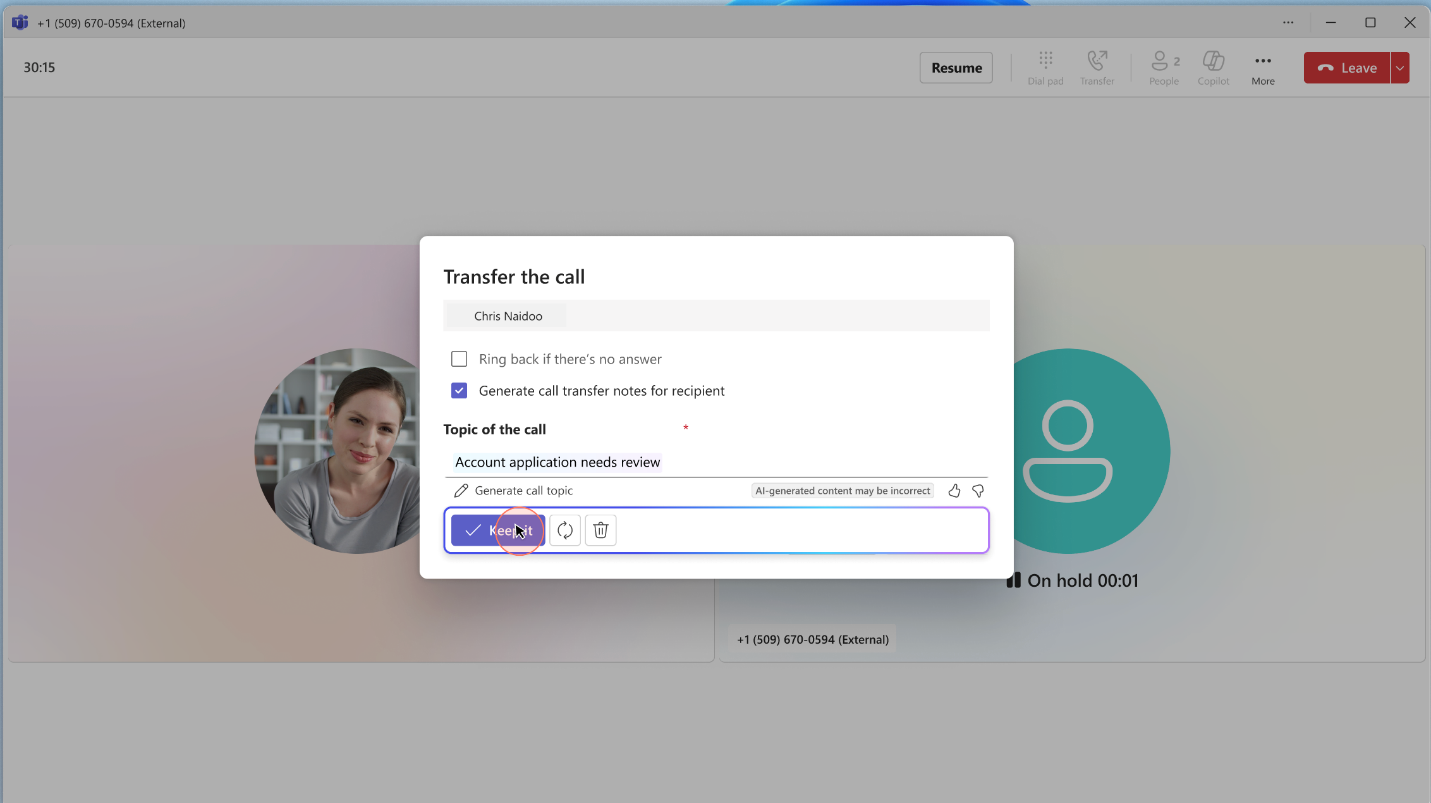
Copilot enabled users will now be able to share the summary of the call from within the transfer panel and the context will be shown in the toast notification and within the call.

How this will affect your organization
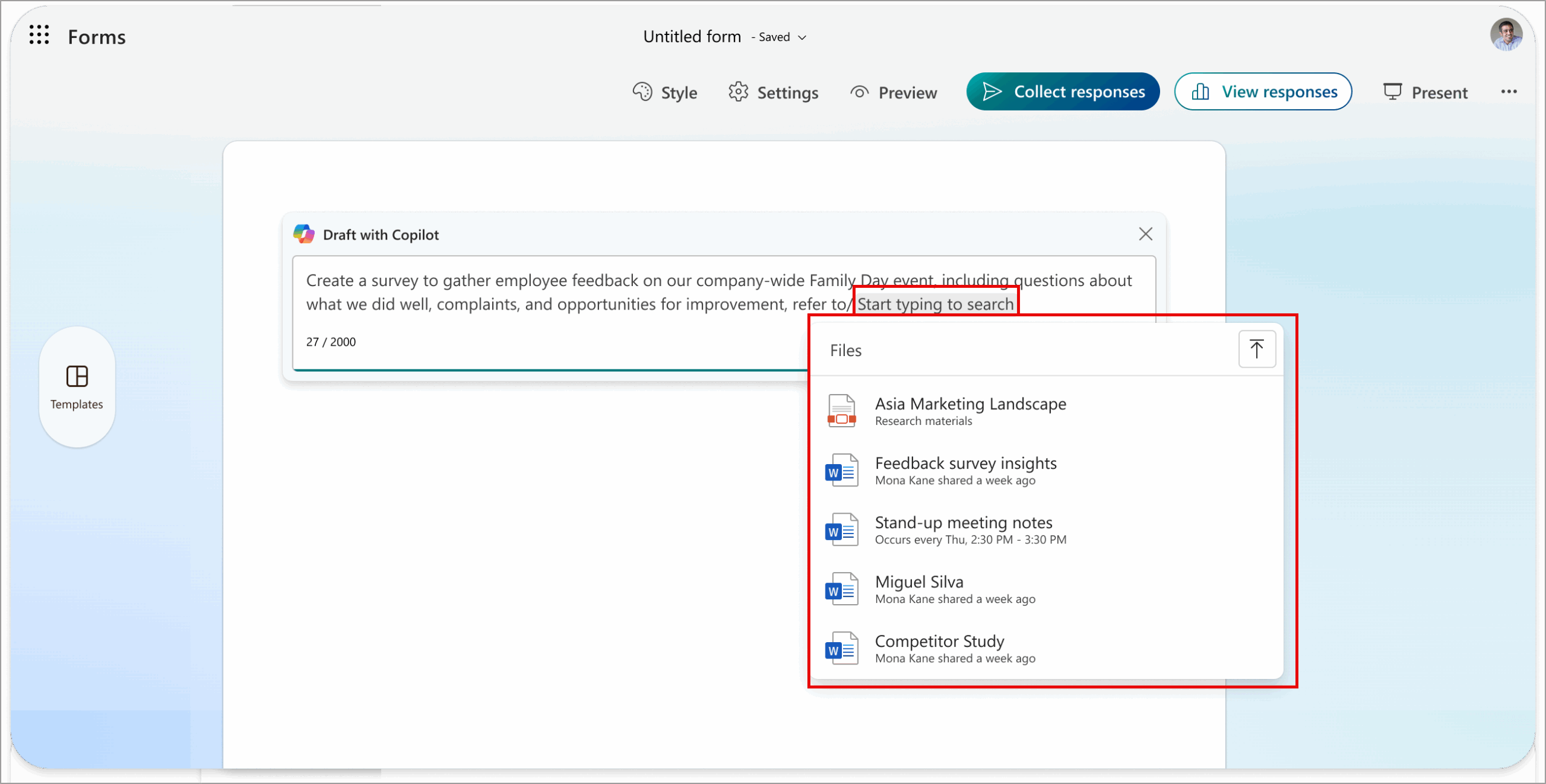
When creating a form with Copilot, users can reference existing documents such as Microsoft Word, Microsoft Excel, and Microsoft PowerPoint or existing forms.

Coming soon: Microsoft 365 Copilot Pages created in Microsoft 365 Copilot Chat will open in the Microsoft 365 Copilot app for the web. This change is designed to reinforce the Microsoft 365 Copilot app as the center for all content created with Copilot.
When this will happen:
General Availability (Worldwide, GCC): Microsoft will begin rolling out early May 2025 and expect to complete by late May 2025.
How this will affect your organization:
After this rollout, users who search for Copilot Pages or select links to Copilot Pages will be taken to m365.cloud.microsoft where the link will open. For example, if a user shares a Copilot Pages link with another user in Microsoft Teams, that link will open in the Microsoft 365 Copilot app for the web.
Screen recording:
Microsoft will also update the Copilot Pages icon in this rollout. Left: The old icon. Right: The new icon:

This rollout applies to files created in Copilot Chat and files created by the user in My Workspace in Loop. This rollout will not change or affect Loop files created in Team chat, email, or in Loop workspaces.
Sensitivity labels for Copilot Pages are available now for Worldwide customers and will be available to GCC customers for Copilot Pages by late April 2025. Learn more about new Copilot capabilities coming soon:
These changes will be on by default.
What you need to do to prepare:
This rollout will happen automatically by the specified date with no admin action required before the rollout. You may want to notify your users about this change.
Microsoft is excited to announce that M365 Copilot Chat experiences can now reason over your OneNote Pages. This enhancement will significantly improve productivity and efficiency by allowing users to quickly summarize takeaways or list all action items from their OneNote Pages within any M365 Copilot Chat experience. This feature will streamline workflows, reduce the time spent on manual tasks, and enhance collaboration across your organization.
This message is associated with Microsoft 365 Roadmap ID 490722
When this will happen:
General Availability (Worldwide): Microsoft will begin rolling out on late April 2025 and expect to complete by mid-May 2025.
How this will affect your organization:
M365 Copilot Chat experiences can now reason over your OneNote Pages. Users can now ask Copilot to summarize the takeaways or list all the action items from their OneNote Pages on any M365 Copilot Chat experience.
What you need to do to prepare:
You may consider updating your training and documentation as appropriate. These features are available to users with a Copilot license.
Monthly updates, news & events from Microsoft to help you & your business grow & get best out the Microsoft...
Discover the latest Microsoft 365 Copilot updates for November 2025, including GPT-5 modes, new Word/Excel/PowerPoint agents, guided learning, and Sora...
Copilot doesn’t add access - it reveals hidden SharePoint oversharing instantly. Learn why permission cleanup matters before Copilot rollout.