What's new in Microsoft | April 2026 Updates
Monthly updates, news & events from Microsoft to help you & your business grow & get best out the Microsoft...

If your organization does not support mobile devices, you can safely ignore this message.
Microsoft 365 Copilot Chat in Edge Mobile for Android and iOS will soon re-enable page summarization features, allowing users to summarize open webpages or PDFs.

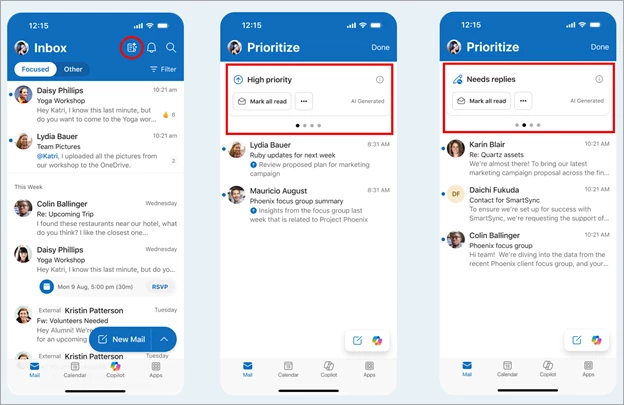
Microsoft Outlook for iOS and Android will soon introduce a Priority View to help users quickly find important emails, including high-priority messages and those that need a reply.
A Microsoft 365 Copilot license is required to use this feature.
Users can enable it under:
Outlook Settings > Copilot > Prioritize > Priority view
They can also choose:
Rollout timeline:

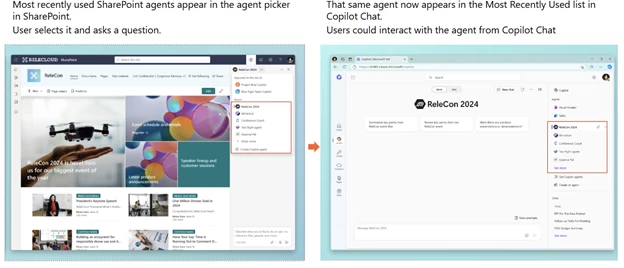
Microsoft will soon make it easier to access recently used SharePoint agents directly from within the Microsoft 365 Copilot app—no need to return to the SharePoint site.
This enhancement helps reduce context switching and supports a more efficient workflow.
Rollout timeline:
Impact on your organization:
Users will be able to reopen their recent SharePoint agents stored as .agent files on SharePoint sites. Admins can disable an agent by deleting its corresponding file.

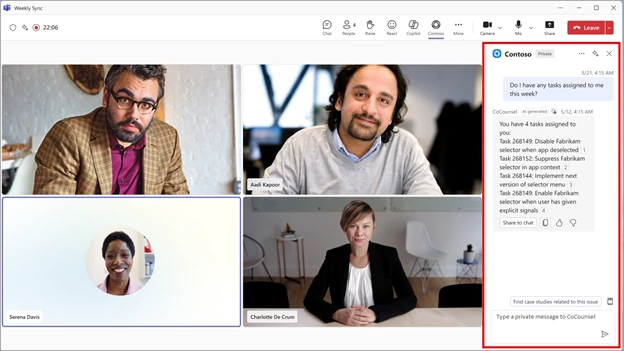
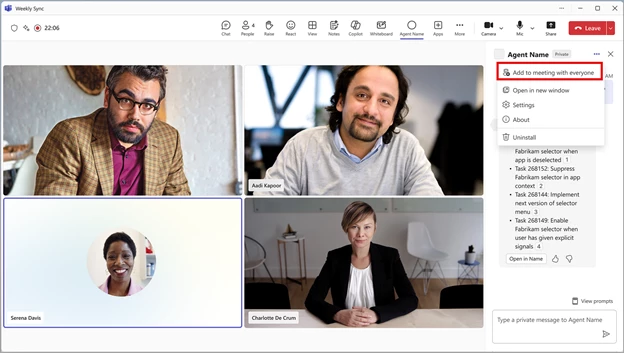
Microsoft is introducing a new feature that brings interactive agents into Teams meetings and 1-on-1 calls. Users will be able to engage with agents privately or as a group, with support for zero-state prompts and session history to enable more seamless and contextual interactions.
This applies to Teams on Windows desktop, Mac desktop, and the web.
Key changes:
Rollout timeline:
This feature will be on by default—no admin action needed.


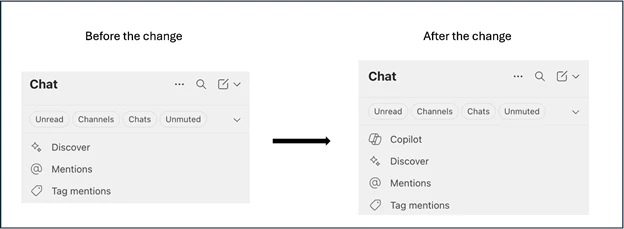
Microsoft is adding a new entry point for Copilot Chat in Teams to improve navigation for users without a Microsoft 365 Copilot license.
Currently, if Global Admins have pinned Copilot Chat via the Microsoft 365 admin center, users see it in the Teams app bar. Starting June 30, a new “Copilot” shortcut will appear at the top of the Teams chat list, just above "Discover", offering easier access to Copilot Chat in a more contextual location.
Rollout timeline:

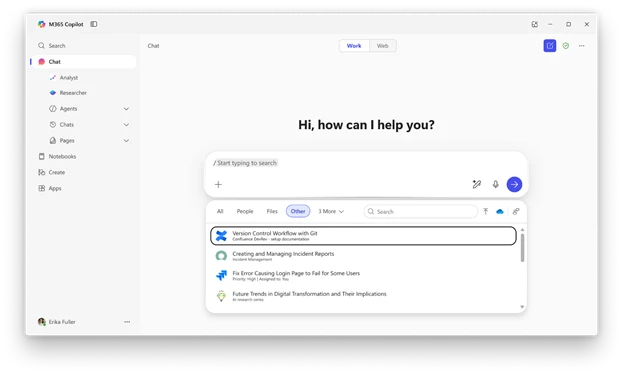
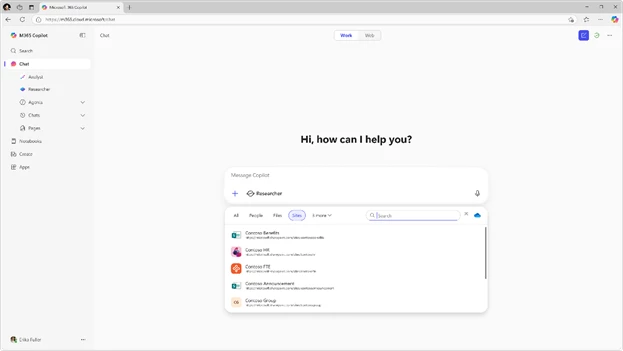
Microsoft is introducing ContextIQ in Copilot Chat—a new intelligent assistance layer that helps users ground their prompts in real-time, relevant work context.
With ContextIQ, users can:
Additionally, ContextIQ will support Microsoft Graph Connectors, allowing Copilot to pull data from third-party platforms like Salesforce, ServiceNow, and others—making external information usable within Microsoft 365.
Rollout timeline:

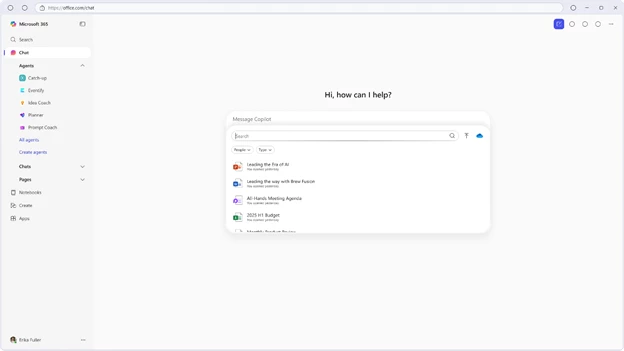
Microsoft is expanding ContextIQ in Copilot Chat to help users without a Microsoft 365 Copilot license easily find and work with files.
With this update, users can:
This makes it easier to ground prompts in context without needing a Copilot license.
Rollout timeline:

SharePoint sites and OneDrive folders in ContextIQ: Users can reference SharePoint and OneDrive folders directly within prompts in Copilot Chat work mode. This makes it easier to reference shared content and ensure Copilot has the right context to generate meaningful responses. This feature rolled out in June.

Meeting series selection in the ContextIQ menu: Users can select an entire meeting series and related instances when they want to ground a prompt in recurring discussions—like weekly team syncs or project standups. This will ensure Copilot understands the full context of their meetings. This feature rolled out in June.
Enhanced file search with filters and refiners: The Files tab in the ContextIQ menu now includes file type filters and people refiners. Users can narrow their search by document type or collaborator, helping them find the right file faster and with greater precision. This feature rolled out in June.
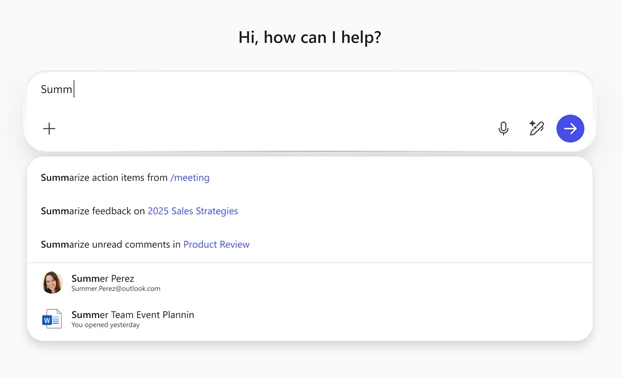
Work context suggestions as you type: When users begin typing in the Copilot Chat prompt box, ContextIQ will suggest relevant prompts and work context, such as recent files, meetings, or collaborators. This proactive guidance helps users discover useful context they might not have thought to include, streamlining workflow and boosting productivity. This feature rolled out in June.

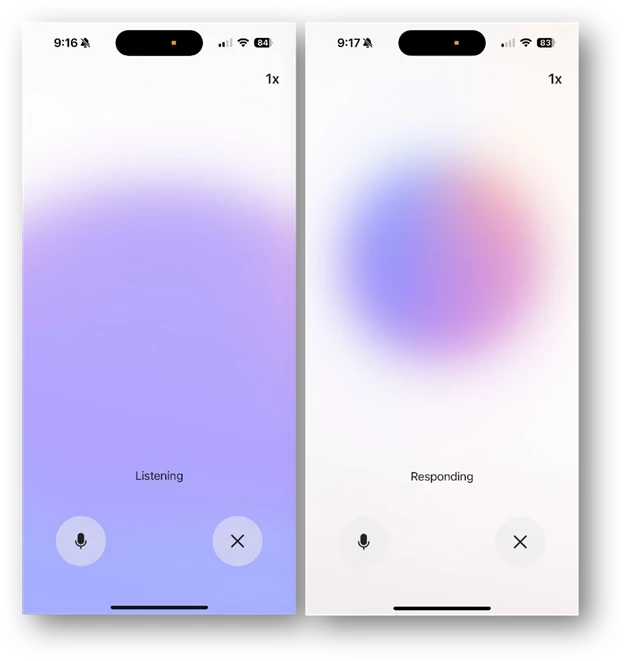
Microsoft is enhancing the Copilot mobile app on iOS by introducing voice-based interaction with Copilot Chat. Users can now speak naturally and receive real-time responses, making hands-free productivity easier than ever.
This update supports users who:
Whether it's brainstorming, navigating documents, or getting assistance, this feature offers a more flexible and inclusive way to stay productive.
Rollout timeline:

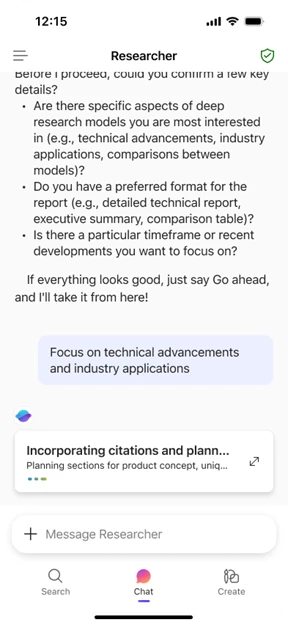
Now users can access deep reasoning agents Researcher and Analyst in the Microsoft 365 Copilot mobile app. These agents rolled out in June on iOS and are rolling out in July on Android.

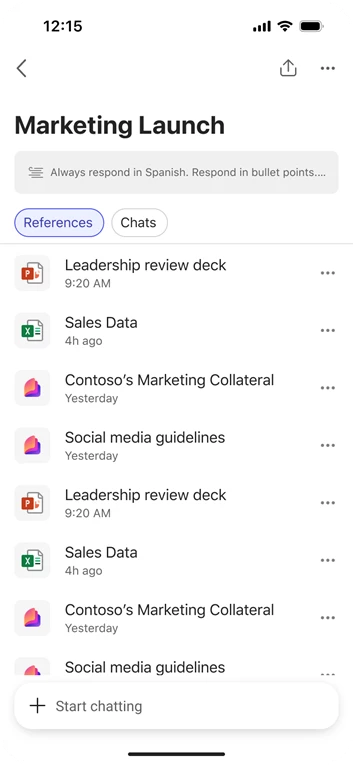
Copilot Notebooks in the Microsoft 365 Copilot mobile app will let users gather project-related content such as docs, emails, chats, links, and Copilot Pages, and apply AI reasoning on the go. This feature is rolling out in July.

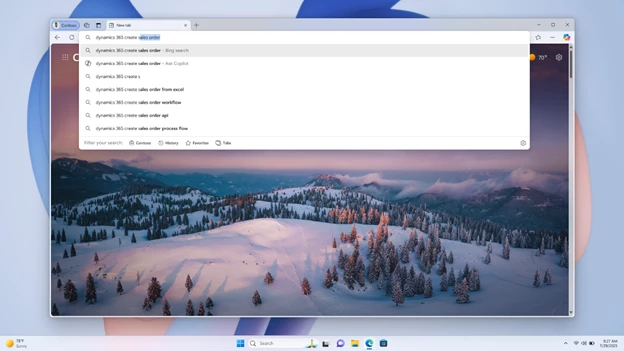
Microsoft Edge now lets users submit queries to Microsoft 365 Copilot directly from the address bar, streamlining how users access support and guidance.
Instead of navigating through search results, users can type questions like “How to create a pivot table in Excel?” and get a detailed response from Copilot instantly—right from the browser.
This update improves efficiency by integrating intelligent help into everyday browsing.
Rollout timeline:

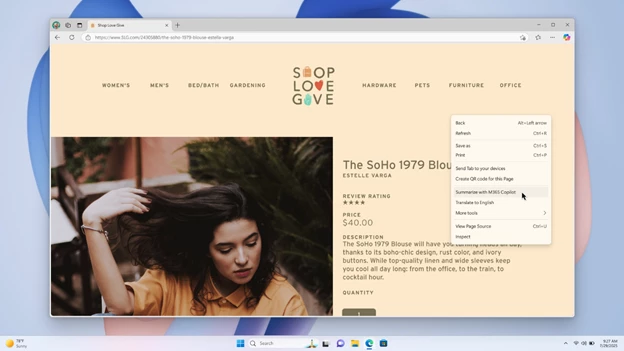
Microsoft Edge users can now use Copilot Chat summarization directly from the right-click context menu. By selecting "Summarize with Copilot", users can quickly condense long articles, reports, or web pages into concise summaries.
This feature is especially useful for:
It helps users stay focused and save time by surfacing key insights instantly.
Rollout timeline:

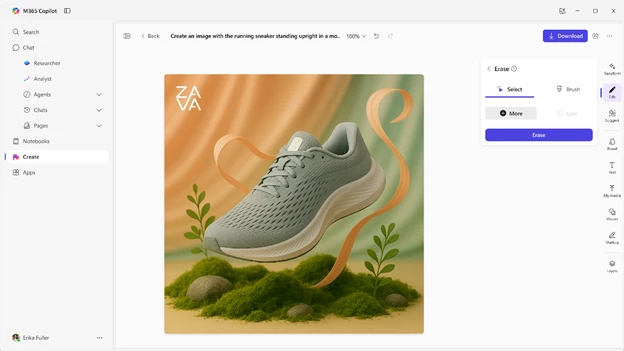
Using AI to generate images and other visuals has been a popular and promising area. Images generated in Microsoft 365 Copilot Chat are now more photo realistic and have better text spelling accuracy. In addition, Copilot Chat can now support multi-turn interactions involving image uploads, enabling users to engage in more complex and detailed queries. This feature rolled out in June.

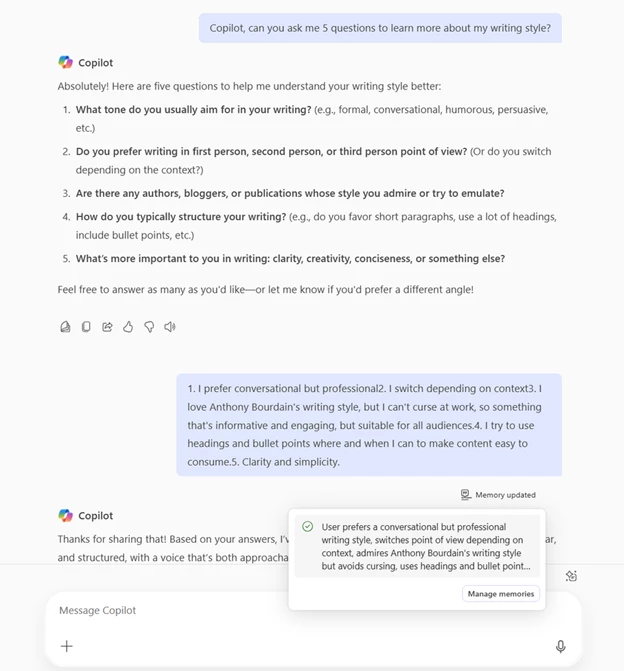
Microsoft is rolling out Copilot Memory, a new feature that helps personalize interactions by remembering important details about each user—such as preferences, writing style, and frequently discussed topics.
Copilot Memory allows users to:
Users can explore memory by prompting:
Users remain fully in control:
Memory is on by default, and tenant-level controls are available for admins.
Rollout timeline:
Begins July 2025


Monthly updates, news & events from Microsoft to help you & your business grow & get best out the Microsoft...
Explore July 2025 Copilot updates: smarter chat history, discreet Teams support, writing help in Edge, audio summaries in Word, and...

Learn how to prepare your organization for Microsoft 365 Copilot by aligning strategy, cleaning up data, securing access, training users,...