Penthara-Logo-Dark
For Organizations

What's new in Microsoft | June 2026 Updates

Monthly updates, news & events from Microsoft to help you & your business grow & get best out the Microsoft services.

Microsoft Copilot

1. Microsoft 365 Copilot: General availability for Copilot Cowork

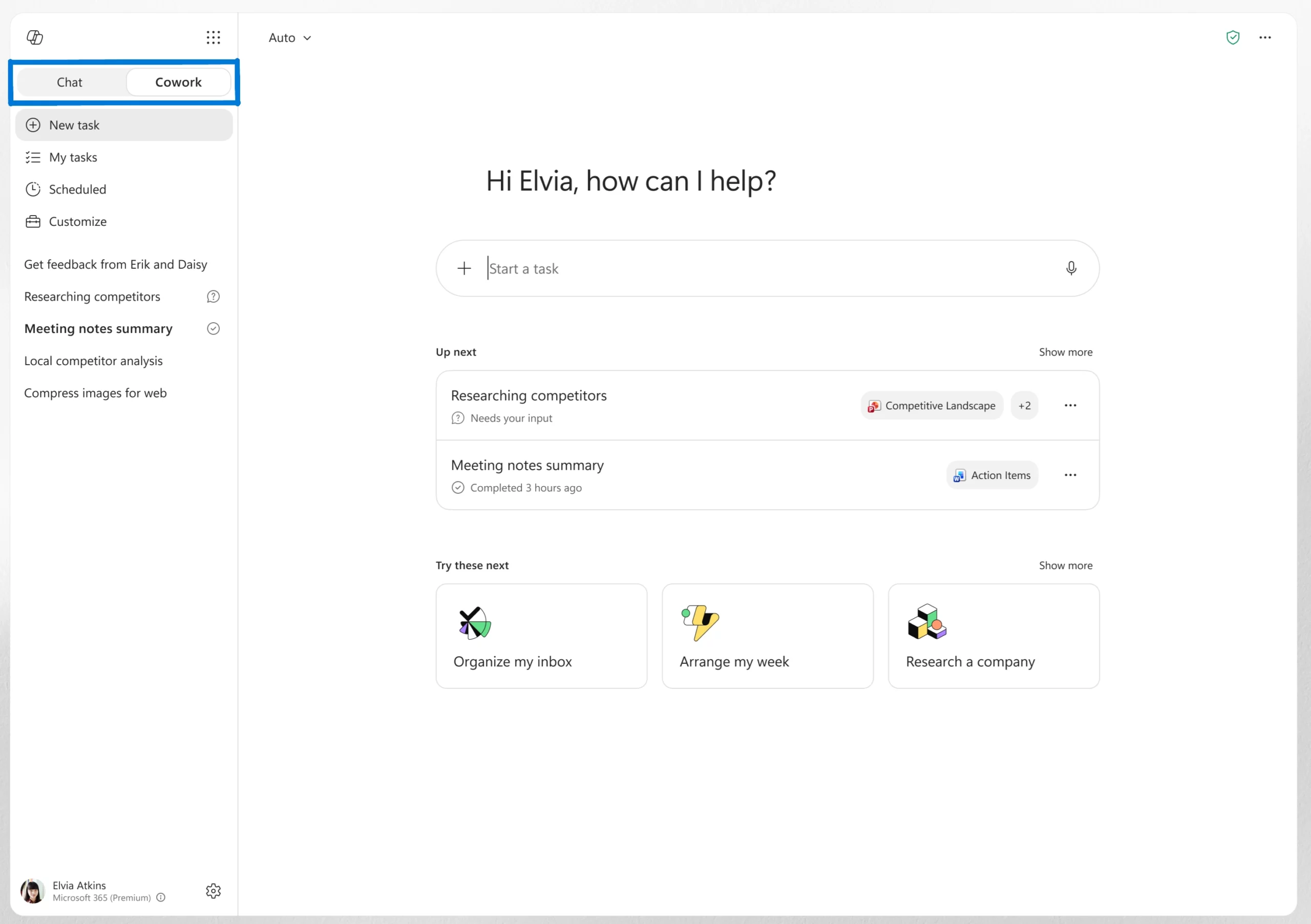
Copilot Cowork, an agentic system that can plan, execute, and complete work on a user’s behalf, is now generally available worldwide. Users can assign a task to Cowork, and it will work through the process from start to finish, returning a completed deliverable instead of a draft or recommendation.

Powered by Work IQ, Cowork uses organizational data and business context to help ensure tasks are completed using relevant information from connected systems. Administrators can monitor usage through the new Cost Management Dashboard in the Microsoft 365 admin center, which provides visibility into credit usage, budgets, and spending.

When this will happen
Generally available worldwide.
The Chat/Cowork toggle rolled out in June.

How this affects your organization

What will happen:

  • Copilot Cowork is now available worldwide.
  • Users can assign tasks to Cowork and receive completed deliverables.
  • Work IQ provides business context by grounding tasks in connected organizational systems.
  • A new Cost Management Dashboard is available in the Microsoft 365 admin center to help administrators monitor credit usage, budgets, and spending.
  • Users can switch between Chat and Cowork using a new toggle in the Microsoft 365 Copilot app.

Smarter model selection in Copilot Cowork

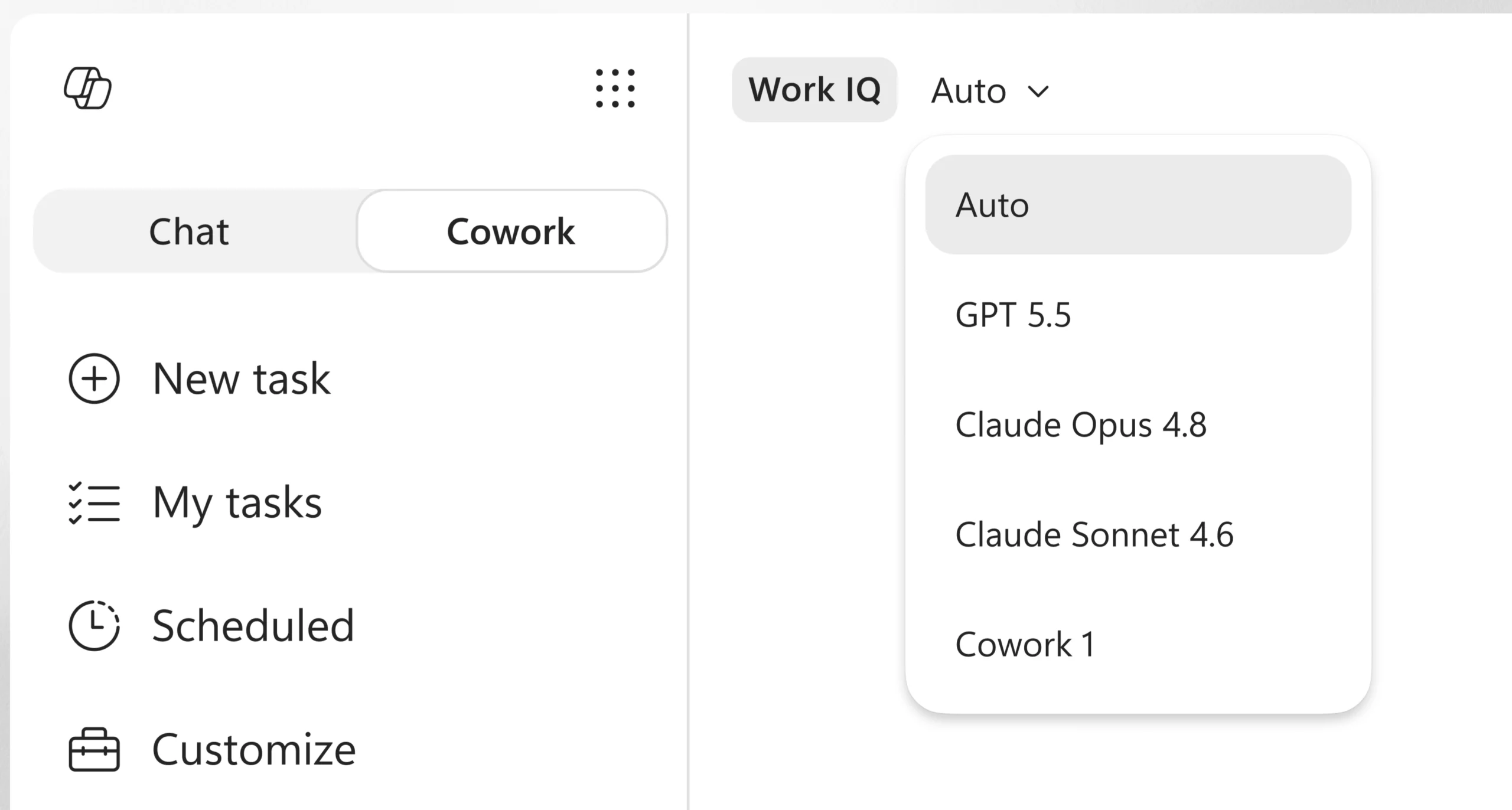
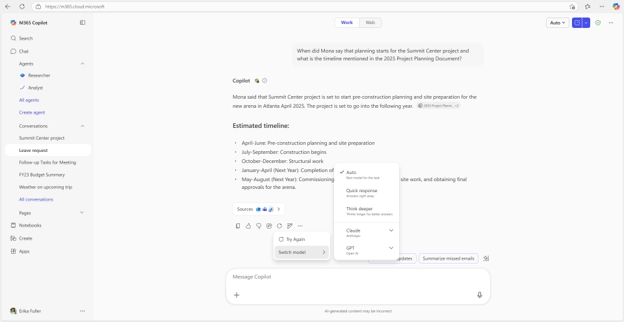
Copilot Cowork can now automatically choose the most suitable AI model for a task. For example, it can use Anthropic models for visual work such as presentations and graphics, or GPT 5.5 for research tasks that require deeper analysis and citations. This helps users get the right capabilities for the job without having to select a model themselves.

Expanded plugin support in Copilot Cowork

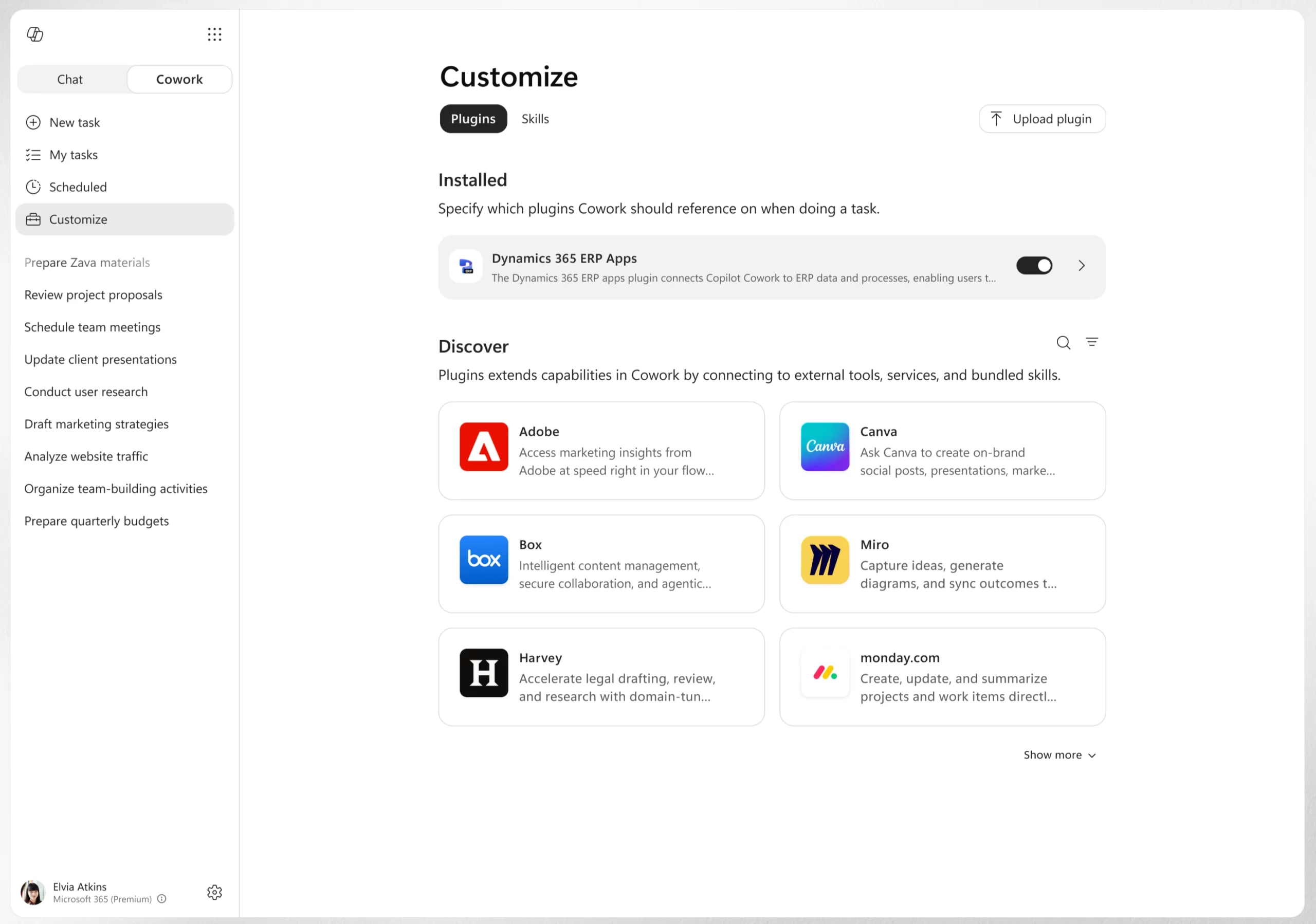
Copilot Cowork now supports more plugins, allowing users to access additional business systems directly within their workflow. New plugins include Enosix, Harvey, LSEG, Miro, monday.com, Moodys, Morningstar, S&P Global Energy, and TeamsMaestro, with Databricks available through sideloading.

Support has also been added for Microsoft Fabric and the full Dynamics 365 portfolio, including Sales, Customer Service, and ERP applications.

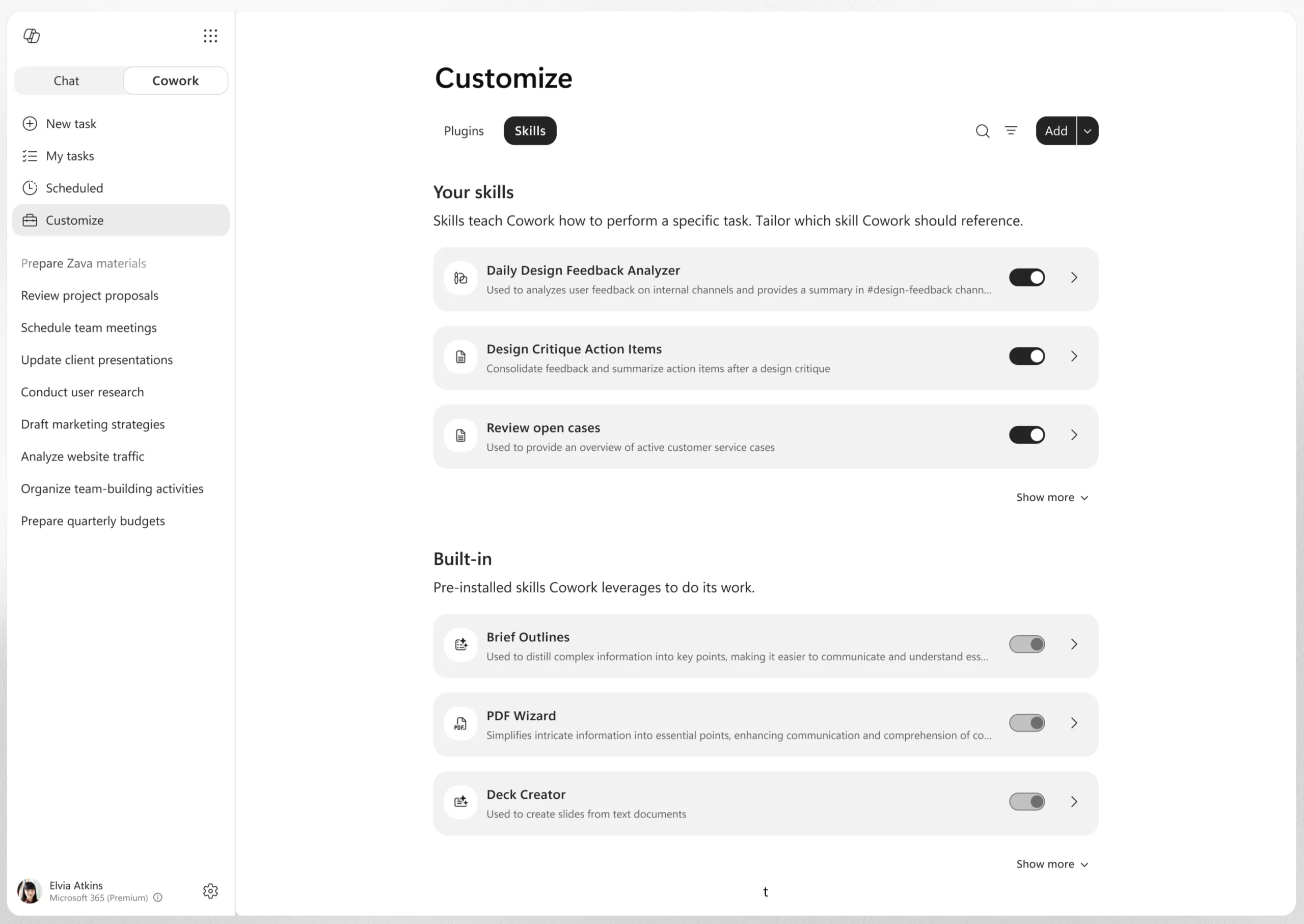
Custom skills management in Copilot Cowork

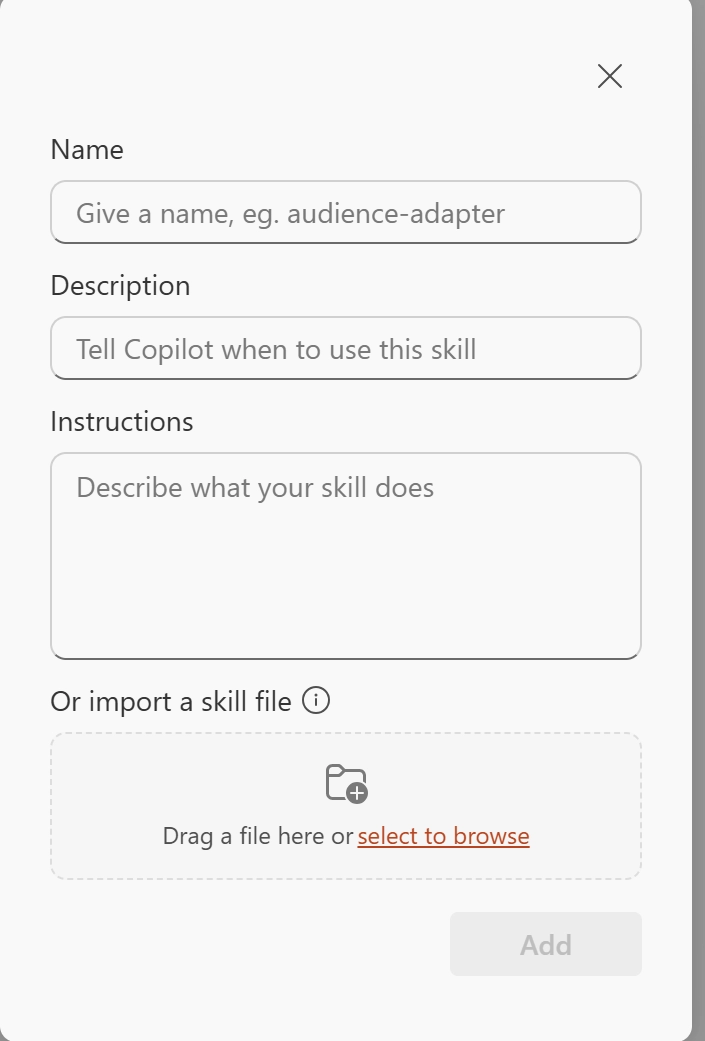
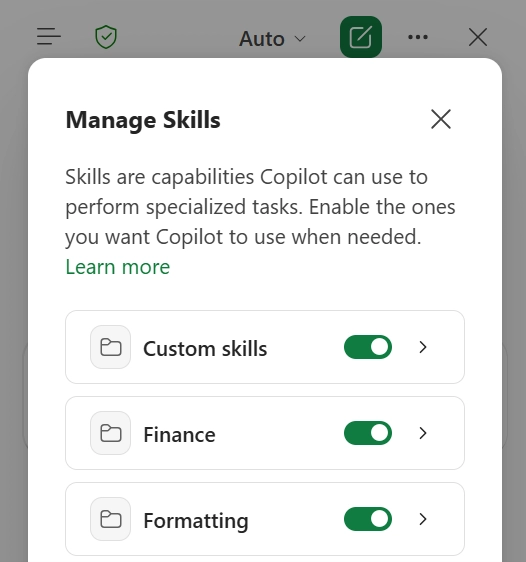
Users can now create, edit, and manage custom skills directly from the Customize tab in Copilot Cowork. Skills are custom instructions that help Cowork work according to a user's preferred processes and requirements.

Users can build and refine skills over time, as well as combine their own workflows with partner-provided or organization-wide skills delivered through plugins. This makes it easier to standardize recurring tasks without having to rewrite the same prompts repeatedly.

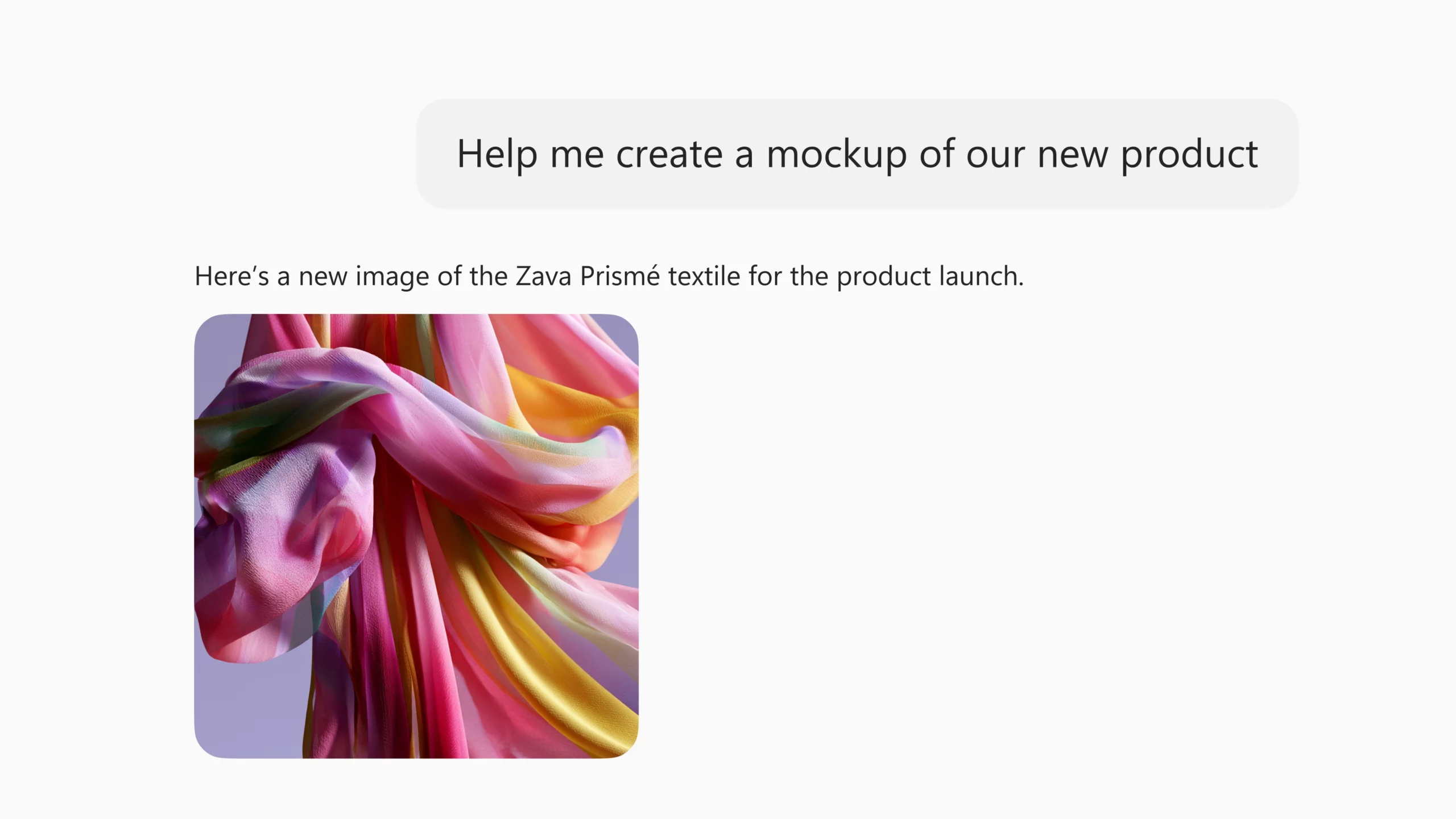
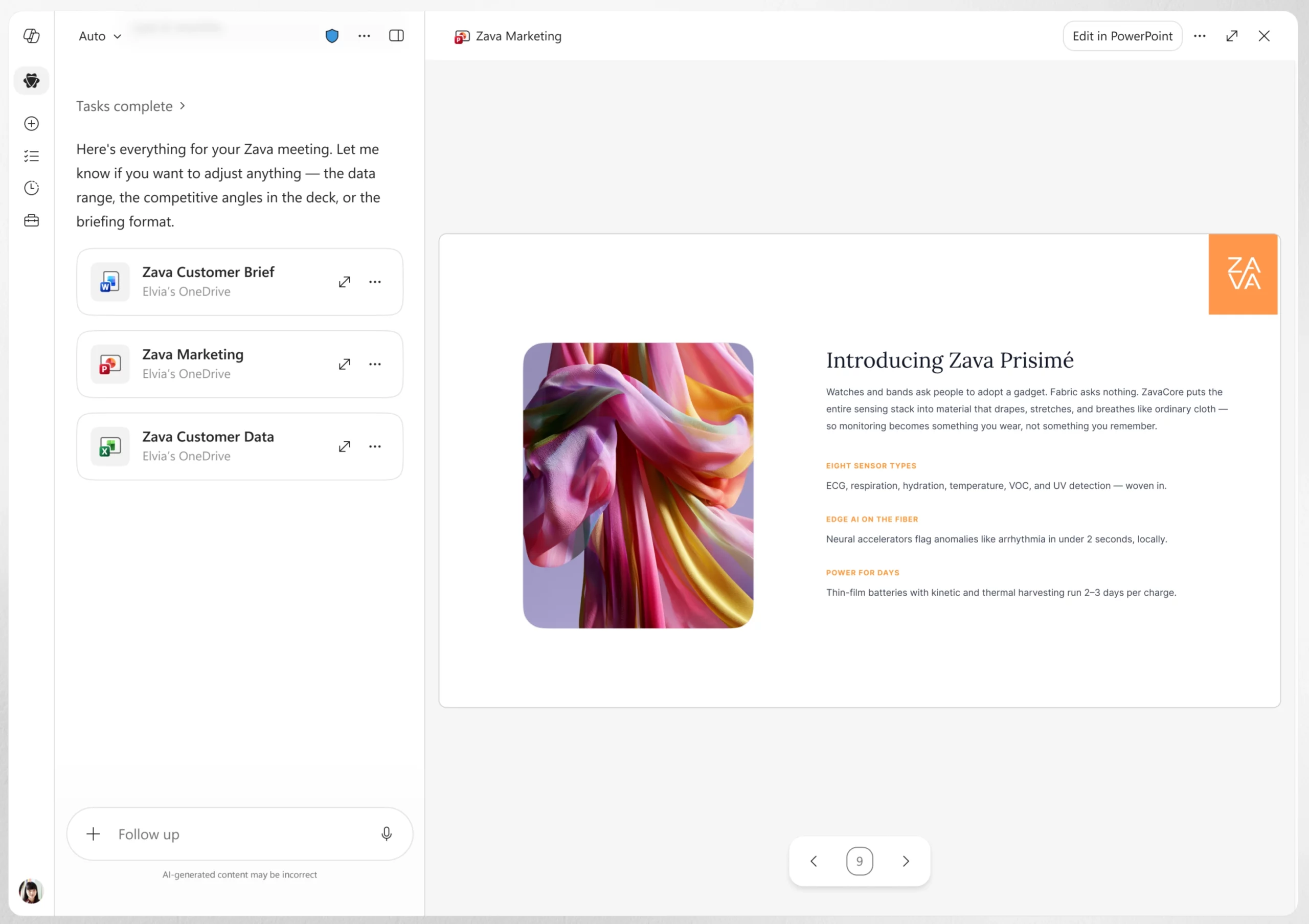
Create visuals and branded presentations in Copilot Cowork

Copilot Cowork can now create and edit visuals such as presentation graphics, document illustrations, and email images directly within the workflow. This helps users generate visual content without switching between different tools.

Cowork can also use an organization's approved PowerPoint templates, including brand colors, fonts, logos, and layouts. This helps users create presentations that align with company branding from the start and reduces the need for manual formatting later.

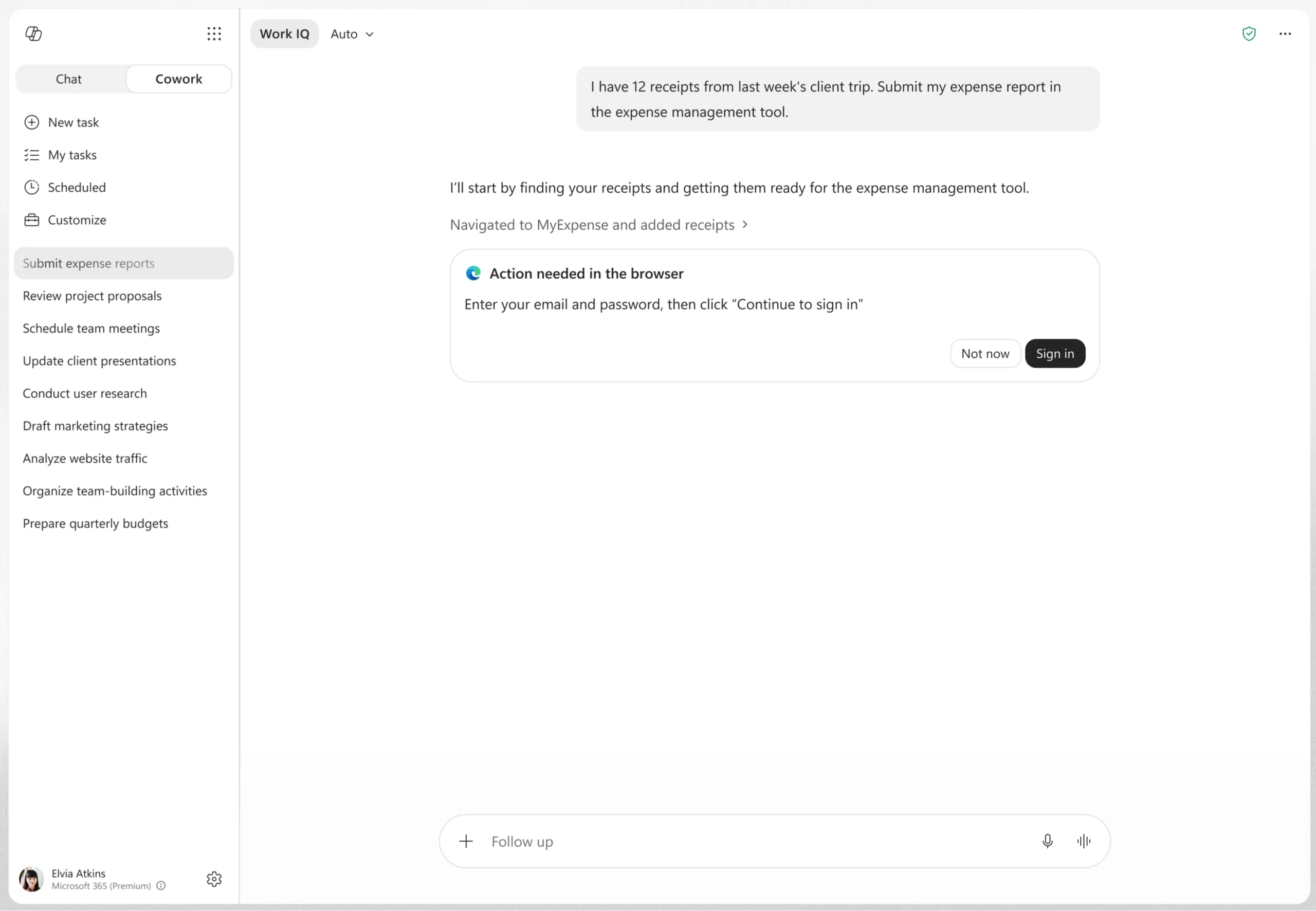
Browser-based actions in Copilot Cowork

Copilot Cowork can now use the Edge browser to complete tasks across business systems, websites, and intranet sites. This allows Cowork to interact with information and tools across different web-based environments as part of completing a task.

2. Expanded citations and reasoning for Copilot app and Chat

Microsoft 365 Copilot continues to expand how it reasons over business data and provides more transparent answers. New capabilities bring Power BI and Dataverse data directly into Copilot experiences, while enhanced citations help users verify responses more easily.

When this will happen

  • Power BI integration for Work IQ rolled out to the Frontier program in June.
  • Dataverse integration rolled out in public preview in June and will be generally available in September.
  • Deep citations rolled out in June.

How this affects your organization

What will happen:

  • Copilot can use Work IQ to reason over Power BI enterprise data and provide grounded answers based on Power BI reports and semantic models.
  • Users can ask natural-language questions about Power BI data without creating queries manually.
  • Work IQ enables Copilot to search and query Dataverse business data directly within Copilot Chat experiences.
  • Users can ask questions about Dataverse data and receive grounded responses without leaving Copilot.
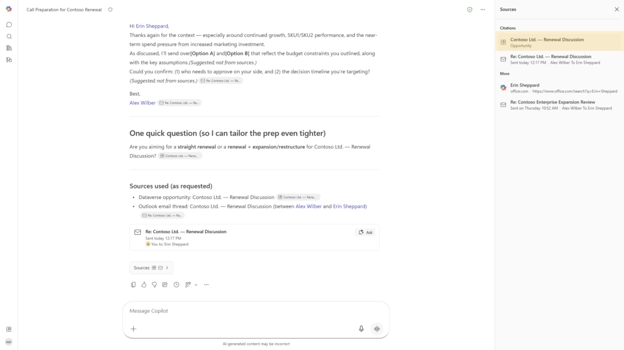
  • Deep citations now link users directly to the specific section of a referenced file instead of only linking to the entire file.
  • Deep citations currently support Word and PowerPoint files, with support for Meetings, web content, and PDF references planned in the future.

3. Microsoft 365 Copilot: Vision for visual understanding and assistance

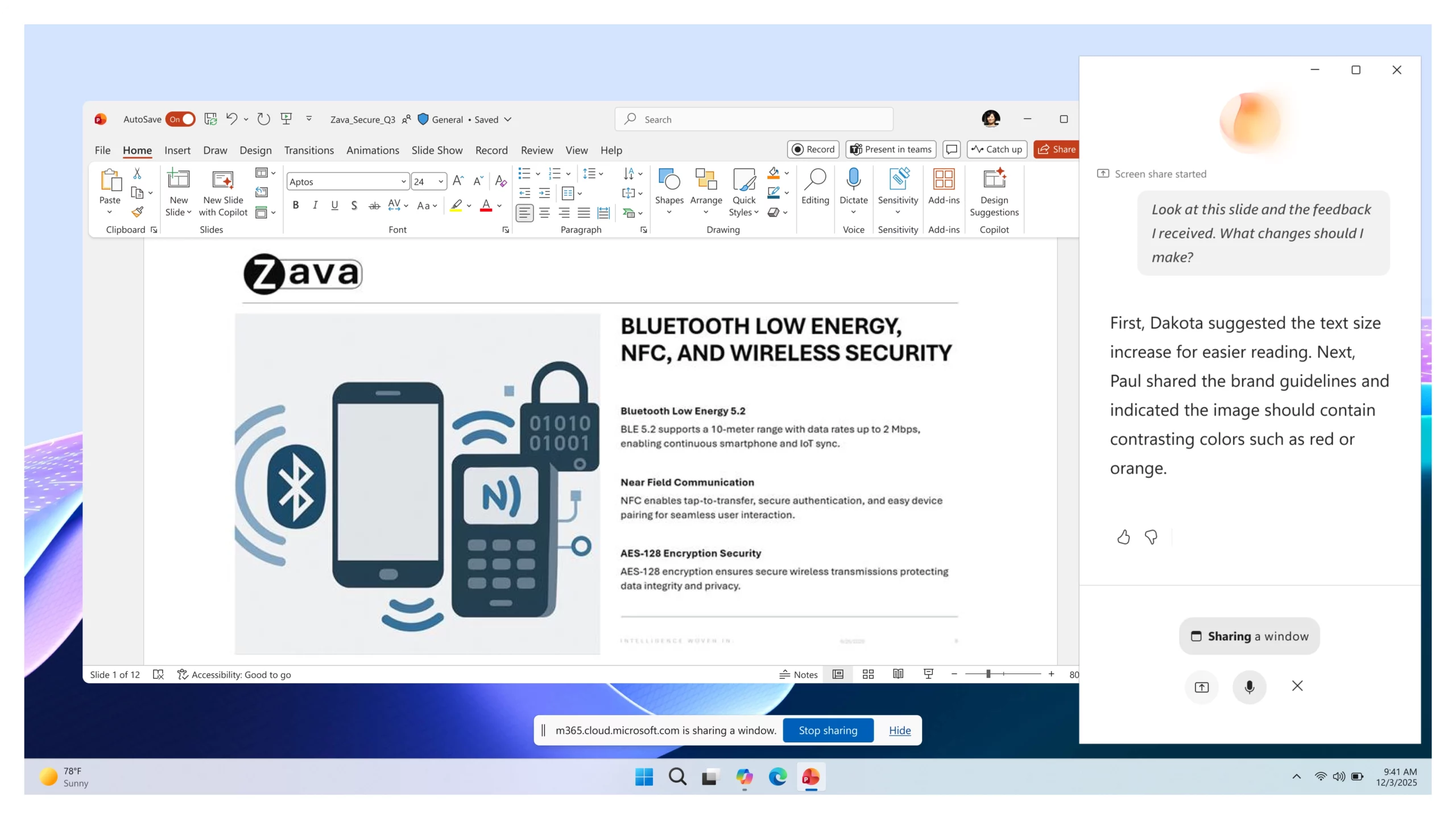
Vision in Microsoft 365 Copilot helps users get answers faster when work depends on what they can see on their screen or through their phone camera. Instead of describing a dashboard, document, image, error message, or real-world object, users can show it directly to Copilot and ask questions in a voice conversation.

How this affects your organization

What will happen:

  • Users can share visual content from their screen or phone camera during a conversation with Copilot.
  • Copilot can analyze what is being shown and provide explanations, insights, and recommendations.
  • Responses can be informed by the visual content, along with available work and web context.
  • Users can receive guidance and next steps without needing to manually describe what they are seeing.

4. Outlook: Customization and refinement for Copilot

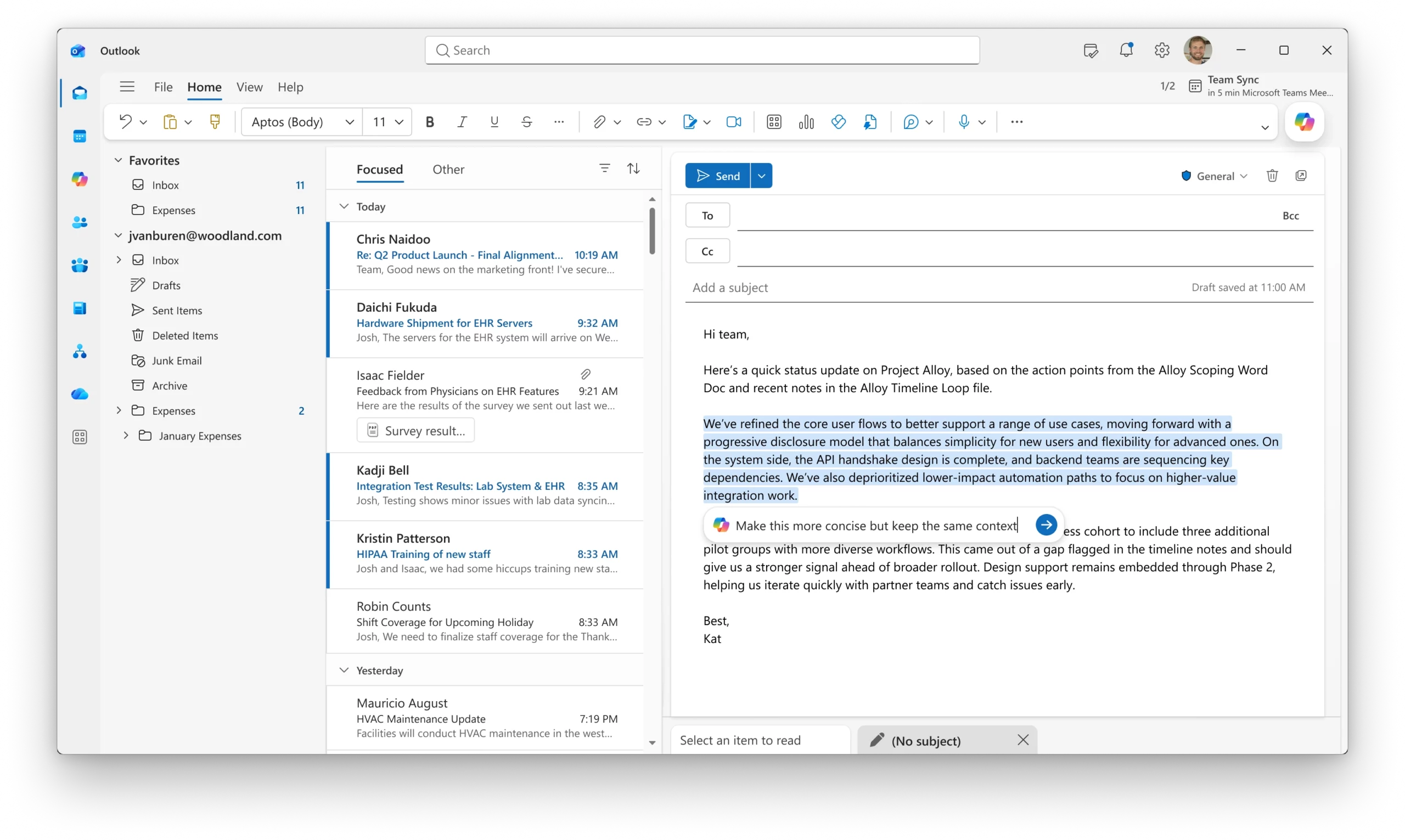
New Copilot enhancements in Outlook make it easier for users to manage Copilot settings and refine email drafts directly within the compose experience.

When this will happen

  • Direct access to Copilot settings in Classic Outlook for Windows is rolling out in July.
  • Email draft refinement with Copilot rolled out on the web in June.

How this affects your organization

What will happen:

  • Users of Classic Outlook for Windows can access and manage Copilot settings directly from Outlook.
  • Users can refine specific sections of an email draft using Copilot within the compose canvas.
  • Copilot can adjust the length, tone, or structure of selected content without rewriting the entire message.
  • Targeted editing helps users make quick changes to draft content more efficiently.

5. PowerPoint: Updates to branding, skills, and references for Copilot

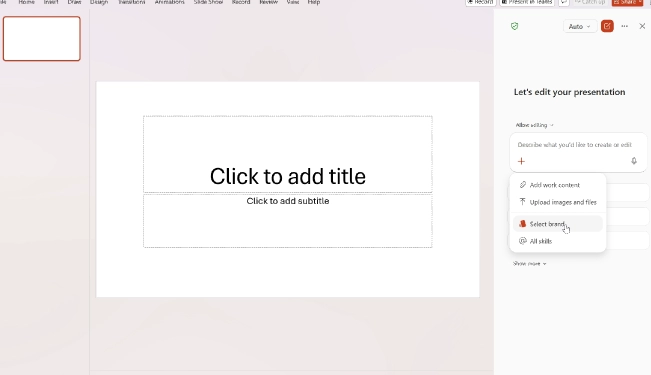
Brand Kit Picker helps users create presentations that align with their organization's approved branding from the start. When generating a presentation with Copilot, users can choose an admin-approved brand kit that applies the correct visual style automatically.

When this will happen

  • Brand Kit Picker rolled out in June.

How this affects your organization

What will happen:

  • Users can select an admin-approved brand kit when creating presentations with Copilot.
  • Brand kits apply approved colors, fonts, and visual styles to generated presentations.
  • Presentations can be created with consistent branding from the beginning.
  • The need for manual formatting and brand adjustments after generation is reduced.

6. Excel: Skills for reusable workflows in Copilot

Users can now use Skills in Copilot for Excel to turn repeatable workflows into reusable instructions. Teams can create custom skills for common analysis, modeling, and reporting tasks, making it easier to apply consistent processes across their work.

When this will happen

  • This feature rolled out in June.

How this affects your organization

What will happen:

  • Users can create and use custom skills within Copilot in Excel.
  • Skills can package repeatable analysis, modeling, and reporting workflows into reusable instructions.
  • Teams can standardize common tasks and processes across users.
  • Users can invoke saved skills instead of rewriting the same prompts for recurring work.

7. Excel: Personalization for Copilot

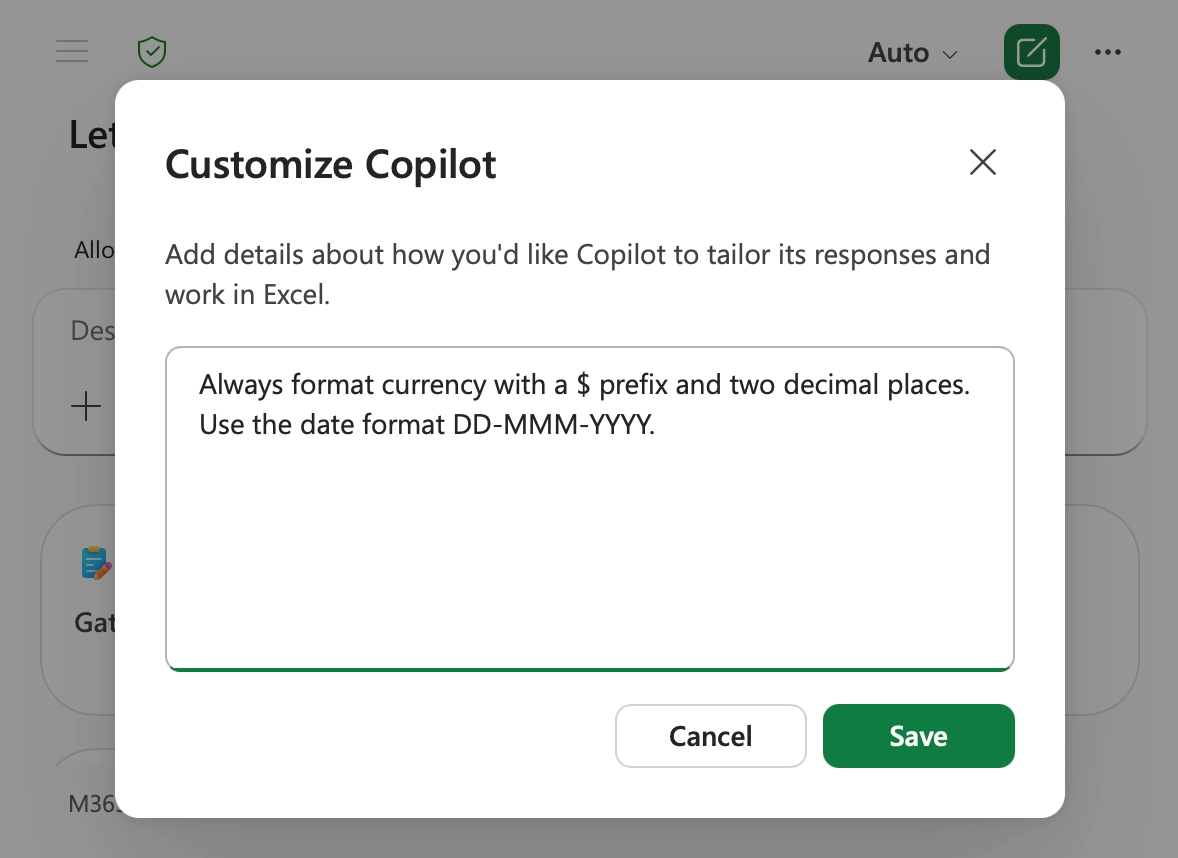
Copilot in Excel now supports Personalization, allowing users to define their preferences once and have them applied consistently across workbooks. This helps Copilot generate spreadsheet content that aligns with individual working styles and standards.

When this will happen

  • This feature rolled out in June.

How this affects your organization

What will happen:

  • Users can set standing preferences for how Copilot works in Excel.
  • Preferences can include formatting, naming conventions, formulas, PivotTables, and report styles.
  • Copilot can apply these preferences automatically across workbooks.
  • Users no longer need to repeat the same instructions in every prompt.
  • Spreadsheet outputs can be more consistent and require less manual rework.

8. Excel: Workbook rules sheets for Copilot

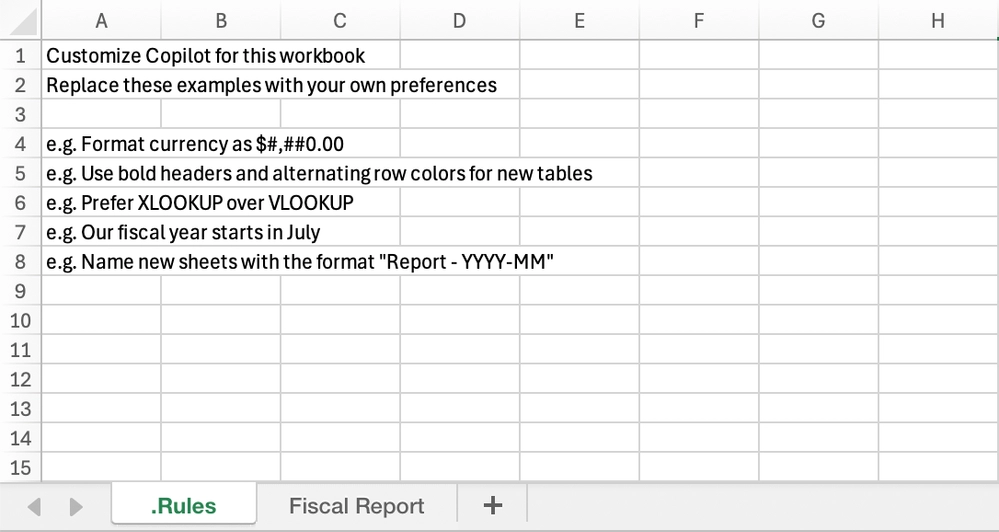
Copilot in Excel now supports workbook rules sheets, giving teams a way to define workbook-specific standards that Copilot can follow when editing a file. This helps ensure consistency across shared workbooks and recurring business processes.

When this will happen

  • This feature rolled out in June.

How this affects your organization

What will happen:

  • Teams can define workbook-specific standards using a dedicated .Rules sheet.
  • Rules can include structure, formatting, naming conventions, formula standards, and examples.
  • Copilot can follow the guidance stored in the workbook when making edits.
  • Rules can reference examples, formulas, ranges, and other worksheets.
  • Teams can standardize recurring templates and workflows directly within Excel.

9. Copilot Agents: Planner Agent availability and Researcher options

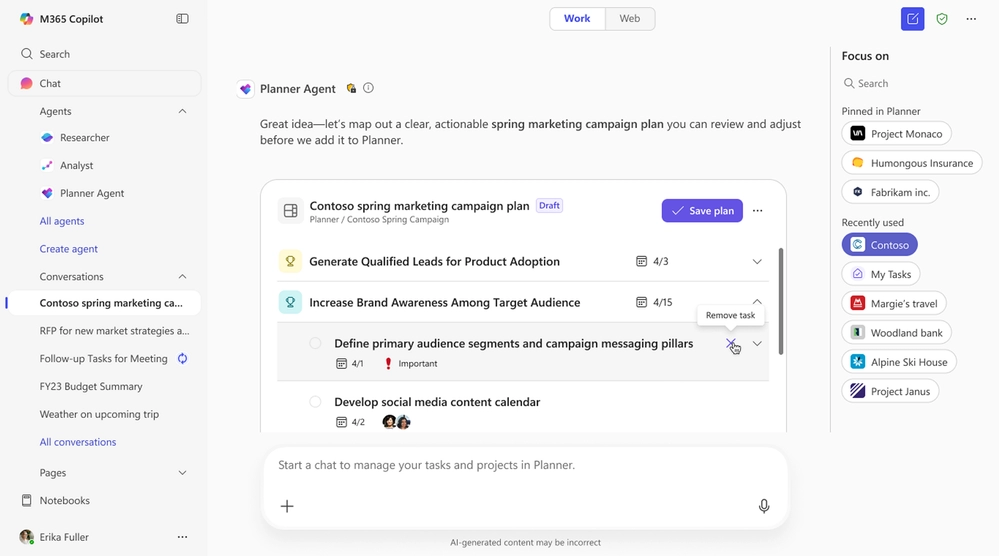
New updates to Copilot Agents provide users with greater flexibility when conducting research and managing work. Users can now select Researcher models directly in conversations and use the Planner Agent to organize tasks and plans within Microsoft 365 Copilot.

When this will happen

  • Researcher model and mode selection rolled out in June.
  • Planner Agent rolled out in June.

How this affects your organization

What will happen:

  • Users can choose from supported Researcher models and modes directly within a Copilot chat.
  • Research tasks can be tailored by selecting the model and approach best suited for the task.
  • The Planner Agent provides interactive task cards and actionable insights within Microsoft 365 Copilot.
  • Users can view and prioritize tasks across Planner plans.
  • Users can create and update tasks using natural language prompts.
  • The Planner Agent can generate structured plans that include goals and buckets to help organize work.
Written & Reviewed by

Jasjit Chopra

Chief Executive Officer
Comment Now

Leave a Reply

Your email address will not be published. Required fields are marked *

More from this Category
What's New in Microsoft Copilot in November 2025
Microsoft Copilot

What's new in Microsoft Copilot | November 2025

Discover the latest Microsoft 365 Copilot updates for November 2025, including GPT-5 modes, new Word/Excel/PowerPoint agents, guided learning, and Sora...

Microsoft Copilot

What's new in Microsoft Copilot | May 2026 Updates

Monthly updates, news & events from Microsoft to help you & your business grow & get best out the Microsoft...

What's new in Microsoft Copilot | May 2025
Microsoft 365

What's new in Microsoft Copilot | May 2025

Monthly updates, news & events from Microsoft Copilot to help you & your business grow & get best out the...

crossmenuchevron-down