What's new in Microsoft Copilot | June 2025
Discover the latest Microsoft Copilot updates from June 2025, including new AI-powered features in Word, Excel, Teams, Outlook, and Edge....

If you’re using Microsoft 365, you’ve likely seen Copilot in action—your AI-powered assistant helping you write emails, analyze Excel data, or summarize long Word docs. It's designed to boost productivity across Outlook, Teams, and more. With AI deeply integrated, Copilot helps turn your everyday tasks into streamlined workflows. Let’s see what’s new and smarter this month.
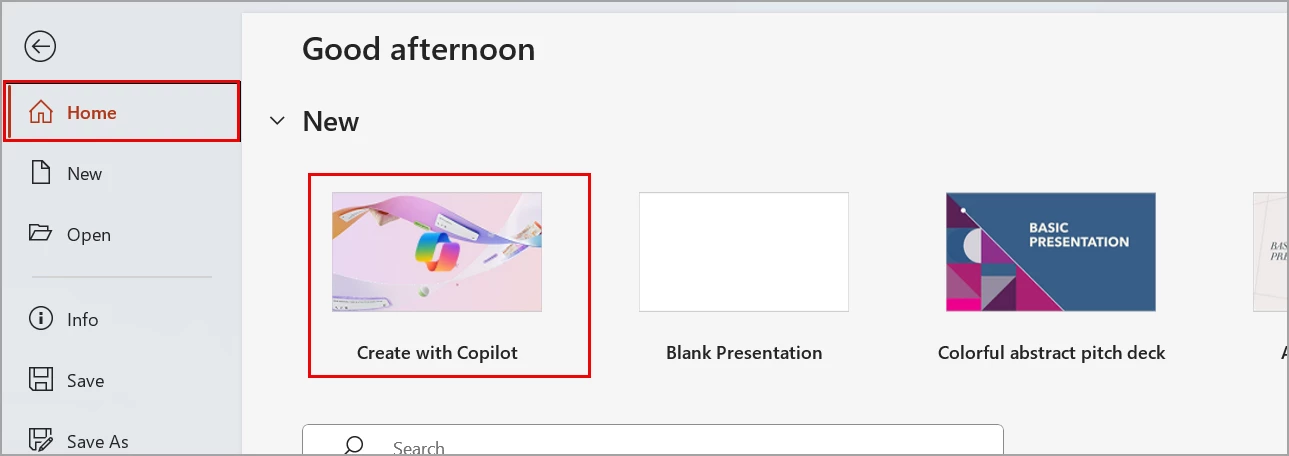
Microsoft will add a “Create with Copilot” feature in PowerPoint for Windows desktop. This will be available in the PowerPoint Backstage view, which appears when users start PowerPoint or select the File tab.
This feature requires a Microsoft 365 license or a Microsoft Copilot 365 license.
Rollout timeline:
Impact on your organization:
After rollout, users will see a Create with Copilot option at the top of the PowerPoint Backstage view.

Microsoft will allow users to access agents in Microsoft 365 Copilot from the Edge sidebar (right side of the screen) while using Copilot.
This applies to Web chat and Work chat for users with a Microsoft 365 Copilot license, and to Copilot Chat for users with a Microsoft 365 license.
Rollout timeline:
Impact on your organization:
Users must first add agents to Microsoft 365 Copilot before they can access them from the Edge sidebar. At this time, they will not be able to create, search for, or add new agents directly from the sidebar.
Once added, users will be able to access their agents from the Edge sidebar while using Copilot, helping them stay focused on their browser activities without switching screens.
This feature will be enabled by default.
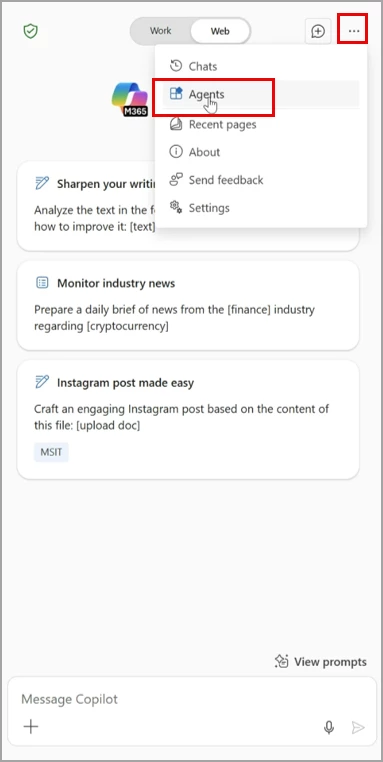
Select Agents from the three-dot menu (...) in the top right of the Edge sidebar:

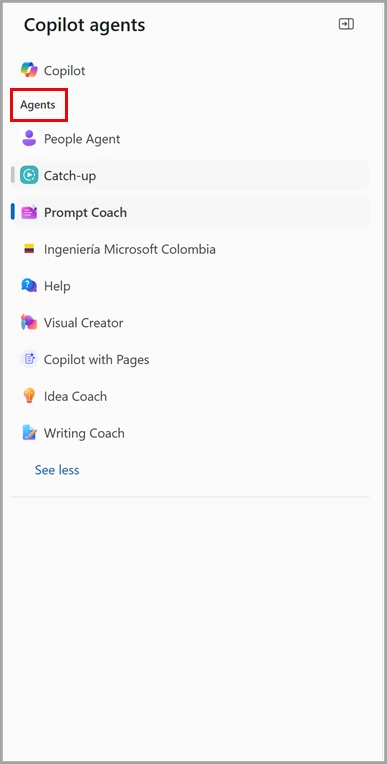
View and select an available agent:

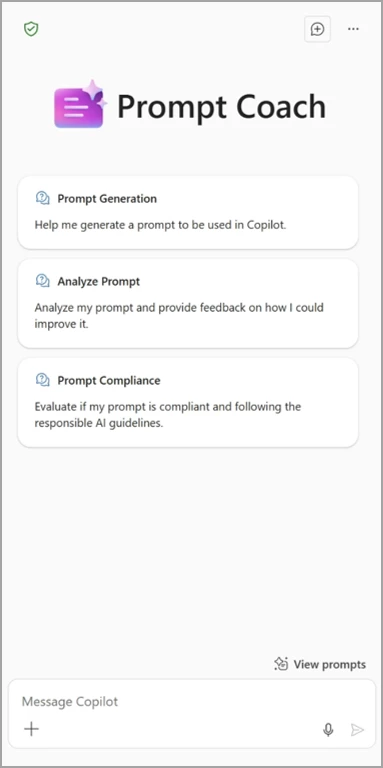
Engage with agents on the Edge sidebar, such as the Prompt Coach:

With Copilot Tuning, you can use your company data, workflows, and processes to train models and create agents that perform domain-specific tasks with a high degree of accuracy using Copilot Studio—no coding required. For example, a legal firm can create an agent to reflect its unique style and expertise—automating document creation and even drafting arguments that blend institutional knowledge with client-specific context to help build the strongest case possible.
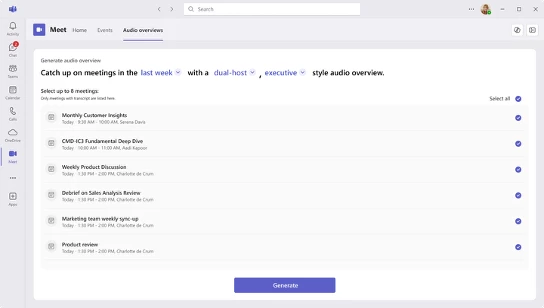
Introducing the Meeting Audio Overview, a feature that uses AI to capture and summarize key topics discussed during your Teams meetings with an engaging audio output. It converts the selected meeting transcriptions into audio summaries, allowing users to quickly review highlights for multiple meetings, helping them focusing on the most relevant topics to stay up to date.

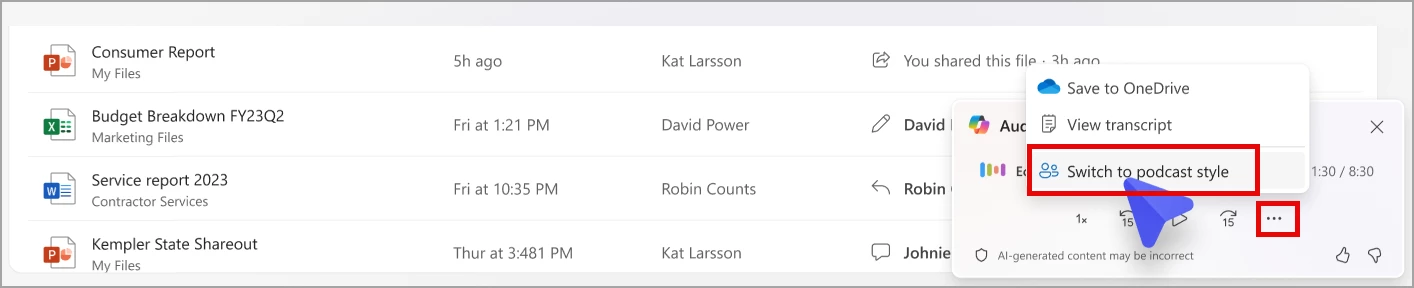
Microsoft 365 Copilot will soon offer AI-generated audio overviews for Word documents, PDF files, and Teams meeting recordings with transcripts in OneDrive.

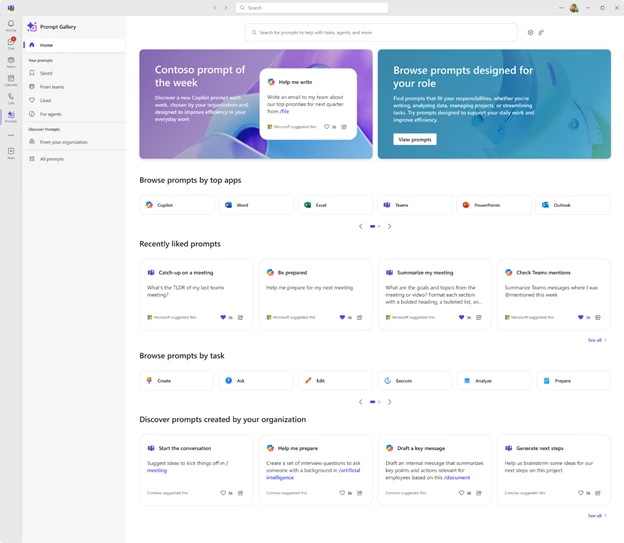
Your users will see a redesigned Copilot Prompt Gallery app that introduces a home page and updated prompt browsing experience. In addition, we’re expanding the value of Copilot Prompt Gallery by enabling you to create, publish, and manage organizational prompts tailored to the unique needs of your organization.

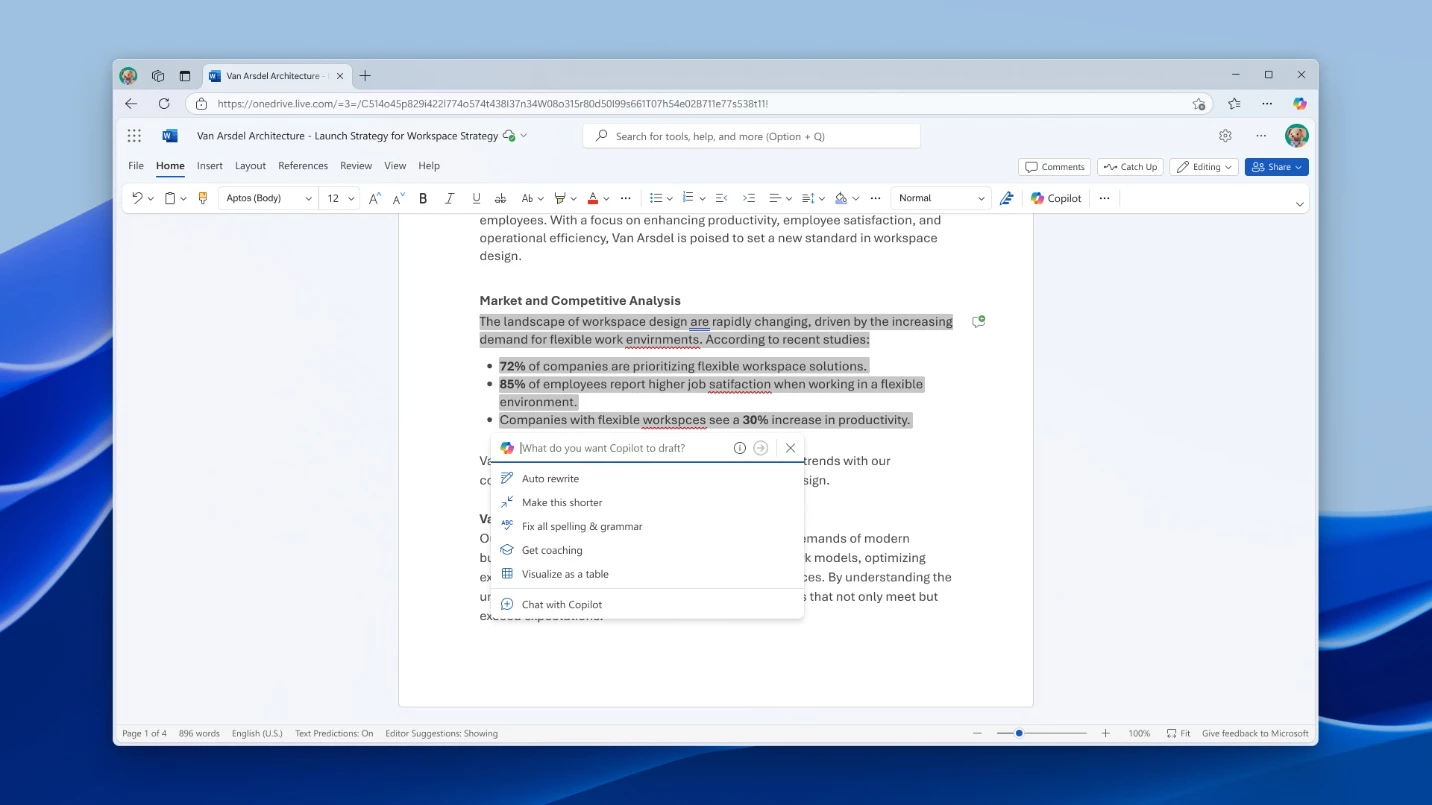
This feature provides a one-click solution to apply all grammar and spelling corrections simultaneously, with the option to review and undo any changes you prefer not to keep.

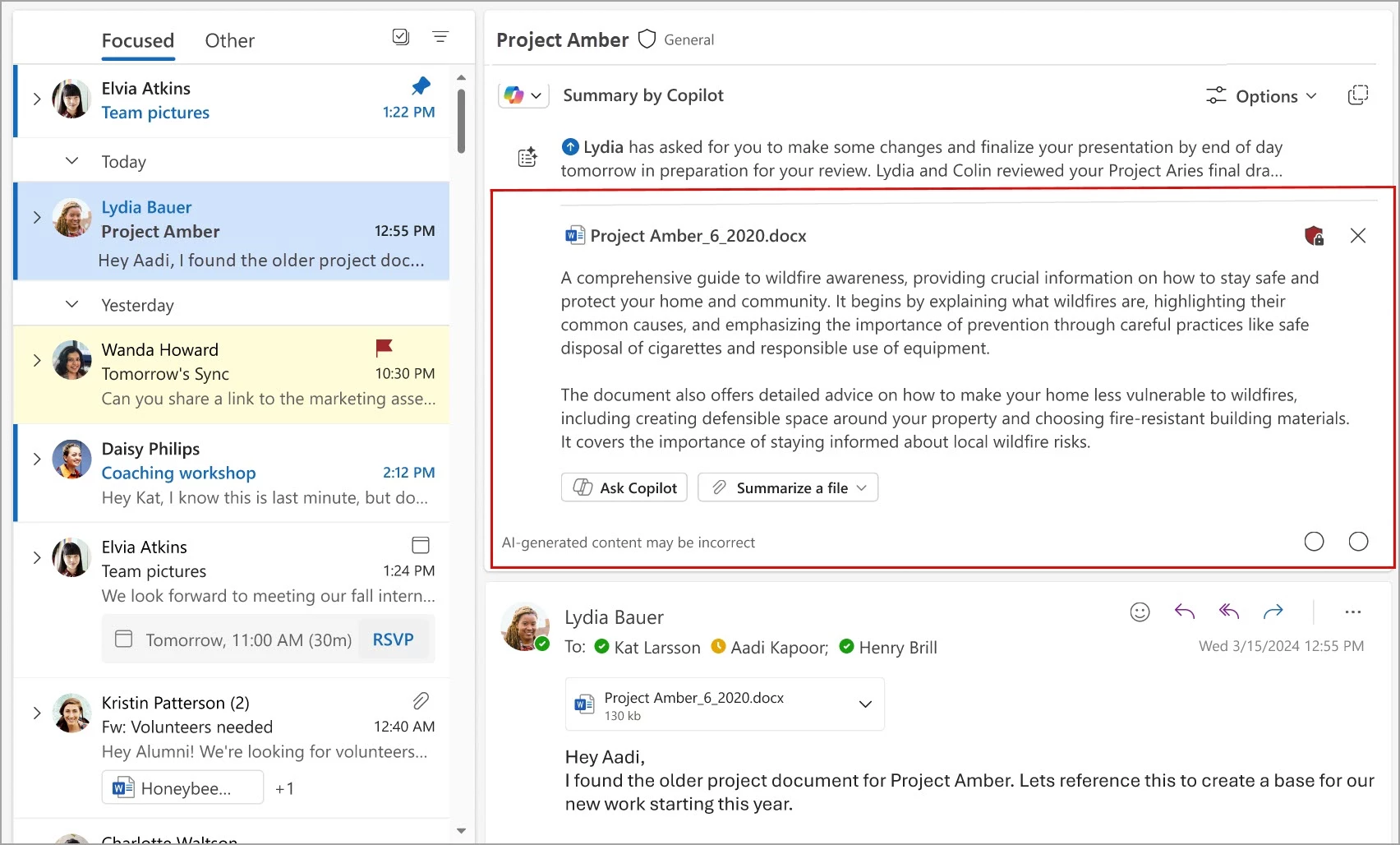
Soon, users will be able to summarize PDF, Microsoft Word (.docx), and Microsoft PowerPoint (.pptx) email attachments with Copilot in Outlook.

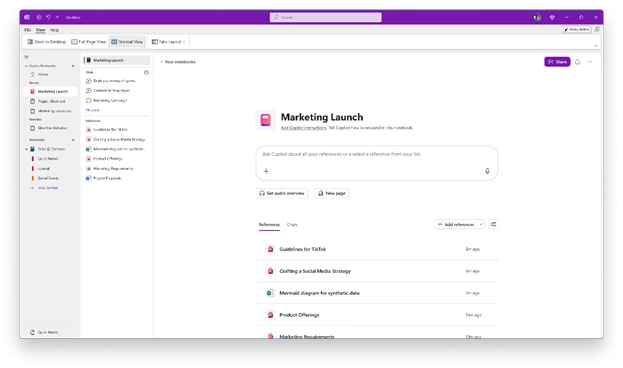
Microsoft now allows users to access Copilot Notebooks in OneNote. Users can bring together content such as notes, documents, websites, meeting recordings, and more.
The Notebook helps Copilot provide relevant actions and insights by grounding it in the included content. It continuously updates in real time as the content changes.
Copilot Notebooks can also generate an audio overview of the content, with two hosts walking through key points.
Rollout is happening in June.

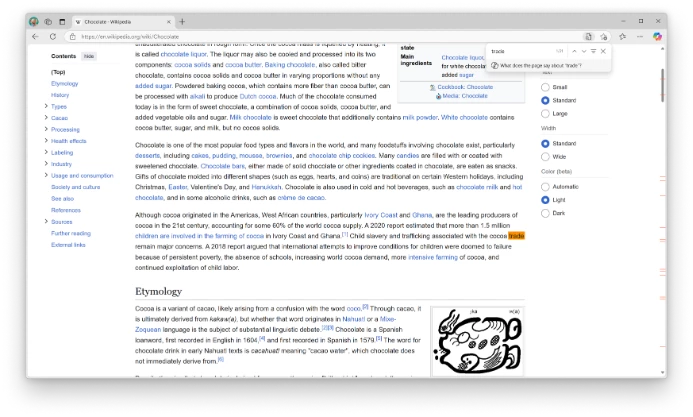
Users with limited time and lots of tasks often use the shortcut key CTRL+F to quickly find and synthesize information in large bodies of text. Now when users use CTRL+F to find information on a page, they will see a prompt to have Copilot summarize how their search term is mentioned on the page. The summary will appear in the side pane alongside their original page content.

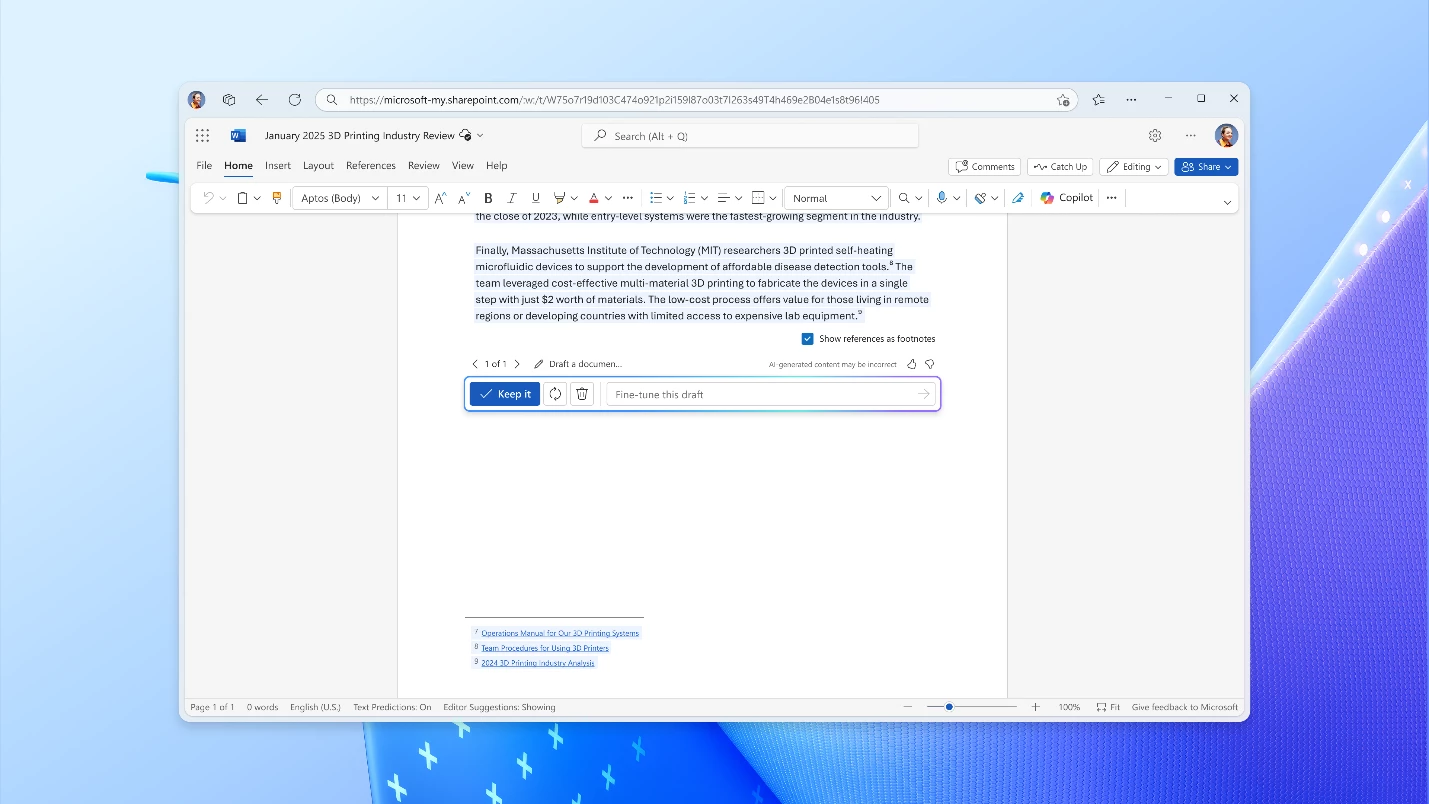
When users are drafting content that's based on referenced sources, Copilot will include citations in the text it generates. This simplifies the experience for users to build documents by indicating references to information in the content. This feature is rolling out in June.

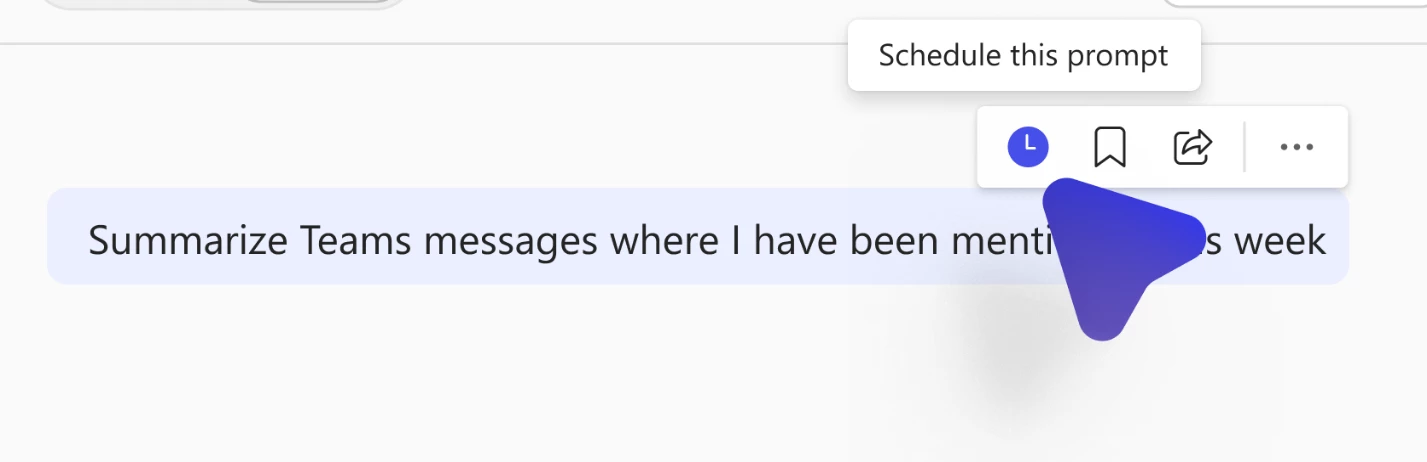
Users can now easily automate their most frequent queries with just a few clicks. New options include setting up recurring prompts, tailoring prompts to a user’s workflow, and managing their prompts directly in Copilot Chat.

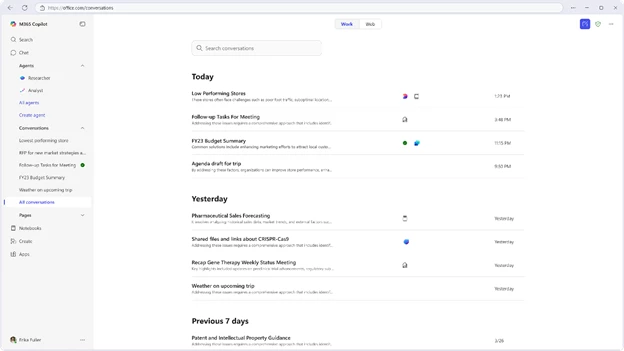
Now users can easily pick up where they left off with Copilot. A redesigned chat history experience provides a list that lets users quickly revisit past conversations. Users can search by keyword or browse through old chats grouped by date, making it easier to find exactly what they need.

Discover the latest Microsoft Copilot updates from June 2025, including new AI-powered features in Word, Excel, Teams, Outlook, and Edge....
Monthly updates, news & events from Microsoft Copilot to help you & your business grow & get best out the...
Learn how to prepare your organization for Microsoft 365 Copilot by aligning strategy, cleaning up data, securing access, training users,...