Penthara-Logo-Dark
For Organizations

What's new in Microsoft | May 2026 Updates

Monthly updates, news & events from Microsoft to help you & your business grow & get best out the Microsoft services.

Microsoft Copilot

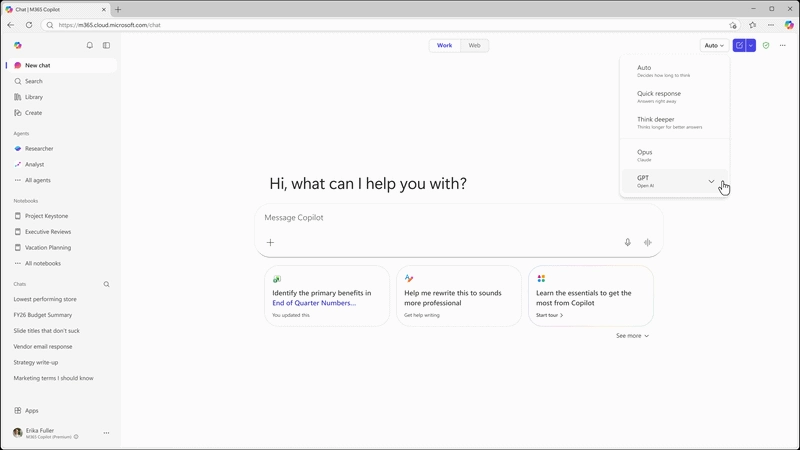
1. Microsoft 365 Copilot: Anthropic Claude Opus 4.8 now available

Anthropic's Claude Opus 4.8 is now available in Microsoft 365 Copilot, expanding model choice for advanced work scenarios. The model is designed for complex, multi-step tasks and long-running workflows, with improvements in tool selection, instruction following, and task completion. It also delivers enhanced performance for drafting documents, analyzing data, and creating presentations.

When used with Work IQ, outputs are grounded in organizational data to provide more relevant and accurate results.

When this will happen
Available now.

What will happen:

  • Claude Opus 4.8 will be available as a model option in supported Microsoft 365 Copilot experiences.
  • The model supports complex reasoning, long-running workflows, and advanced content creation tasks.
  • Work IQ grounding can be used to incorporate organizational data into responses.
  • The model is available in Copilot Cowork (Frontier) and is rolling out to Copilot Studio early release cycle environments, Copilot Chat, Excel, and PowerPoint.

2. Microsoft 365 Copilot app: Refreshed chat-centered experience

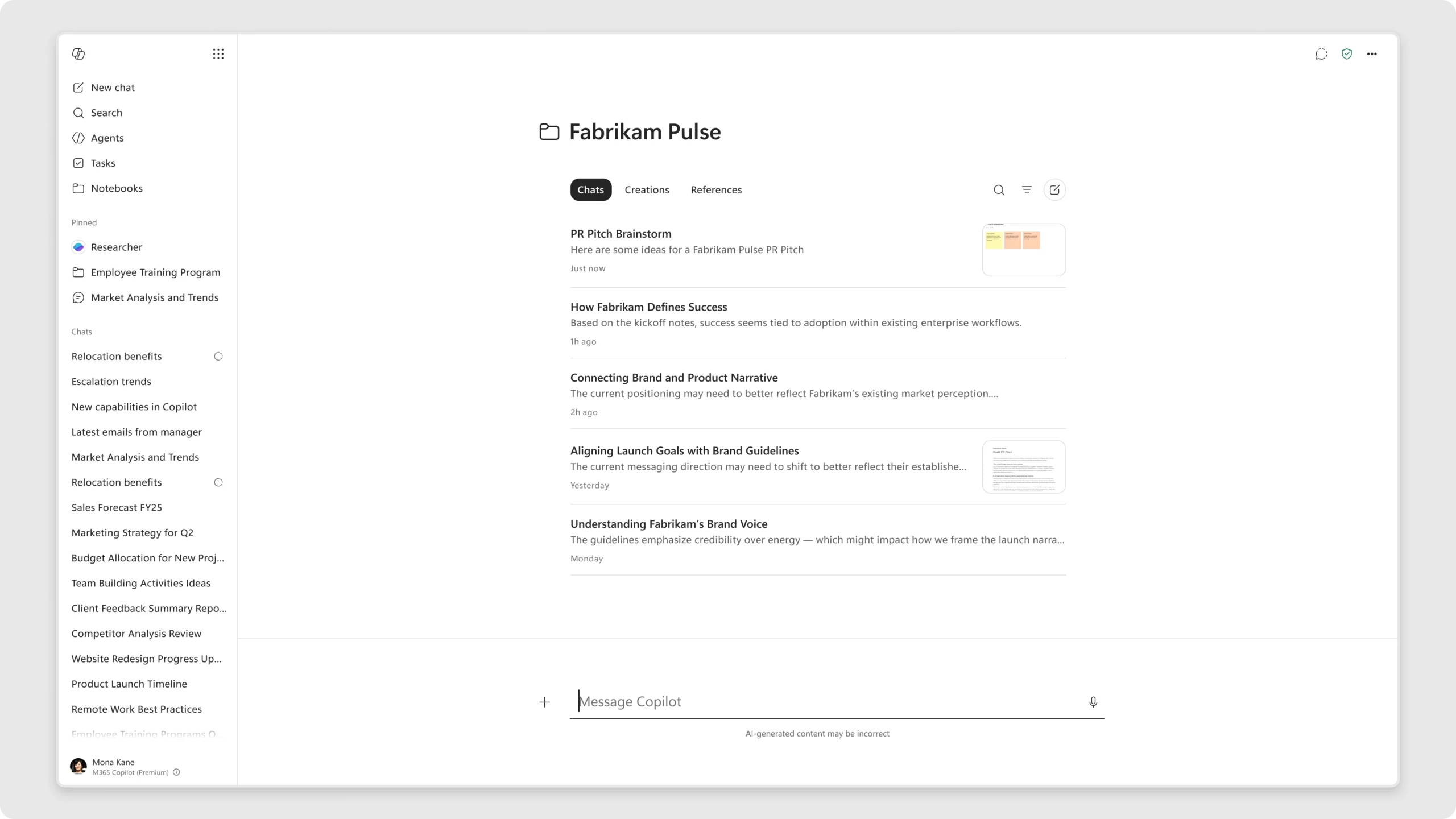
The Microsoft 365 Copilot app is introducing a refreshed design focused on a more streamlined, chat-centered experience. These updates simplify the chat and response layout, improve navigation, and provide new ways for users to organize their work.

When this will happen
Rolling out in June.

How this affects your organization

What will happen:

  • Users will see a simplified chat and response layout.
  • Navigation within the Microsoft 365 Copilot app will be improved.
  • New capabilities for organizing work will be introduced.
  • The updated experience is designed to help users stay focused, maintain context, and work more efficiently.

3. Microsoft 365 Copilot: Updated Copilot Notebooks experience

Copilot Notebooks in the Microsoft 365 Copilot app is introducing an updated design to help users organize chats and work by project. The refreshed experience brings chats, created content, and references together in one place to support collaboration and ongoing work.

When this will happen
Rolling out in June.

How this affects your organization

What will happen:

  • Copilot Notebooks will feature a redesigned user experience focused on project-based organization.
  • Chats, output creations, and references will be available in a single workspace.
  • Copilot Notebooks in the Microsoft 365 Copilot app and OneNote will stay synchronized.
  • Users can move between the Microsoft 365 Copilot app and OneNote while working with the same notebook.

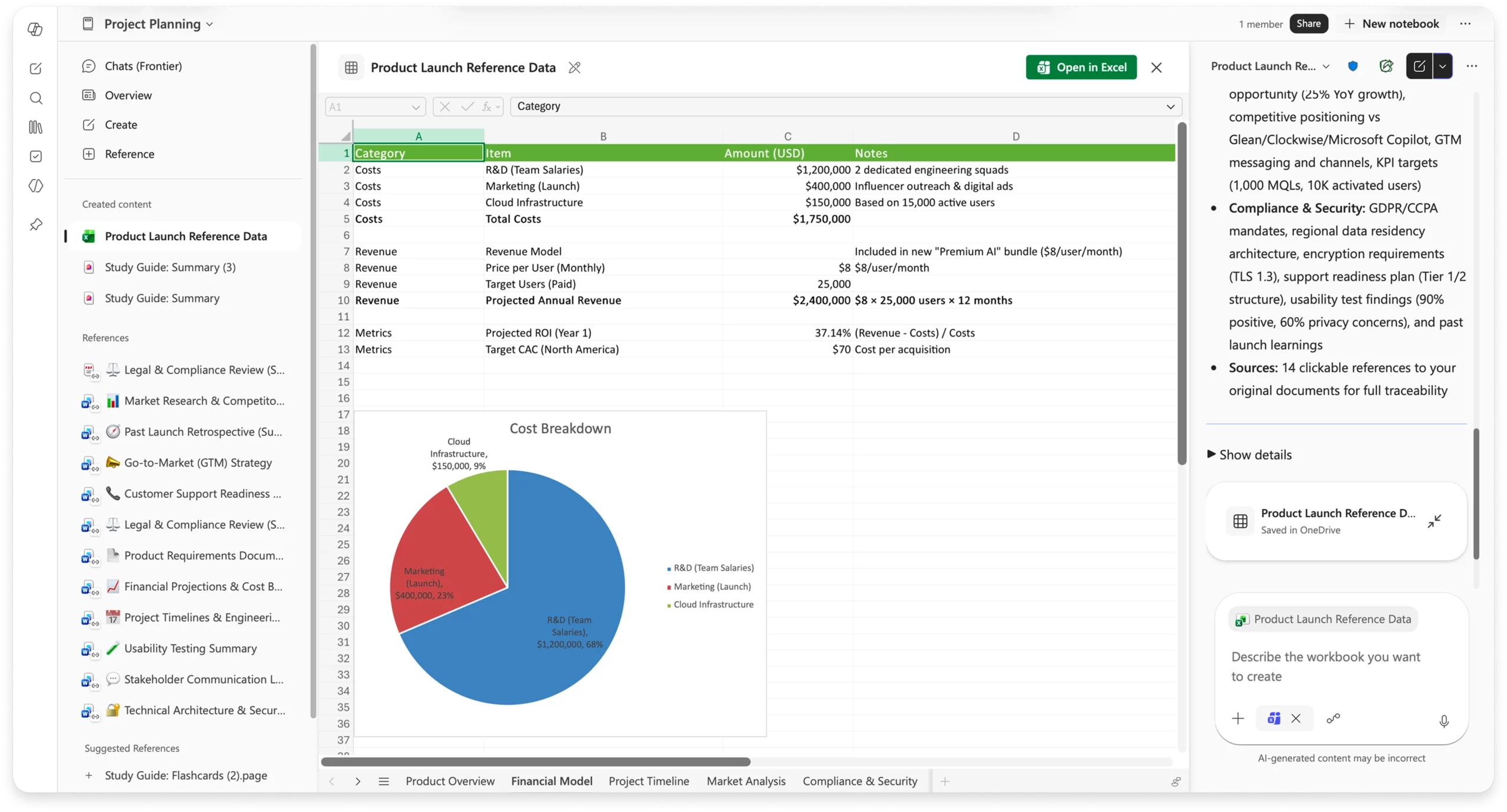
4. Microsoft 365 Copilot: Generate Excel spreadsheets from Copilot Notebooks

Copilot Notebooks can now generate Excel spreadsheets using the Excel agent directly from notebook content and references. The Excel agent creates a structured spreadsheet and asks clarification questions to tailor the output to the user's specific requirements.

When this will happen

  • Frontier: Rolled out in May.
  • Worldwide: Rolling out in June.

How this affects your organization

What will happen:

  • Users can generate Excel spreadsheets directly from content and references stored in a Copilot Notebook.
  • The Excel agent will ask clarification questions to help create a spreadsheet tailored to the request.
  • Generated spreadsheets are structured and ready for further refinement.
  • Users can continue working with Copilot in Excel to edit and enhance the spreadsheet.

5. Microsoft 365 Copilot: Infographics in Copilot Notebooks

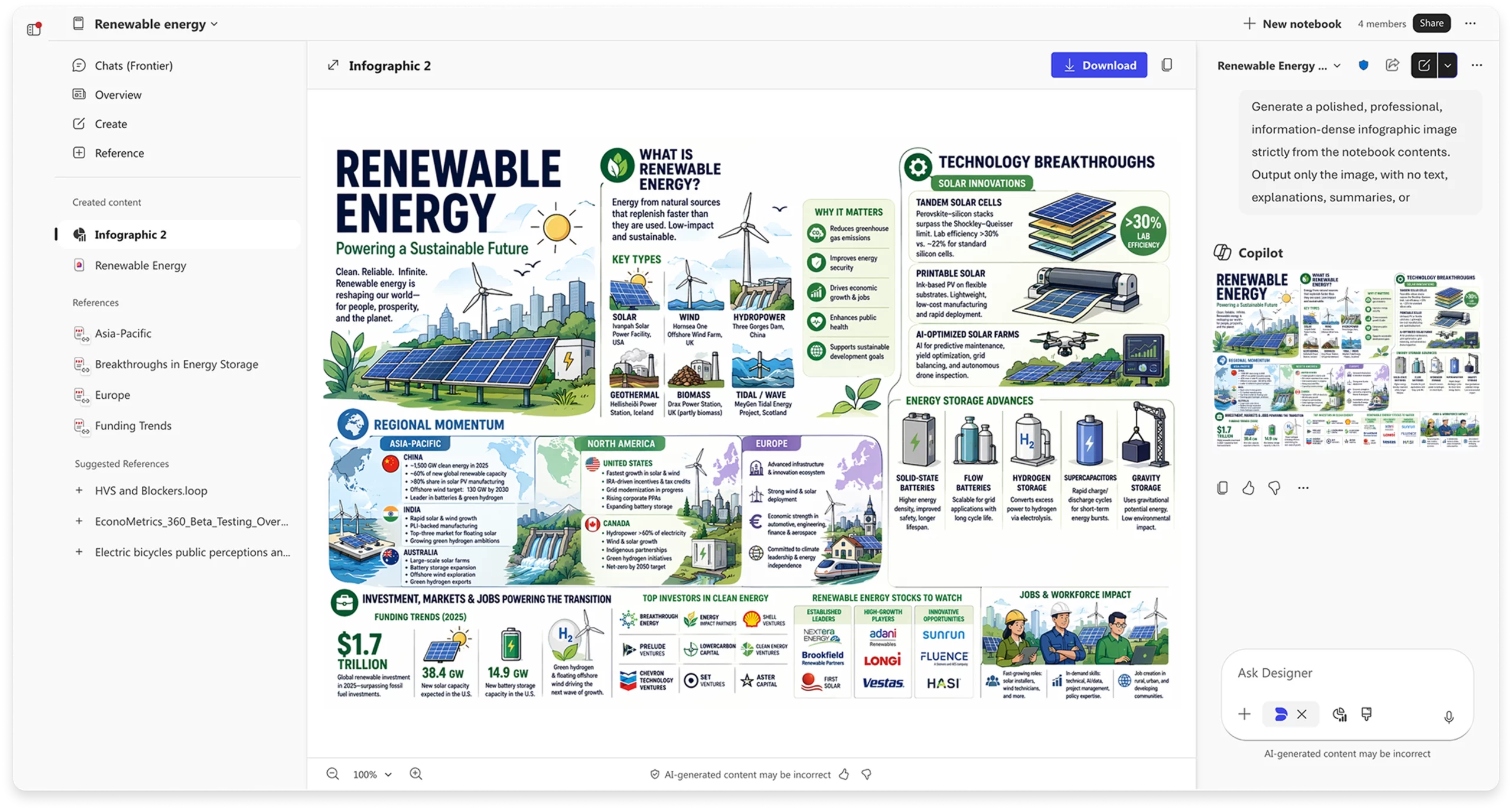
Infographics in Copilot Notebooks automatically transform notebook content into visual summaries that are ready to share. By analyzing the information and references within a notebook, Copilot generates infographics that highlight key points, relationships, and insights.

When this will happen

  • Frontier: Rolled out in May.
  • Worldwide: Rolling out in June.

How this affects your organization

What will happen:

  • Users can generate infographics directly from content and references stored in a Copilot Notebook.
  • Generated infographics highlight important information, relationships, and insights.
  • Technical notes, project updates, and documentation can be converted into visual summaries for easier communication and sharing.

6. Microsoft 365 Copilot and Copilot Studio: GPT-5.5 Instant now available

Microsoft 365 Copilot and Copilot Studio: GPT-5.5 Instant now available

OpenAI's GPT-5.5 Instant is now available in Microsoft 365 Copilot and Microsoft Copilot Studio. Building on GPT-5.3 Instant, the model delivers higher-quality responses for everyday work tasks, image analysis, and STEM-related questions, with clearer and more concise answers.

When this will happen
Rolled out in May.

How this affects your organization

What will happen:

  • GPT-5.5 Instant is available in Microsoft 365 Copilot and Microsoft Copilot Studio.
  • The model provides improved response quality for everyday work tasks, image analysis, and STEM-related questions.
  • Responses are designed to be clearer, more concise, and require fewer follow-up questions.
  • In Copilot Chat, the model appears as "GPT-5.5 Quick response" in the GPT model selector.
  • In Copilot Studio, the model rolls out to early release cycle environments as "GPT-5.5 Chat."

7. Microsoft Outlook: Account selector for Copilot in Calendar

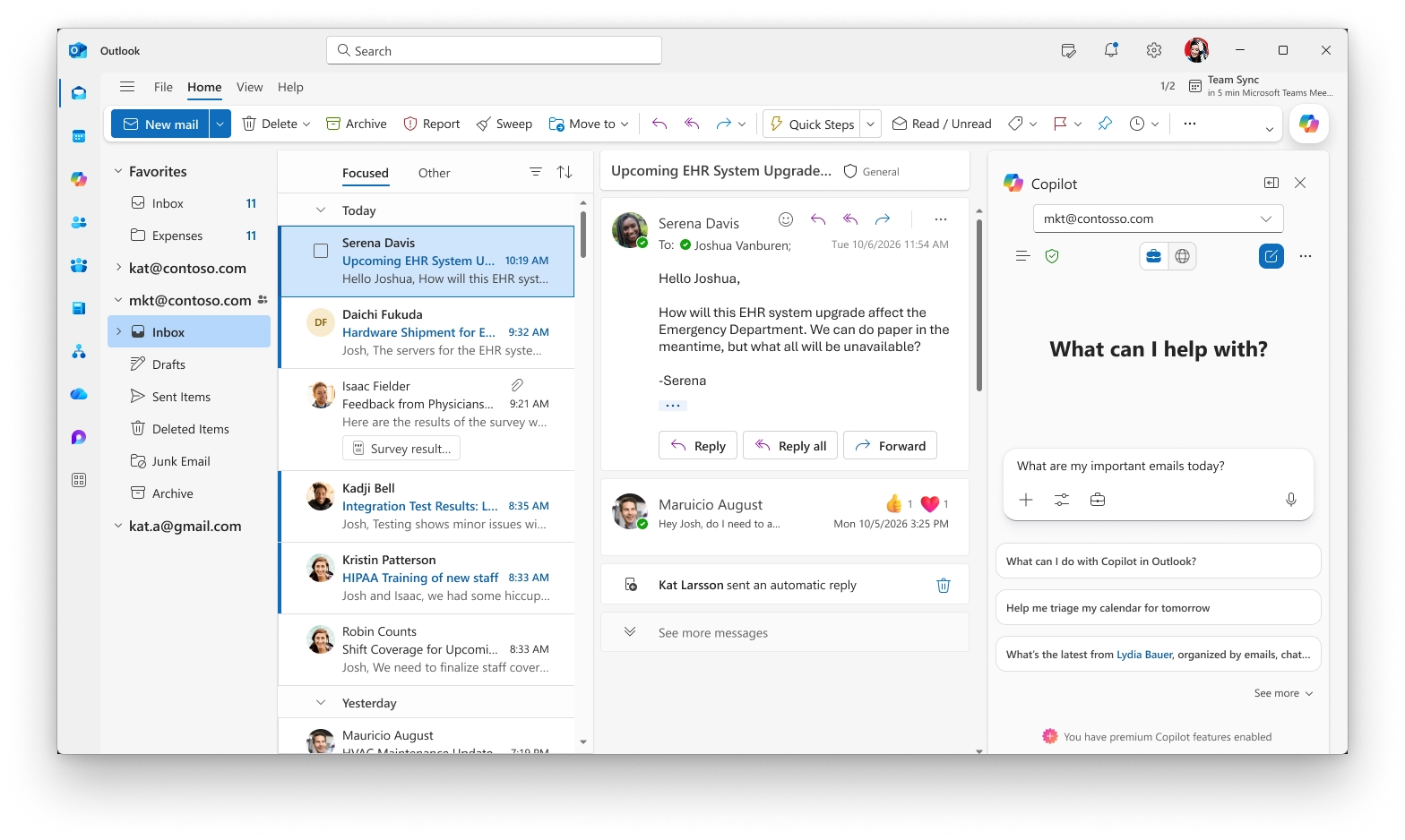
Users with more than one Copilot-enabled account in Outlook for Windows now have an account selector in the Copilot side pane within Outlook Calendar. This enhancement makes it easier to identify which account Copilot is using and allows users to switch between accounts when needed.

When this will happen
Rolled out in May.

How this affects your organization

Who is affected:
Users with multiple Copilot-enabled accounts in Outlook for Windows.

What will happen:

  • An account dropdown will be available in the Copilot side pane in Outlook Calendar.
  • Users can see which account Copilot is currently acting on.
  • Users can switch between Copilot-enabled accounts directly from the selector.
  • The update helps reduce confusion for users working across multiple accounts or tenants.

8. Microsoft PowerPoint: New Copilot skills for presentations

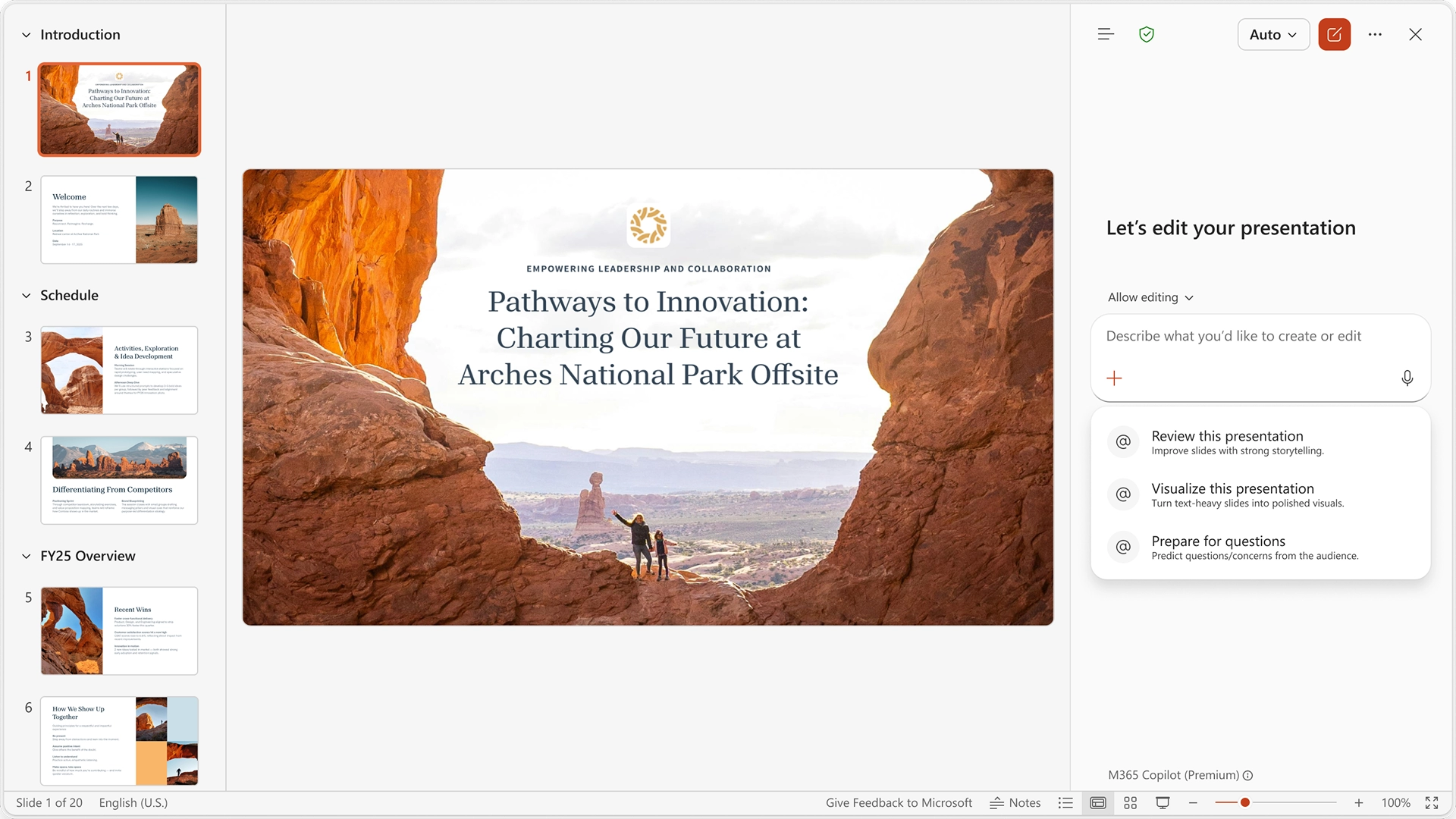
Copilot in PowerPoint now includes built-in skills that help users improve presentations with a single click. Instead of writing detailed prompts, users can select a skill and let Copilot perform the task on their presentation.

When this will happen
Rolled out in May.

How this affects your organization

What will happen:

  • Review this presentation provides slide-by-slide suggestions to improve structure, clarity, and storytelling, with recommendations that users can review and apply.
  • Visualize this slide transforms text-heavy slides into visuals to enhance presentation design and impact.
  • Prepare for Questions helps users identify potential weak points in a presentation and anticipate audience questions.
Written & Reviewed by

Jasjit Chopra

Chief Executive Officer
Comment Now

Leave a Reply

Your email address will not be published. Required fields are marked *

More from this Category
Blog header for August Copilot updates
Microsoft Copilot

What's new in Microsoft Copilot | August 2025

Explore August 2025 Copilot updates: GPT-5 rollout, smarter Word activity tracking, visual editing in Chat, instant summaries in Edge, and...

How Companies are using Azure OpenAi to innovate and save time blog header image
Azure AI

How Companies are using Azure OpenAI to innovate and save time?

How companies use Azure OpenAI to automate tasks, boost productivity, enhance customer support, and drive innovation - securely and at...

Newsletter blog header - Penthara AI
Microsoft Copilot

What's new in Microsoft Copilot | October 2025

Discover the latest Microsoft 365 Copilot updates for November 2025, including GPT-5 as the new default model, enhanced search, smarter...

crossmenuchevron-down