
Week 1-2
Assessment
- Evaluate Copilot usage, data risks, and permissions
- Define governance roadmap
From unmanaged usage to controlled, enterprise‑ready scale
Get in touch now!



Operational AI governance framework for Microsoft 365 Copilot
Agent management in M365 admin center provides businesses with tools to manage agents for M365 Copilot, ensuring you have visibility and control over agents inside Agent Store
View all agents-store, Microsoft, external, & shared-with rich metadata like capabilities, data sources, & custom actions.
Transfer ownership, monitor usage & enforce governance policies across the agent spectrum-from end-user-created to IT-managed agents.
Scope agent availability by user or group, block or delete agents, and manage ownerless agents to ensure continuity.
Control agent visibility and deployment pace across the org.

View all agents-store, Microsoft, external, & shared-with rich metadata like capabilities, data sources, & custom actions.

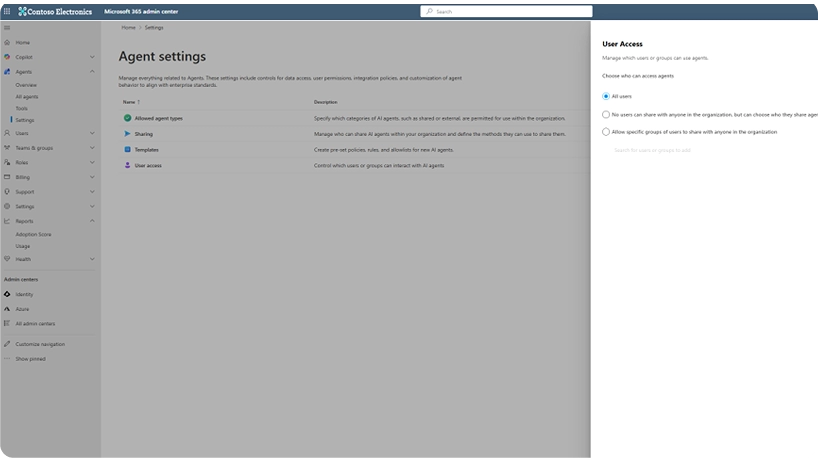
IT Admins can decide to enable agents for all users or specific groups
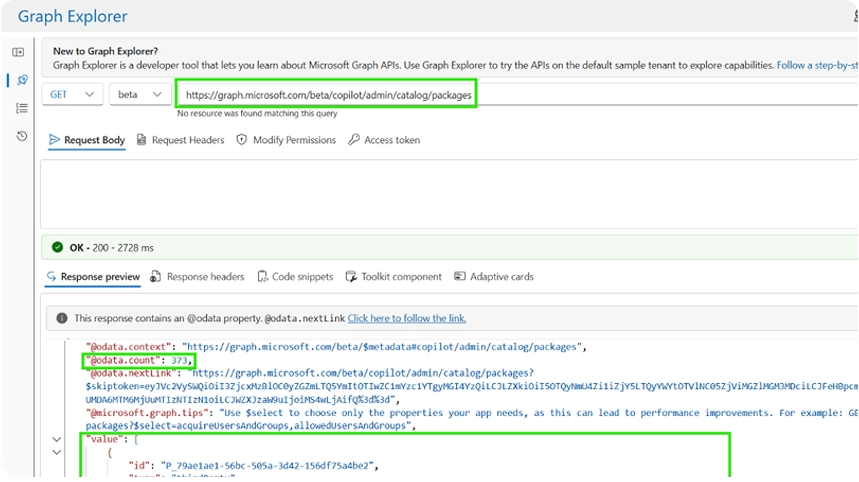
The Inventory API provides a comprehensive list of agents & apps with advanced filtering & high-level metadata.
The Details API offers granular metadata for specific agents and apps, including all the attributes from the manifest.
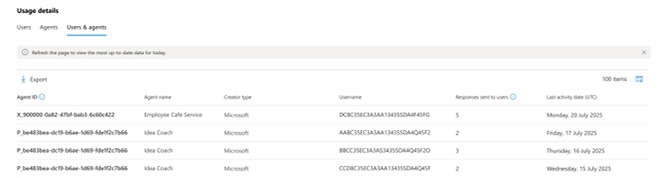
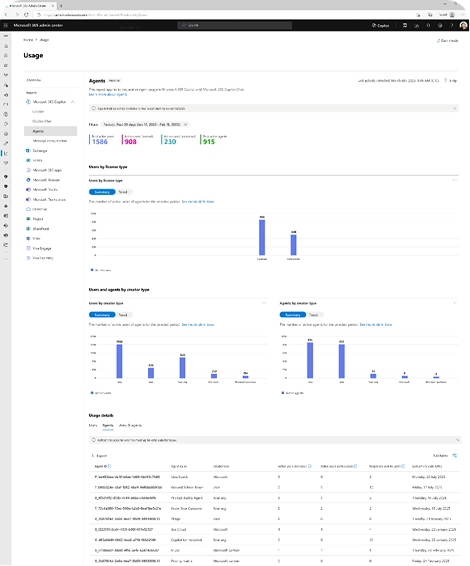
Granular visibility into how agents are used across your organization
Track active usage across licensed and unlicensed users.
Understand adoption by agent origin — user, org, Microsoft, or partner.
Access line-level usage data with CSV export support.
How to submit & publish to Agent Store
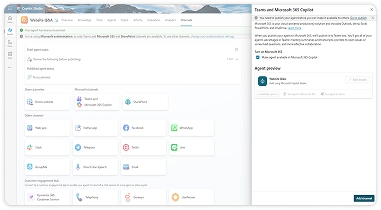
Go to the Channel page for your agent and select the Microsoft 365 Copilot & Teams channel. Then turn on Microsoft 365 Copilot in the pop out window.
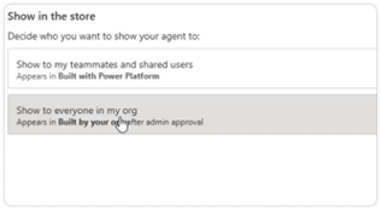
Choose Show to everyone in my org as the availability option before clicking Submit for admin approval.
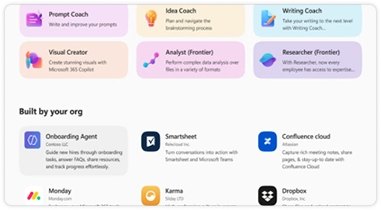
Once approved, your agent will appear under All agents > Built by your org in the Agent Store. If your agent was rejected, you can make changes to the agent & resubmit to your admin.
AI governance is layered - content governance, data protection, policy enforcement, and agent management must work holistically.
SharePoint Advanced Management (SAM) ensures content is governed before agents act on it.


Agent 365 provides a centralized control plane for all AI agents.
Purview DLP enforces sensitive data protection during AI interactions and prevents leakage.

Works with Purview Information Protection to ensure agent interactions follow data classification policies.
SharePoint Advanced Management (SAM) ensures content is governed before agents act on it.
Agent 365 provides a centralized control plane for all AI agents.
Purview DLP enforces sensitive data protection during AI interactions and prevents leakage.
Works with Purview Information Protection to ensure agent interactions follow data classification policies.
Integrated governance ensures compliance, minimizes risk, and enables confident, scalable AI usage.

 Sensitive data is protected by DLP policies across Copilot and agent interactionsVisibility into data classification and policy enforcement with PurviewControlled content access via SAM to prevent oversharing
 Agent inventory and lifecycle managed via Agent 365Audit trails for Copilot and AI interactions
 Controlled message consumption and spend patternsArchitecture decisions that align cost with usage scenarios
 Safe expansion of AI use across teamsGoverned automation that accelerates productivity
 Prepared for agent-to-agent workflows and future AI growthFoundation for enterprise extensibility and scale
Governance engagements are delivered using a dedicated AI Pod, ensuring consistent control across Copilot usage, data protection, and AI agents.

Drives governance planning, stakeholder alignment, operating model definition & adoption of governance controls
Designs the AI governance framework, agent control model, and alignment across Copilot, Agent 365 & extensibility.
Implement & configure governance controls across Microsoft 365, including Purview, DLP, Defender & SharePoint Advanced Management.
Fixed-scope, outcome-driven governance implementation
Focused on AI usage control, agent governance & operational readiness
Designed to transition governance ownership to internal teams
(Final cost varies based on scope, tenant complexity & governance depth)
As a Microsoft Solutions Partner, we’ve earned recognition for our proficiency in delivering high-quality Microsoft 365 services. Here’s a glimpse of our certifications:





Senior Consulting Partner
Syneos Health
I engaged Penthara’s services on a mission critical, multi-year, multi-million dollar, domain consolidation project. Jasjit is a Microsoft MVP and so far as I am concerned so are his entire roster of experts. They have helped us far beyond the SharePoint work that we initially engaged them for.



Put the right controls in place to ensure Copilot usage remains secure, compliant, and enterprise‑ready at scale.
Contact Us